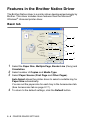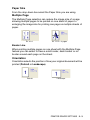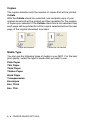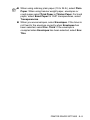
1
Editing Member information
1
2
3
4
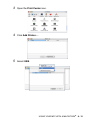
Select the Member or Group you want to edit.
Click the edit
icon.
Change the Member or Group information.
Click OK to save your changes.
Deleting a Member or Group
1
2
3
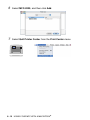
Select the Member or Group you want to delete.
Click the delete
icon.
When the Confirm Item Delete dialog box appears, click OK.
Exporting the Address Book
You can export the whole Address Book to an ASCII text file (*.csv).
Or if you wish, you can select and create a Vcard that will be attached
to that Member’s outgoing E-mail. (A Vcard is an electronic business
card that contains the sender’s contact information.)
To export the whole current Address book:
If you are creating a Vcard, you must first select the member.
If you select Vcard in Step 1, Save as type: will be Vcard (*.vcf).
1
2
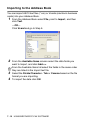
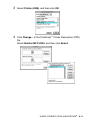
From the Address Book select File, point to Export, and then
click Text.
—OR—
Click Vcard and go to Step 5.
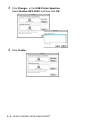
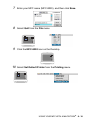
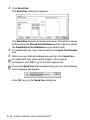
From the Available Items column, select the data fields you
wish to Export and then click Add >>.
Select the items in the order you want them listed.
7 - 10 USING BROTHER PC-FAX SOFTWARE