1
Using the Bay Command Console
Prompts, Commands, and Responses
Comments
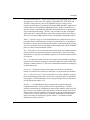
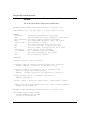
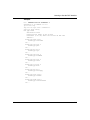
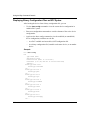
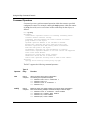
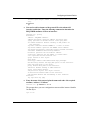
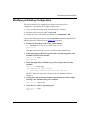
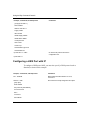
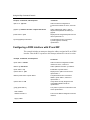
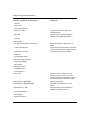
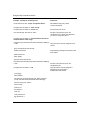
to-as/14/announce all> accept "accept-192.168.0.0"
Add a BGP accept policy called
“accept-192.168.0.0”.
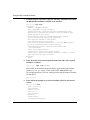
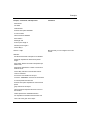
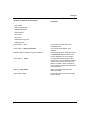
accept/accept-192.168.0.0> action accept
accept/accept-192.168.0.0> from-as 14
Accept routes from AS 14.
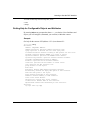
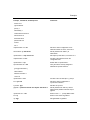
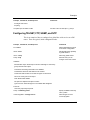
from-as/14/accept-192.168.0.0> cwc ..
Go back to the previous level in the
configuration tree. Specify the addresses
you want to accept from AS 14.
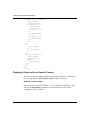
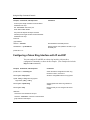
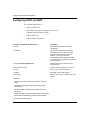
accept/accept-192.168.0.0> network address 192.168.0.0
mask 255.255.0.0 match range
network/accept-192.168.0.0/192.168.0.0/255.255.0.0/Range
> info
Verify the values currently assigned to this
context.
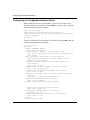
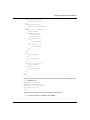
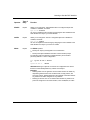
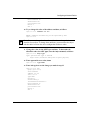
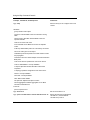
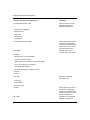
group {accept/accept-192.168.0.0}
address 192.168.0.0
Only addresses starting with 192.168.x.x will
be accepted.
mask 255.255.0.0
match Range
polname accept-192.168.0.0
network/accept-192.168.0.0/192.168.0.0/255.255.0.0/Range
> cwc ..
Go back to the previous level in the
configuration tree.
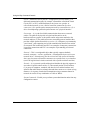
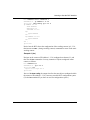
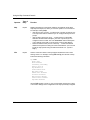
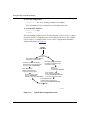
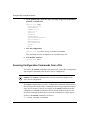
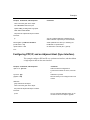
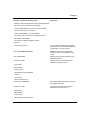
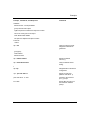
accept/accept-192.168.0.0> info
Verify the values currently assigned to
attributes of the accept policy
accept/accept-192.168.0.0.
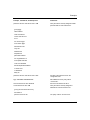
group {bgp}
state enabled
sub-protocols {from-as/14/accept-192.168.0.0 network/
accept-192.168.0.0/192.168.0.0/255.255.0.0/Range}
polname accept-192.168.0.0
action accept
preference 1
precedence 0
origin any
local-preference 0
bgp-preference 1
4-16
115976-A Rev. A