1
box
ethernet slot 2 connector 1
ethernet slot 2 connector 2
ip address 11.23.13.14 mask 255.0.0.0
ip address 11.23.13.15 mask 255.0.0.0
rip
rip
ip
BCC0037A
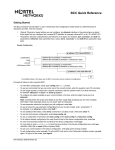
Figure 1.
Hierarchy of BCC Objects
Sample Session
To create the sample configuration shown in Figure 1 on a BN router with an Ethernet link module
in slot 2, enter the following BCC commands. Notice how each BCC prompt contains the BCC
identifier of the object just configured.
Command
Comment
box# ethernet slot 2 connector 1
Configures ethernet 2/1 using a fully specified
interface location.
ethernet/2/1# ip 11.23.13.14/8
Configures ip/11.23.13.14/255.0.0.0 using a
decimal mask value. The BCC automatically
configures the global ip object when you configure
the first ip interface on the box.
ip/11.23.13.14/255.0.0.0# rip
Configures RIP on ip/11.23.13.14. No parameter
values are required.
rip/11.23.13.14# back
Moves back one level closer to box or root level.
ip/11.23.13.14/255.0.0.0# back 2
Moves back two levels to box level.
box# eth 2/2
Configures ethernet 2/2 using abbreviated syntax.
(Slashes between required parameter values
only.)
ethernet/2/2# ip address 11.23.13.15
mask 255.0.0.0
Configures ip/11.23.13.15/255.0.0.0 using
dotted-decimal notation for the mask value.
ip/11.23.13.15/255.0.0.0# rip
Configures RIP on ip/11.23.13.15/255.0.0.0.
rip/11.23.13.15# box
Jumps to root level. You can use this command
from any location in the object hierarchy.
2
Part Number 308602-14.00 Rev 00