1
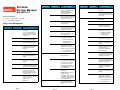
Command
Options
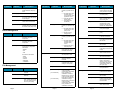
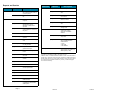
fsrmdiskcopy
Description
Removes a file copy from
disk after the file is stored to
media.
filename
fsstore
Full path and name of the
file copy to remove from
disk.
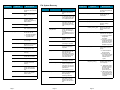
Expedites storage of data
to media, instead of
allowing data migration by
SNMS software.
filename
Name of file on disk to store
to media.
[ -c copies ]
Number of file copies to
store, including the primary.
[ -f i | p ]
File retention policy (-f) for
the file. Files can be:
• i - Truncated immediately
• p - Truncated at policy
application time
[ -t mediatype ]
Defines the media type to
use for storage.
[ -v drivepool ]
Specifies the Media
Manager drive pool group
used to store the file.
[ -z minsize ]
fsversion
File System Recovery
Command
Options
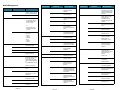
fsrecover
filename
[ -h ]
Displays usage.
[ -a ]
Lists all available versions
of the file (current and
inactive).
[ -v ]
[ -c ver ]
Modifies the file’s current
version to the specified
inactive version.
[ -f ]
Forces the version change.
Page 7
Restores elements of a
StorNext Storage Manager
file system.
[ -p ]
Specifies a temporary
storage directory for
restored files.
[ -h ]
Displays usage.
[ -e ]
Extracts files to the
temporary storage
directory.
[ -r ]
restore_directory_path
Uses files from this
directory to restore. No
files are restored from
media.
[ -c | cl component ]
Specifies the software files
restored. You can specify:
Full path of the file to
recover. Optionally, you
can have a timestamp of
the form
YYYY:MM:DD:hh:mm:ss::/
stornext/smfs2/rel1/sub1/
file.a.
dirpathname
Full path of the directory
containing file(s) to
recover.
-u
Indicates that recovery
processing is requested.
-d
Indicates that directory
recovery processing is
requested.
[ -p ]
Specifies that the user
report display entries for
which the user has
permissions. If this option
is not specified, the report
to the user displays only
user-owned entries.
[ -r ]
Indicates recursive
processing is requested.
Verbose listing of the file’s
current version (version
number and modification
time).
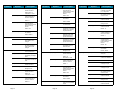
snrestore
• -c - Restore all software
configuration
information.
• -cl component - Restore
the specified software
component. Use the -h
option to find a list of
available components.
[ -d | dj ]
[ -m | -mj [
filesystem_name ] ]
Indicates a time range to
restrict the length of the
user report. The format of
the starttime and endtime
parameters is:
[ -a ]
Specifies active files rather
than recoverable files when
either reporting or
recovering a directory.
[ -v ]
Specifies the verbose
mode during a recover
sequence. The system
reports on the recovered
files.
Specifies the database
restore values. You can
specify:
• -d - Restore database
and journal files.
• -dj- Restore only the
journal files and apply
them to the existing
database on the
system.
Specifies the file system
metadata restore values.
You can specify:
• -m - Restore file system
metadata information
for all file systems or
for the selected
optional file system.
• -mj- Restore file system
journal information for
all file systems or for
the selected optional
file system.
YYYY:MM:DD:hh:mm:ss
Page 8
Description
Name of the file to report
on. The name can be a file
name, a partial path name,
or a complete path name.
[ RM_time::
]filepathname
[ -t starttime [ endtime ] ]
Options
Reports or recovers files
that were removed from
disk.
Directory containing one or
more files to recover. The
name can be a directory
name, partial path, or full
path.
Specifies the file’s current
version(s).
File for which the version
number will be checked.
Description
dirname
Specifies the minimum file
size (in bytes) to store.
name
Command
Page 9