1
GETTING STARTED
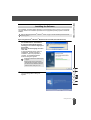
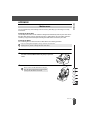
Installing the DK Roll
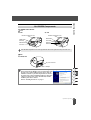
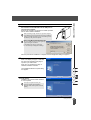
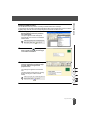
There is a wide range of DK Rolls available for use with your QL-500/550, allowing you to create
almost any type of label you need.
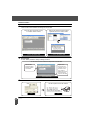
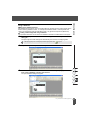
Available supplies
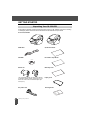
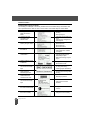
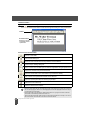
The types of DK Rolls that may be used with the QL-500/550 are listed below.
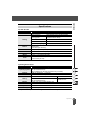
DK Die-cut Paper Labels
A roll of pre-cut paper labels.
DK Die-cut Film Labels
A roll of pre-cut film labels that are durable in
water.
A roll of continuous paper tape for printing labels
of varied length.
A roll of continous film tape for printing labels of
varied length that are durable in water.
DK Durable Paper Tape
DK Durable Film Tape
To obtain optimum performance, use only genuine Brother accessories and DK Rolls.
Installing the DK Roll
8
1
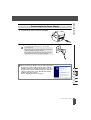
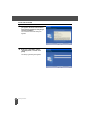
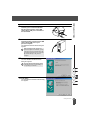
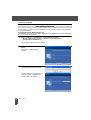
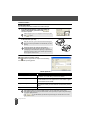
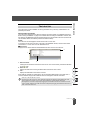
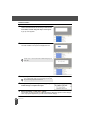
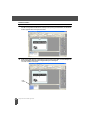
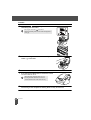
Press the ON/OFF button to turn the QL-500/550 off.
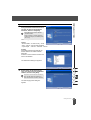
Hold the DK Roll compartment cover at the sides near
the front of the QL-500/550 and firmly lift up to open the
cover.
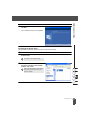
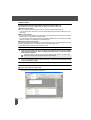
2
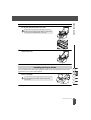
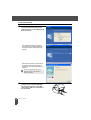
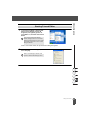
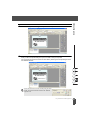
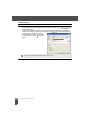
Place the spool into the spool guides in the DK Roll
compartment.
• Make sure that the spool arms are inserted firmly in the
spool guides on the left and right.
• Insert the spool with the DK Roll located on the right hand
side of the QL 500/550.
Installing the DK Roll