1
personal
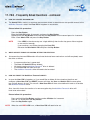
4. How to change the User PIN
PIN requirements:
•
•
•
•
Must be between 7-15 digits in length
Must not contain only repetitive numbers e.g. 3-3-3-3-3-3-3
Must not contain only consecutive numbers e.g. (1-2-3-4-5-6-7),(7-8-9-0-1-2-3-4),(7-6-5-4-3-2-1)
Drive must NOT be connected to a host
INSTRUCTIONS
LED ACTIVITY
Press KEY Button
will blink together
Enter User PIN to unlock drive
(Factory default PIN 1,1,2,2,3,3,4,4)
and press KEY Button
will illuminate together for approximately
4 seconds and then:
will blink indicating correct PIN entry
Press and hold KEY Button
will illuminate together
for 3 seconds
While
illuminated enter New User PIN
and press KEY Button
will blink in unison
Re-enter New User PIN
and press KEY Button
will illuminate and then
change to blinking
N.B.
Insert datAshur Personal into USB port
Note:
blinks if 1st and 2nd entries match
blink alternately if PIN entry incorrect
If a mistake was made while defining a new PIN or the procedure was aborted,
the drive will retain the old PIN.
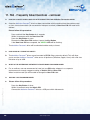
5. How to create a new User PIN
when all cryptographic parameters have been zeroed
iStorage datAshur Personal ® Manual – v 31
All cryptographic parameters (including User PIN and Admin PIN) are zeroed after hacking detection
has been triggered by 10 consecutive failed attempts to unlock, or when the drive has been manually
reset (see section No. 12)
This state is evident by a solid lit RED LED indicator. It will be necessary to set a New User PIN by
following these instructions.
Once the User PIN has been defined, a new encryption key is generated using the on-board random
number generator.
Configuring a New User PIN overleaf
#6
www.istorage-uk.com