1
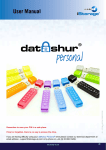
personal
6. Unlocking the drive with User PIN
All data stored on the drive is encrypted using AES 256-bit CBC encryption. In order to access, the
drive must first be unlocked. A locked drive is not accessible by the host computer.
INSTRUCTIONS
LED ACTIVITY
Press KEY Button
will blink together
Enter User PIN to unlock drive
(Factory default PIN 1,1,2,2,3,3,4,4)
and press KEY Button
will illuminate together for
approximately 4 seconds and then:
will blink indicating correct PIN entry
Note that at this point the
following occurs:
will blink indicating the correct PIN entry
Insert your datAshur Personal into USB port
will illuminate in a constant state
will blink indicating the incorrect PIN entry
will illuminate and flicker
Note:
Once unlocked, the GREEN LED will blink for 30 seconds, within which time
the drive needs to be connected to a USB port.
If no connection has been detected within 30 seconds the drive will lock.
7. Locking the drive
The datAshur Personal® drive automatically locks when unplugged from the host computer or power
to the USB port is turned off.
8. Configuring the Admin PIN
PIN requirements:
iStorage datAshur Personal ® Manual – v 31
•
•
•
•
Must be between 7-15 digits in length
Must not contain only repetitive numbers e.g. 3-3-3-3-3-3-3
Must not contain only consecutive numbers e.g. (1-2-3-4-5-6-7),(7-8-9-0-1-2-3-4),(7-6-5-4-3-2-1)
Drive must NOT be connected to a host
If a User PIN exists, the datAshur Personal® drive must be unlocked with the User’s PIN first.
If the drive is in a reset state (solid RED indicator), an Admin PIN can be set at any time.
For details please see the table overleaf.
#8
www.istorage-uk.com