1
Contents
Contents
1
2
2.1
3
4
4.1
5
6
7
7.1
Introduction
Getting Started
Quick Start
Overview
Your Video Matrix Switcher
Using the IR Transmitter
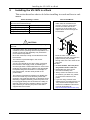
Installing the VS-162V in a Rack
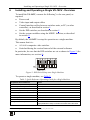
Installing and Operating a Single VS-162V - Overview
Configuring the VS-162V Video Matrix Switcher
Configuring the Standalone VS-162V
1
1
1
3
4
7
8
9
10
10
7.1.1
7.1.2
7.1.3
7.1.4
Configuring a 16x16 Composite Video Switcher
Configuring an 8x8 s-Video (Y/C) Switcher
Configuring a 5x5 YUV/RGB Switcher
Configuring a 4x4 RGBS Switcher
10
11
12
12
7.2
Configuring 16x16 Multi-Channel Video Switchers
13
7.2.1
7.2.2
7.2.3
Configuring a 2-Unit 16x16 Y/C Switcher
Configuring a 3-Unit 16x16 YUV/RGB Switcher
Configuring a 4-Unit 16x16 RGBS Switcher
13
14
15
7.3
Configuring a Multi-Unit Matrix Switcher
15
7.3.1
7.3.2
Configuring a 32x16 Switcher
Configuring a 32x32 Switcher
16
17
7.4
8
8.1
8.2
8.3
8.4
8.5
9
9.1
Configuring a System of Interconnected Switchers
Understanding Addressing and System Modes
Setting the DIP-Switches
Setting the MACHINE #
Setting the MACHINE ADDRESS #
Understanding the SYSTEM Mode
Understanding the SLAVE Mode
Connecting a Control Interface
Connecting the RS-232 Control Interface
18
20
20
21
21
21
22
22
23
9.1.1
9.1.2
9.1.3
9.1.4
9.1.5
9.1.6
Connecting Two Units with a Null-Modem Adapter
Connecting Two Units without a Null-Modem Adapter
Connecting to a 9-pin PC COM Port with a Null-Modem Adapter
Connecting to a 9-pin PC COM Port without a Null-Modem Adapter
Connecting to a 25-pin PC COM Port with a Null-Modem Adapter
Connecting to a 25-pin PC COM Port without a Null-Modem Adapter
24
24
24
25
25
25
9.2
9.3
9.4
Connecting the RS-485 Control Interface
Configuring the Sync
Connecting the KEYBOARD EXTENSION
26
29
29
i