1
Operating Your Video Matrix Switcher
3. Press the TAKE button to confirm the action.
The input is cleared and the TAKE LED lights. The MATRIX display does
not show any Input # in its place.
10.5.2 Clearing Several Outputs
To clear several outputs (in the AT ONCE mode):
1. Press the appropriate OUT button.
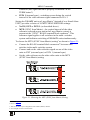
The MATRIX display shows the two flashing digits, representing the
present input number for that specific output1. If the present output is clear,
the two flashing digits 00 appear in the MATRIX display.
The STATUS Display shows the message:
out # x
Where x is the output number
2. Press the OFF button.
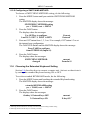
The output is cleared and the MATRIX display does not show any Input #
in its place.
The STATUS Display momentarily shows the message:
out # x
reset
Where x is the output number
To clear several outputs (in the CONFIRM mode (the TAKE LED is lit)):
1. Repeat step 1 above.
2. Press the OFF button.
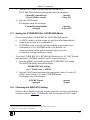
The MATRIX display shows the two flashing digits 00 instead of the
previous two flashing digits and the TAKE LED flashes.
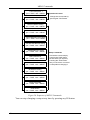
The STATUS Display shows1 the message:
out # x
reset
Where x is the output number
3. Press the second appropriate OUT button, by repeating step 1 above.
4. Repeat step 2 above.
5. Continue with this OUT-OFF button sequence, pressing the appropriate
OUT buttons and the OFF, as required.
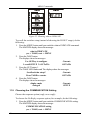
The MATRIX display shows the sets of two flashing digits, representing the
present input number for each specific output.
1 For example, pressing OUT button 9 shows the flashing digits 01 if input 1 was previously routed to OUT 9
36
KRAMER: SIMPLE CREATIVE TECHNOLOGY