1
Contents
1
Introduction
1
2
2.1
2.2
2.3
3
3.1
3.2
Getting Started
Achieving the Best Performance
Safety Instructions
Recycling Kramer Products
Overview
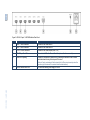
Defining the VM-24H 2 Input 1:4 HDMI Distributor
Using the IR Transmitter
2
2
3
3
4
4
7
4
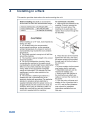
Installing in a Rack
8
5
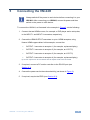
Connecting the VM-24H
6
6.1
6.2
6.3
Operating the VM-24H
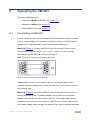
Controlling via RS-232
Operating the VM-24H
Using the EDID Buttons
11
11
12
12
7
Technical Specifications
15
8
8.1
8.2
Communication Protocol
Syntax
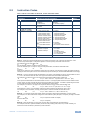
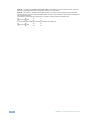
Instruction Codes
16
16
17
9
Figures
Figure 1: VM-24H 2 Input 1:4 HDMI Distributor Front Panel
Figure 2: VM-24H 2 Input 1:4 HDMI Distributor Rear Panel
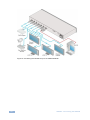
Figure 3: Connecting the VM-24H 2 Input 1:4 HDMI Distributor
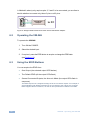
Figure 4: Crossed Cable RS-232 Connection
Figure 5: Straight Cable RS-232 Connection with a Null Modem Adapter
5
6
10
11
12
VM-24H – Contents
i