1
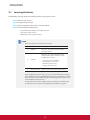
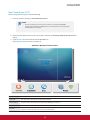
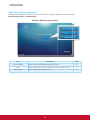
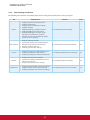
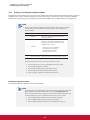
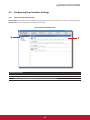
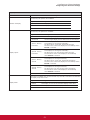
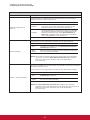
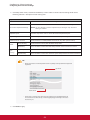
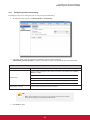
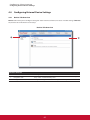
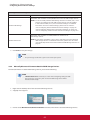
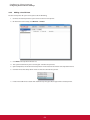
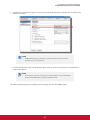
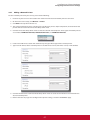
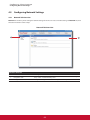
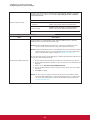
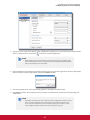
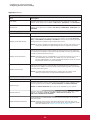
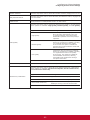
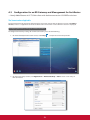
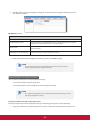
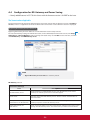
&RQ¿JXULQJ&OLHQW6HWWLQJV &RQ¿JXULQJ6HUYLFH$FFHVV6HWWLQJV Common Settings Item Description Select whether to open a Citrix ICA session automatically or not when your SC-T35 is started up (Autostart mode). NOTE: There are three similar but different modes for your SC-T35 and only one mode will take effect if all are enabled. Three modes and the order of priority are listed as follows: No. 1 Mode Description Appliance The client will start up directly with the desired Citrix ICA session and turn off after existing the session. The client will start up directly with the desired &LWUL[,&$VHVVLRQDQGSHUIRUPWKHFRQ¿JXUHG action after existing the session. Autostart When Startup Available actions include: 2 Autostart Returning to the local desktop Re-launching a new session Restarting the thin client Turning off the thin client 3 Quick Connection The default. The client will enter ViewSonic Quick Connection screen after system startup. NOTE: To use the Autostart mode, ensure that the Appliance mode is disabled. Select what to do when a Citrix ICA session is ended. Four options are available: Do Nothing, Restart Application, Reboot, and Shutdown. Option Description Do Nothing Returns to the Local Linux desktop. Restart Application Opens an ICA session again. Reboot Restarts your thin client. Shutdown Turns off your thin client. On Application Exit Manual Parameters Type in parameters for extended parameter passing.