1
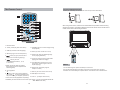
The Remote Control
The Use of Remote Control
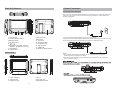
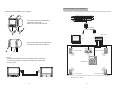
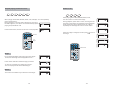
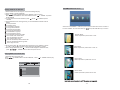
Please put the battery into the remote control as per below illustration.
1
1
2
10
11
12
2
4
13
14
5
6
15
16
3
CR2025
CR2025
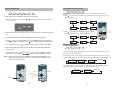
When using remote control, make sure the infrared window is pointed to infrared receiving
window of the machine. The distance between machine and remote control must be within 3
metres. Please refer to the following illustration.
20
17
7
18
19
8
9
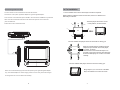
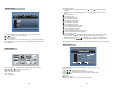
1. Number button
11. ZOOM(To zoom in/out the image during
the playback)
2. TITLE ( To display title information)
3. AUDIO (To select audio language)
12. Menu (To enter or exit menu root)
0
4. SETUP (To go to or exit setup menu)
5.
button (To go to previous/next
chapter or scene during playing)
6.
button (To scan
forward/backward at 2, 4, 8, 16,
or 32 times )
30
14. Angle (To change viewing angle when
playing disc with multi-angle)
15. A-B (Repeat a specific portion from
point A to B, press it again to cancel
repeat playing)
7.OSD ( To display disc information
during playing such as elapsed and
remaining time)
8.
30 0
13. Subtitle (To select subtitle language
when playing DVD disc)
16. Repeat (To repeat playing title,
chapter or track)
Play/pause
17. Return (To return to the main menu)
9.
Stop ( press once to stop playback,
then press
to resume playback from
the point where you stopped; press stop
button twice to stop playback completely)
Notice
1.To avoid falling off or place near damp environment.
2.To avoid infrared receiving window of the unit being under direct sunlight.
3.Please use a new battery to replace old one if the remote control doesn't work.
18. MUTE(To turn to mute)
19. VOL +/- (To adjust the volume)
10. MODE (To select the source refer to P17) 20: Enter ( To confirm,f unction same as
“ OK ”Button on uint )
10
11