1
Wasp Labeler User Manual
Table of Contents
Chapter 1 - Getting Started ...................................................................................................................... 1
1.1 Introduction .................................................................................................................................... 1
1.2 Getting Started - Wasp Labeler Capabilities.................................................................................... 2
1.3 Getting Started - What is a Barcode?.............................................................................................. 4
1.4 Getting Started - Navigating the Main Screen ................................................................................. 5
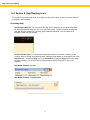
1.4.1 Section A: Help/Resizing Icons ................................................................................................ 6
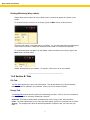
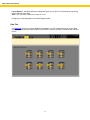
1.4.2 Section B: Tabs ....................................................................................................................... 7
1.4.3 Section C: Icon Toolbar.......................................................................................................... 10
1.4.4 Section D: Design Window..................................................................................................... 10
1.4.5 Section E: Properties Box ...................................................................................................... 11
1.5 Getting Started - Creating a Static Label....................................................................................... 14
1.6 Getting Started - Binding a Data Source to an Object ................................................................... 20
1.7 Getting Started - Using String Builder to Concatenate Data .......................................................... 25
1.8 Getting Started - Creating Enumerated Labels.............................................................................. 32
1.9 Getting Started - Example Labels ................................................................................................. 37
1.10 Barcode Symbology Reference .................................................................................................. 40
Chapter 2 - File Tab ............................................................................................................................... 51
2.1 File Tab Overview ........................................................................................................................ 51
2.2 Exporting a Barcode as an Image File .......................................................................................... 52
2.3 Exiting Wasp Labeler with Unsaved Labels .................................................................................. 53
Chapter 3 - Design Tab ......................................................................................................................... 54
3.1 Design Toolbar Function Descriptions .......................................................................................... 55
3.2 Adding a Drawing Object .............................................................................................................. 59
3.3 Adding a Picture ........................................................................................................................... 63
3.3.1 Steps to Add a Picture to a Label: .......................................................................................... 63
3.3.2 Picture Properties Box: Format Tab ....................................................................................... 65
3.3.3 Picture Properties Box: Content Tab ...................................................................................... 67
3.4 Adding a Barcode......................................................................................................................... 68
3.4.1 Steps to Add a Barcode ......................................................................................................... 68
3.4.2 Adding a Barcode: Properties Box.......................................................................................... 70
3.4.3 Barcode Properties ................................................................................................................ 79
3.5 Adding a Text Box ........................................................................................................................ 99
3.5.1 Steps to Add a Text Box ........................................................................................................ 99
3.5.2 Adding a Text Box: Properties Box ....................................................................................... 101
3.6 Content Options ......................................................................................................................... 108
3.6.1 Object Data Source - Date/Time .......................................................................................... 108
3.6.2 Object Data Source - Serial Alpha........................................................................................ 109
3.6.3 Object Data Source - Database............................................................................................ 111
3.6.4 Object Data Source - Another Object ................................................................................... 112
3.6.5 Object Data Source - User Defined List ................................................................................ 113
3.6.6 Object Data Source - Serial Number .................................................................................... 116
3.6.7 Object Data Source - Prompt at Print ................................................................................... 118
3.6.8 String Builder ....................................................................................................................... 120
3.6.9 Formatting Data ................................................................................................................... 124
Chapter 4 - Data Tab ........................................................................................................................... 137
4.1 Data Tab Overview..................................................................................................................... 137
4.2 Connecting to a CSV File ........................................................................................................... 139
4.3 Connecting to a Microsoft Access Database ............................................................................... 141
4.4 Connecting to an Excel File ........................................................................................................ 143
4.5 Connecting to Microsoft SQL Server ........................................................................................... 145
4.6 Data Source - ODBC Compliant Data Source ............................................................................. 146
4.7 Connecting to QuickBooks® ....................................................................................................... 148
4.8 Connecting to a Text File (delimited)........................................................................................... 152
i