1
Setting Up the Machine to Suit Your Needs
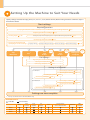
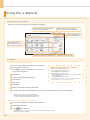
Specify settings related to the Copy, Print, Fax *1, PC Fax *1, Scan, Remote UI and ,Media Printing functions. Follow the steps in
the flowchart below.
Start settings.
Required Operations
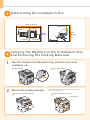
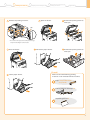
Carrying the Machine to the Installation Site and Removing the Packing Materials
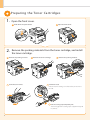
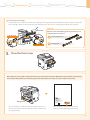
Preparing the Toner Cartridges
Loading Paper
P. 10
P. 8
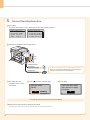
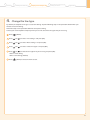
Settings for paper sizes and paper types are required after turning the power ON.
Connecting the Power Cord
Turning the Power ON and
Specifying the Initial Settings
Copy
Media Print
P. 6
Language Settings
P. 11
Time Zone Settings
Country and Region Settings
Print
Scan
PC Fax*1
Fax*1
P. 13
USB
Connection
Print
Scan
PC Fax*1
P. 12
Current Time Settings
Network
Connection
Settings from
a Computer
Remote
UI
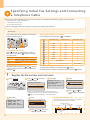
Fax Settings*1
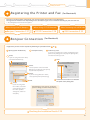
Registering the Sender Information
P. 14
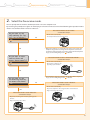
Selecting the Receive Mode
P. 15
Connecting a Telephone Line
P. 16
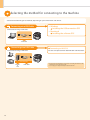
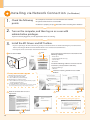
Settings in a Computer
For Windows
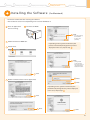
Installing the Software
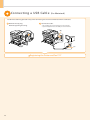
Connecting a USB Cable
P. 19
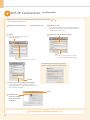
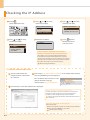
Checking the IP Address
P. 20
P. 22
P. 23
For Macintosh
Installing the Software
Connecting a USB Cable
Connecting to a Network
Connecting to a Network
P. 19
Checking the IP Address
P. A-3
P. 25
P. 26
Settings are now complete.
*1 You may use this function in the D1370/D1350 only.
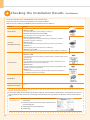
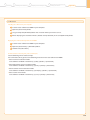
Available Features
: available : not available
Copy
D1370
D1350
D1320
2
Print
(2-sided)
Print
(PS/PCL)
Fax
(PC Fax)
Scan
Send to E-mail/
Store to Shared Folder
Remote UI
ADF
(2-sided)