1
1
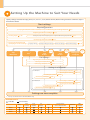
Preface
2
Installing the Machine
3
Configuring and Connecting the Fax
4
Connecting to a Computer and
Installing the Drivers
Appendix
Checking the Supplied Accessories
1. Confirm that all the supplied
accessories are contained in the box.
If an item is missing or damaged, please contact our Canon
Authorized Service Facilities or the Canon Customer Care
Center.
About the LAN cable
The machine does not come with a LAN cable
or a hub. Have cables or a hub ready as needed.
The machine unit
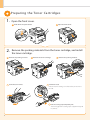
The toner cartridge is
already installed.
• Use a Category 5 or higher twisted pair cable.
• If you want to connect the machine to a 100BASE-TX
Ethernet network, all the devices to be connected to the
LAN must support 100BASE-TX.
Toner cartridge
About the USB cable
The machine does not come with a USB cable.
Have cables ready as needed.
Power cord
For Windows For Macintosh
Telephone cable *1
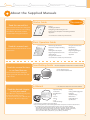
User Software CD-ROM
Starter Guide (This manual)
Limited Warranty Notice
Basic Operation Guide
Registration Card
Speed dial label*1
*1 D1370/D1350 Only
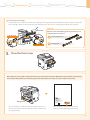
Supplied Toner Cartridge
The average yield of the included toner cartridge is as follows.
Canon Cartridge 120 Starter
Average yield*1: 2,300 sheets
*1
The average yield is on the basis of “ISO/IEC 19752”*2 when printing A4 size paper with the default print density setting.
*2
" ISO/IEC 19752" is the global standard relating to "Method for the determination of toner cartridge yield for monochromatic electrophotographic printers
and multi-function devices that contain printer components" issued by ISO (International Organization for Standardization).
The average yield of the replacement toner cartridge varies from that of the supplied toner cartridge.
To purchase replacement toner cartridges, see "About Replacement Toner Cartridges" in the e-Manual.
3