1
Thank you for purchasing the Quickfire controller for PS3™ from Bigben Interactive.
This product includes:
• 5 Preset quick fire modes for all your favourite games.
• Clear LCD screen.
• 8 shots per second up to 48 shots per second.
• Custom firing mode – set your own quick fire rate from 6 shots per second up to a blistering 60 shots per second.
• Program any action buttons for rapid fire.
• Tilt sensors and vibration.
• Ergonomic, non slip triggers.
• Supplied with 2 AA Alkaline batteries.
Controller Set-Up and Use
Battery Installation
1. Remove the battery compartment cover from underneath the controller
2. Insert 2 x 1.5 volt AA size batteries, observing the correct polarity
3. Refit the battery compartment cover
Using the Controller with a PS3™.
Slide the switch on the Receiver Unit to PS3™ mode.
Receiver Connection
Plug the Receiver Unit into one of the USB ports on your PS3™ console. The Red LED on the Receiver Unit will flash constantly.
Using your Controller
1. Switch on the controller by sliding the power On/Off switch, on the Controller, to on. When the controller has successfully connected with
the Receiver Unit the Red LED, on the receiver, will stop flashing and be lit continuously.
2. Press the `PS Home’ button on the centre of the controller. This is the button with the house symbol.
3. The controller will connect to your PlayStation®3 console and the numbered Red LED’s will light up showing your controller number.
4. Ensure that your contoller is assigned as controller 1.
If it is not recognised as controller 1, press and hold the home button to bring up the option menu, while you have a game loaded.
Select the controller settings and then select the ‘Reassign the Controller’ option.
Scroll down with the d-pad on the rifle until it says 1 on the TV screen.
Press X to select it and then press O twice to go back to your game.
For further information on assigning controller ports please refer to your console instruction manual.
Quick fire modes
The Quickfire controller has 6 different quick fire modes to suit all of your favourite shooting games. The controller is set to mode 1, 8 shots
per second by default.
The mode is displayed on the LCD screen as M1 08SPS. Quick fire is set to the R1 button of your controller as this is the most common
firing button for shooting games.
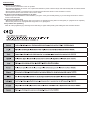
L
L
R
PRG
SELECT
SELECT
START
L
R
M5 48 SP S
PRG
START
SELECT
START
PS
PS
ON
R
M1
M2
M1 10 SPS
R1
M3
PRG
M4
M5
M1 08 SPS
ON
OFF
PS
OFF
ON
OFF
Changing the quick fire modes
The quick fire modes have been designed to work on all of your shooting games. To ensure full compatibility please select the correct mode
for your game.
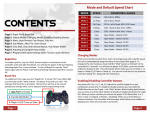
The modes are as follow:
M1 8SPS – Call of Duty 4 Modern Warfare
M2 10SPS – Call of Duty World at War and Call of Duty: Black Ops
M3 20SPS – Call of Duty Modern Warfare 2
M4 32SPS – Call of Duty Modern Warfare 2
M5 48SPS - Call of Duty Modern Warfare 2
Please note that modes M4 and M5 may have varied results depending on which guns you are using in the game. If you experience
any problems, stick with the M3 mode. These modes will also work with other popular shooting games, like Battlefield™, Killzone™,
Resistance™ etc. Try the different modes to select which works best.
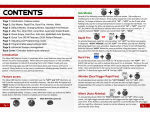
To change between modes follow these steps.
1. Press start and select simultaneously to enter the programming mode.
2. Press up or down on the D-pad to cycle through the different modes.
3. When you have found your correct mode press start and select again to confirm your selection.
4. The controller will now fire at your chosen speed when you press R1.
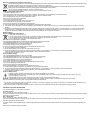
L
R
M1 08 SPS
PRG
SELECT
START
L
M5
M6
M1 06 SPS
M1
PRG
M2
M3
SELECT
START
PS
PS
ON
OFF
ON
OFF
R