1
Starting Up
ON
DP
1 2 3 4 5 6 7 8
ON
1 2
Shaker
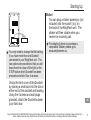
You can plug a shaker accessory (not
included) into the socket ‘((o))’ on
the back of the RingFlash unit. The
shaker will then vibrate when you
receive an incoming call.
You
only need to change the Bell setting
if you have more than one Doorbell
connected to your RingFlash unit. The
two options are provided so that you will
know from the colour of the light on the
STOP button which Doorbell has been
pressed and which Door to answer.
or details of where to purchase a
F
compatible Shaker, please go to
www.amplicomms.eu.
Unclip the front cover of the Doorbell
by placing a small coin into the slot at
either end of the doorbell and twisting.
Using the 4 screws and wall plugs
provided, attach the Doorbell outside
your front door.
Service−Hotline UK Tel. 0844 800 6503 (Using an UK landline, at the time of going to print: calls cost 6p for connection charge and then 5p a
minute. Mobile costs may vary.) Hotline hours are Monday to Friday, 9am to 5pm, excluding public and national holidays.
GB
31