1
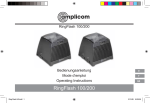
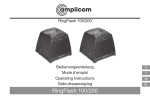
Using your RingFlash 100/200
Set the ring tone
Mode Ring alarm Bell alarm
Your RingFlash unit has 3 ring tones
0
Off
Bell sound from
to choose from. Just move the slider
the speaker
switch on the left hand side of your
product to select ring tone 1, 2 or 3.
Strobe light Bell sound from
and speaker speaker and
Set the Doorbell tone
strobe light
(RingFlash 200 only)
You can choose from two different
Speaker
Bell sound from
Doorbell tones, just move the slider on
and external speaker and
the left hand side of your product to
shaker
external shaker
select Doorbell tone 1 or 2.
Strobe light Bell sound
Set the alarm mode
and external from speaker,
There are 4 alarm modes to choose
shaker
strobe light and
from. Please use the slider on the right
external shaker
hand side of the product to select one
of the following alarm modes.
Stop the ring alarm
Press the STOP button on the front
of the unit to stop the ring alarm for
that call, even if the telephone line
continues to ring. The ring alarm will
return to its original setting for the next
call.
Service−Hotline UK Tel. 0844 800 6503 (Using an UK landline, at the time of going to print: calls cost 6p for connection charge and then 5p a
minute. Mobile costs may vary.) Hotline hours are Monday to Friday, 9am to 5pm, excluding public and national holidays.
GB
33