Download Sharp BD-HP80U
Transcript
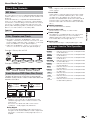
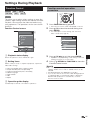
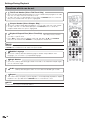
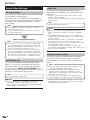
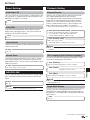
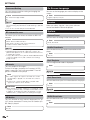
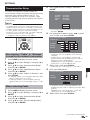
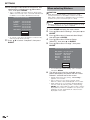
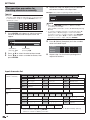
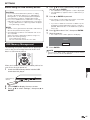
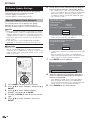
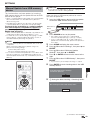
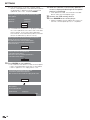
Contents Version........................................................................ 42 System ....................................................................... 42 Communication Setup .......................................... 43–46 Sets whether “Cable” or “Wireless” is used for the network connection ............................................. 43 When selecting Cable ...................................... 43–44 When selecting Wireless .................................. 44–45 The operation procedure for inputting characters manually .............................................................. 46 USB Memory Management ......................................... 47 Software Update Settings ..................................... 48–49 Manual Update from Network ................................ 48 Manual Update from USB memory device ....... 49–50 Digital Audio Output Selection Formats ....................... 51 What to do first: Refer to “Getting Started” (p. 13) to prepare for using this player. Introduction (pp. 1–17) Explains the important operation information. Streaming content Playing back streaming content ....................52–56 Instantly Watching Movies from Netflix .................. 52–53 Enjoying Movies and Internet Application with VUDU ................................................................. 54–55 Enjoying Pandora radio ............................................... 56 Appendix Connection (pp. 18–21) Shows the connecting options provided by this Player. Troubleshooting ................................................... i–iii To Reset this Player....................................................... iii On-screen Error Messages ...................................iv Specifications ..................................................... v–vi Glossary ............................................................ vii–ix Network Service Disclaimer ...................................x About Software License.........................................xi LIMITED WARRANTY ..................................... xii–xiii Playback (pp. 22–38) Shows simple playback and useful functions. Settings (pp. 39–51) Gives you more options to suit your circumstances. Streaming content (pp. 52–56) Shows the Internet streaming services available with this player. Appendix (pp. i–xiii) Provides troubleshooting tips and more information. The illustrations and on-screen displays in this operation manual are for explanation purposes and may vary slightly from the actual operations. 7