1
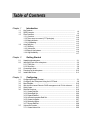
Table of Contents
Chapter 1
1.1
1.2
1.3
1.4
Chapter 2
2.1
2.2
2.3
2.4
2.5
Chapter 3
3.1
3.2
3.3
3.4
3.5
3.6
3.7
Introduction
Key Features..........................................................................................................
RAID Concepts......................................................................................................
Fibre Functions.....................................................................................................
1.3.1 Overview.......................................................................................................
1.3.2 Three ways to connect (FC Topologies)................................................
1.3.3 Basic elements..........................................................................................
1.3.4 LUN Masking...............................................................................................
Array Definition.......................................................................................................
1.4.1 RAID set........................................................................................................
1.4.2 Volume Set...................................................................................................
1.4.3 Easy of Use features..................................................................................
1.4.4 High Availability............................................................................................
1-2
1-3
1-10
1-10
1-10
1-12
1-13
1-13
1-13
1-14
1-14
1-17
Getting Started
Unpacking the subsystem......................................................................................... 2-1
Identifying Parts of the subsystem..................................................................... 2-3
2.2.1 Front View...................................................................................................... 2-3
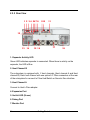
2.2.2 Rear View..................................................................................................... 2-6
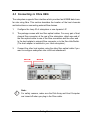
Connecting to Host............................................................................................... 2-9
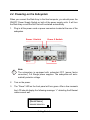
Powering-on the subsystem.............................................................................. 2-10
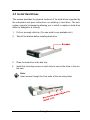
Install Hard Drives............................................................................................ 2-11
Configuring
Configuring through a Terminal..............................................................................
Configuring the Subsystem Using the LCD Panel.........................................
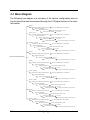
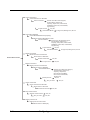
Menu Diagram.......................................................................................................
Web browser-based Remote RAID management via R-Link ethernet.......
Quick Create..........................................................................................................
Raid Set Functions...............................................................................................
3.6.1 Create Raid Set..........................................................................................
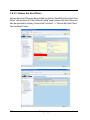
3.6.2 Delete Raid Set............................................................................................
3.6.3 Expand Raid Set...........................................................................................
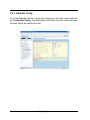
3.6.4 Activate Incomplete Raid Set...................................................................
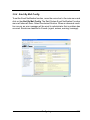
3.6.5 Create Hot Spare........................................................................................
3.6.6 Delete Hot Spare.........................................................................................
3.6.7 Rescue Raid Set..........................................................................................
Volume Set Function..............................................................................................
3.7.1 Create Volume Set......................................................................................
3-1
3-9
3-10
3-15
3-17
3-19
3-19
3-20
3-22
3-25
3-27
3-27
3-28
3-29
3-29