1
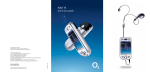
A tour of your Xda Exec
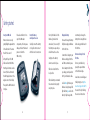
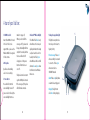
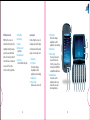
1. SD/MMC card slot
Insert either MMC or SD cards
in this slot. The slot also
supports SDIO – please see the
Windows Mobile 5.0 user guide
to find out more.
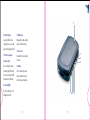
2. Microphone
Speak here when making
a call or voice recording.
3. Power button
Press and hold to turn the
screen backlight on and off
(you can also do this using the
screen backlight button see
number 9 on page 17).
When you close the lid the
screen goes off; if you leave the
lid open, the backlight will time
out (after 30 seconds) and then
the screen will switch off.
A single press of the power
button will turn the screen
on or off.
The phone is turned on at startup, after the SIM pin is entered.
If the screen goes off, the phone
will still remain connected.
14
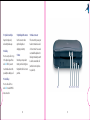
4. Bluetooth™/Wireless LAN light
5. Charge/Coverage/Alarm light
This LED will flash blue slowly
when Bluetooth is active, and
quickly when Bluetooth is being
used (such as with a car kit or
headset). It will flash green
when Wireless LAN is on. It will
alternate blue and green when
both Bluetooth and Wireless
LAN are on.
This light has many functions.
Here they are from lowest to
highest priority:
Phone Coverage: Flashes red
when searching for a network
to connect to. Flashes green
when connected to a
GSM/UMTS network.
Alarm: Flashes red quickly when
an alarm has been triggered.
Charging: The light turns
solid amber during charging.
5
4
3
2
1
15