1
Chapter 6: EASM
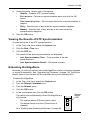
Viewing System Information
To view system information:
1.
In the Tree, click the + beside the System icon.
2.
Click the System Information icon.
3.
Click the System Information tab.
System Information includes:
•
Operating System – Embedded Linux
•
Firmware Version – Changes when you upgrade the firmware. See
“Upgrading the Firmware” on page 143
•
CPU model – MPC 8343
•
Network Adapter – Gigabit Ethernet
•
Network Flow – Inflow and Outflow speeds in bits per second
Viewing Enclosure Information
To view enclosure information:
1.
In the Tree, click the + beside the System icon.
2.
Click the System Information icon.
3.
Click the Enclosure Information tab.
Enclosure Information includes:
•
CPU temperature
•
System temperature
•
System Fan Speed
•
Power Status 5V
•
Power Status 12V
•
Power Status 3.3V
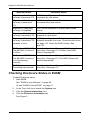
If any values are out of specification, see “Checking Enclosure Status in
EASM” on page 120.
99