1
AirBEAM Smart
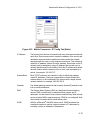
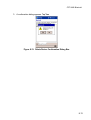
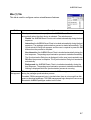
Misc(2) Tab
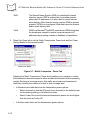
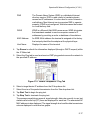
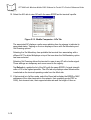
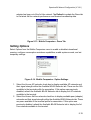
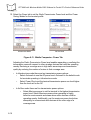
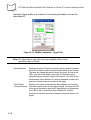
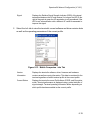
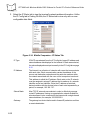
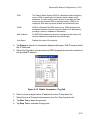
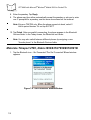
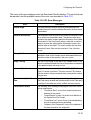
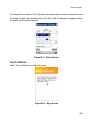
This tab is used to configure various miscellaneous features.
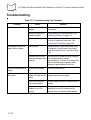
Field
Auto-retry
Description
This field is used to specify whether the AirBEAM Smart Client automatically
retries if there is a failure during the synchronization process.
If this feature is enabled, the AirBEAM Smart Client displays a popup dialog
indicating the attempt of a retry. The popup dialog is displayed for the number of
seconds specified in the Retry Delay field.
The valid values for this field are:
-1: the AirBEAM Smart Client automatically retries indefinitely.
0: the AirBEAM Smart Client does not automatically retry.
-0: the AirBEAM Smart Client automatically retries up to the number of times
specified.
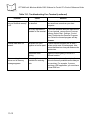
Retry Delay
This field specifies the amount of time, in seconds, that the AirBEAM Smart Client
delays before automatically retrying after a synchronization failure.
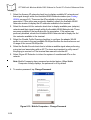
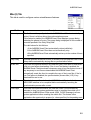
In-use Test
This check box specifies whether the AirBEAM Smart Client tests to determine if
a file is in-use before downloading. If the In-use Test feature is enabled, the
AirBEAM Smart Client downloads a temporary copy of any files that are in-use. If
any temporary in-use files are downloaded the AirBEAM Smart Client
automatically resets the client to complete the copy of the in-use files. If the Inuse Test feature is disabled, the synchronization process fails (-813) if any
download files are in-use.
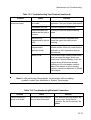
Wait Welcome
This check box specifies whether the AirBEAM Smart Client waits for the
WELCOME windows to be completed before automatically launching the
synchronization process after a reset.
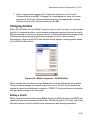
Close Apps
This check box specifies whether the AirBEAM Smart Client automatically
attempts to close non-system applications prior to resetting the mobile unit. If
enabled the AirBEAM Smart Client sends a WM_CLOSE message to all nonsystem applications before resetting the mobile unit. This feature offers
applications the opportunity to prepare (i.e. close open files) for the pending reset.
9-9