1
Advance Settings
If you need to adjust recording time, frame rate or quality refer to the main user manual
also included with this DVR.
Quick-Start Guide Contents
Also, in this quick-start guide is instructions on how to do the following:
1.
2.
3.
4.
5.
Run Factory Default …………..p 5
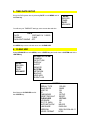
Set up Proper Time & Date…...p 6
Clear Hard Drive………………. p 6
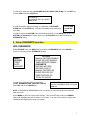
Set up OVERWRITE Function...p 7
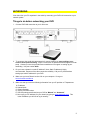
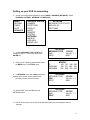
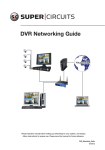
Networking your DVR…………..p 8
NOTE: After running the above settings, please refer to RECORD SETTINGS in your
user manual.
Optimizing Your DVR
1. It is important that you setup your DVR to meet your needs. Key points of
consideration include: recording time, frames per second, naming your cameras, and
setting motion detection. Please see your user’s manual for detailed set-up
instructions.
DON’T FORGET: Supercircuits offers FREE lifetime tech support on every
product we sell.
2