1
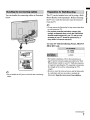
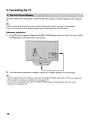
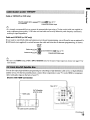
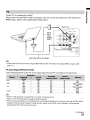
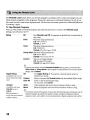
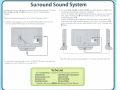
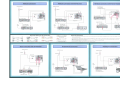
Use the TV as a monitor for your Pc.
Shown below with the HD15 to HD15 connection. This TV can also be connected to a PC with DVI or
HDMI output. (Refer to the supplied Quick Setup Guide.)
~----....
I ~;,:.
-HD15
cable
(analog
RGB)
,
,~
I
OMPORT
[!}
1
Audio cable (stereo mini plugs)
p
• Connect the PC IN jack to the PC using the HD15-HD15 cable with ferrite core (analog RGB) and audio cable
(page 13).
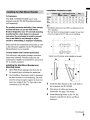
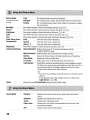
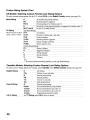
PC Input Signal Reference Chart
After connecting the PC to the TV, set the output signal from the PC according to the chart below.
x
....... •...
~
_._.._ -
...• _._
x
SVGA
p
........................................ _.
,
x
--'75
_-_
.. _.. _ _..__.._ -.
W
68
48.
75
60
768
47.7
60
x
A
~
UI
elines
"----n524------·--x-------768---------·'----S6,5-·--·-----'----1fr------'---------·YES-A-------1,024
,' .... ;("168
.'60:015
·········VESA
1,284)-- x 7 6 i f ' 4 7 : i f 6 6 - · " ·
VESA
-------'i1n,360---x---··
V~ES;;;':Ai---.
__
-.
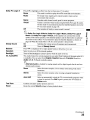
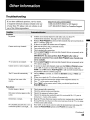
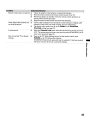
• This TV's PC input does not support Sync on Green or Composite Sync.
• This TV's PC VGA input does not support interlaced signals.
• For the best picture quality, it is recommended to use the signals (boldfaced) in the above chart with a 60 Hz vertical
frequency from a personal computer. In plug and play, signals with a 60 Hz vertical frequency will be detected
automatically. (PC reboot may be necessary.)
(Continued)
21