1
Surround Sound System
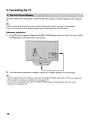
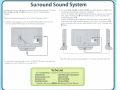
To further enhance the sound quality, connect the subwoofer before using the TV Models
KDL-32N4000 and KDL-37N4000 also need to connect the 2 Satellite Speakers
(supplied).
~
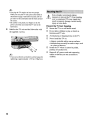
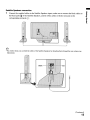
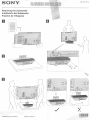
• Before connecting the Subwoofer, be sure to attach the Subwoofer to the TV
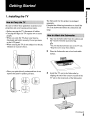
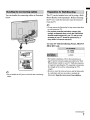
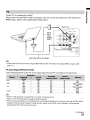
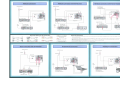
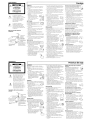
1 Using DIN cable (supplied) connect the AUDIO SYSTEM output on the rear of the
TV to the AUDIO SYSTEM input on the Subwoofer as shown below.
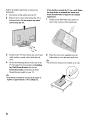
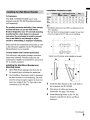
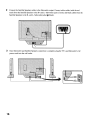
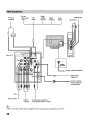
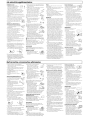
2 For models KDL-32N4000 and KDL-37N4000, the Satellite Speakers (supplied) must
be connected after Subwoofer connection is completed.
Connect the supplied cables to the Satellite Speakers inputs, make sure to connect the
black cables to the black jacks ~ of the Satellite Speakers, and the red cables to the
corresponding red jacks ~ .
Connect the Satellite Speakers cables to the Subwoofer output. Connect white cable
(with the red mark) from the Satellite Speakers to the R+ and L+ Subwoofer jacks ~
(red) and the black cables from the Satellite Speakers to the R- and L- Subwoofer jacks
~ (black).
o
o
o
o
D
o
o
.2JJ
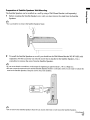
• After DIN cable connection is done, plug the TV's AC power cord to the wall outlet.
.2JJ
• Do not connect unspecified cable to the TV AUDIO SYSTEM input. Connecting other
equipment can cause a malfunction or damage the TV
To Do List
When the Initial Setup is completed, consider carrying out these items:
Set Clock/Timers
Label Video Inputs (skip inputs)
Label Channels
Set Closed Captions (CC)
Set Parental Lock
,Set Picture Mode
Show/Hide Channels
Set Sound Mode
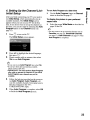
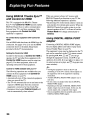
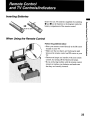
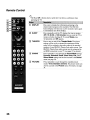
For details, refer to your BRAVIA Operating Instruction Manual.