1
Choosing a place for
the LaserWriter
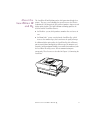
Before you set up, choose a work area that meets the physical
requirements of the printer. Make sure the surface on which you place
the printer is flat and stable.
The LaserWriter runs on ordinary household or office current. Choose a
well-ventilated area away from direct sunlight and sources of heat, cold,
or humidity. The printer works best at temperatures between 64° and 77°
F (18° and 25° C) and at a relative humidity of between 30 percent and 70
percent.
Choose a safe place
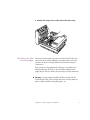
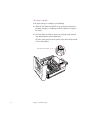
Like almost all laser printers and photocopiers, the LaserWriter produces
a small amount of ozone. Be sure to locate the printer in a well-ventilated
area where its exhaust does not blow directly into anyone’s work area.
See Appendix B for important information about ozone emissions.
Don’t use devices that produce open flames, such as Bunsen burners or
welding torches, near the LaserWriter. Don’t use ammonia-based
cleaners, which can react chemically with the toner, on or around the
LaserWriter.
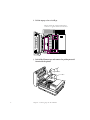
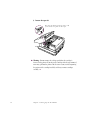
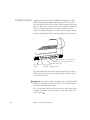
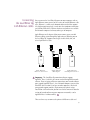
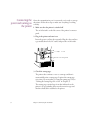
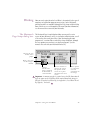
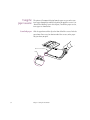
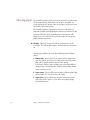
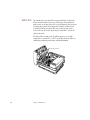
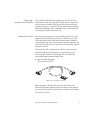
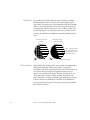
Exhaust vent
40 cm
(15.7") min.
20 cm
(7.9") min.
50 cm
(19.7") min.
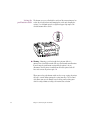
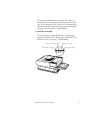
Leave room to insert and remove the paper
cassette and to open the face-up delivery tray.
2
Chapter 1: Setting Up the LaserWriter