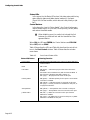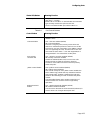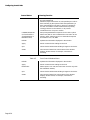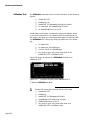
1
AsantéView 2.6 User’s Guide For Windows 95 Windows NT Windows 3.11 Copyright 1997 by Asanté Technologies, Inc. All rights reserved. No part of this manual, or any associated artwork, software, product design or design concept, may be copied, reproduced or stored, in whole or in part, in any form or by any means mechanical, electronic, optical, photocopying, recording or otherwise, including translation to another language or format, without the express written consent of Asanté Technologies, Inc. Printed in the United States of America. Part Number: 06--00092-04 Rev. A Trademarks Asanté Technologies is a trademark of Asanté Technologies, Inc. Microsoft, MS, MS-DOS, Windows, Windows 95, Windows 3.11, and Windows NT are trademarks or registered trademarks of Microsoft Corporation. Apple, AppleTalk, and Macintosh are registered trademarks of Apple Computer, Inc. IBM is a registered trademark of International Business Machines Corporation. Hayes is a registered trademark of Hayes Modem Corporation. All other product names are trademarks or registered trademarks of their respective companies. Software License Agreement This is a legal agreement between you (either an individual or an entity) and Asanté Technologies, Inc. By opening the sealed package(s) containing the software you are agreeing to be bound by the terms of this agreement. If you do not agree to the terms of this agreement, promptly return the unopened software package(s) and the accompanying items (including written materials and binders or other container(s) to the place you obtained them for a full refund. 1. GRANT OF LICENSE. Asanté Technologies grants to you the right to use one copy of the enclosed Asanté Technologies software program (the “SOFTWARE” is in “use” on a computer when it is loaded into temporary memory (i.e., RAM) or installed into permanent memory (e.g., hard disk, CD-ROM, or other storage device) of that computer. However, installation on a network server for the sole purpose of distribution to one or more other computer(s) shall not constitute “use” for which a separate license is required. 2. COPYRIGHT. The SOFTWARE is owned by Asanté Technologies or its suppliers and is protected by United States copyright laws and international treaty provisions.Therefore, you must treat the SOFTWARE like any other copyrighted material (e.g., a book or musical recording) except that you may either (a) make one copy of the SOFTWARE solely for backup or archival purposes, or (b) transfer the SOFTWARE to a single hard disk provided you keep the original solely for backup or archival purposes. You may not copy the written materials accompanying the software. 3. OTHER RESTRICTIONS. You may not rent or lease the SOFTWARE, but you may transfer the SOFTWARE and accompanying written materials on a permanent basis provided you retain no copies and the recipient agrees to the terms of this Agreement.You may not reverse engineer, decompile, or disassemble the SOFTWARE. If the SOFTWARE is an update or has been updated, any transfer must include the most recent update and all prior versions. 4. DUAL MEDIA SOFTWARE. If the SOFTWARE package contains both 3.5" and 5.25" disks, then you may use only the disk appropriate for your single-user computer.You may not use the other disks on another computer or load, rent, lease, or transfer them to another user except as part of the permanent transfer (as provided above) of all SOFTWARE and written materials. 5. WARRANTY. Asanté Technologies warranties that (a) the SOFTWARE will perform substantially in accordance with the accompanying written materials for a period of ninety (90) days from the date of receipt, and (b) any hardware accompanying the SOFTWARE will be free from defects in materials and workmanship under normal use and service. If the SOFTWARE or accompanying hardware is found to be defective, then, as your sole remedy and as the manufacturer’s only obligation, Asanté Technologies, Inc. will repair or replace the product provided that (1) you call Asanté Technologies, Inc. for a Returned Merchandise Authorization (RMA) number, that (2) you clearly write this RMA number on the outside of the package, and that (3) you return it, postage prepaid.This warranty is exclusive and is limited to AsantéView 2.6. Note: The warranty card must be filed with Asanté Technologies, Inc. within 30 days after date of purchase. CUSTOMER REMEDIES. Asanté Technologies’ and its suppliers’ entire liability and your exclusive remedy shall be, at Asanté Technologies’ option, either (a) return of the price paid, or (b) repair or replacement of the SOFTWARE that does not meet Asanté Technologies’ Warranty and which is returned to Asanté Technologies with a copy of your receipt. This Warranty is void if failure of the SOFTWARE or hardware has resulted from accident, abuse, or misapplication. Any replacement SOFTWARE will be warranted for the remainder of the original warranty period or thirty (30) days, whichever is longer. Outside the United States, these remedies are not available without proof of purchase from an authorized non-U.S. source. NO OTHER WARRANTIES. Asanté Technologies and its suppliers disclaim all other warranties, either express or implied, including, but not limited to, implied warranties of merchantability and fitness for a particular purpose, with regard to the SOFTWARE, the accompanying written materials, and any accompanying hardware.This limited warranty gives you specific legal rights.You may have others which vary from state to state or country to country. NO LIABILITY FOR CONSEQUENTIAL DAMAGES. Asanté Technologies expressly disclaims all liability for any indirect or consequential damages whatsoever (including, without limitation, damages for loss of business profits, business interrupted, loss of business information, or any other pecuniary loss) arising out of the use of or inability to use this Asanté Technologies product, even if Asanté Technologies has been advised of the possibility of such damages. Any suit or legal action relating to this Agreement or Licensed Programs must be brought within one (1) year of the date the programs are purchased by the original licensee. Because some states/countries do not allow the exclusion or limitation of liability for consequential or incidental damages, the above limitation may not apply to you. U. S. GOVERNMENT RESTRICTED RIGHTS The SOFTWARE and documentation are provided with RESTRICTED RIGHTS. Use, duplication, or disclosure by the Government is subject to restrictions as set forth in subparagraph (c)(1)(ii) of The Rights in Technical Data and Computer Software clause at DFARS 252.227-7013 or subparagraphs (c)(1) and (2) of the Commercial Computer Software—Restricted Rights at 48 CFR 52.227-19, as applicable. Manufacturer is Asanté Technologies, Inc., 821 Fox Lane, San Jose, California 95131. If you acquired this product in the United States, this Agreement is governed by the laws of the State of California. Table of Contents Product Overview . . . . . . . . . . . . . . . . . . . . . . . . . . . . . . . . . . . . . . . . . . . . . . . . . . . . . . . . . . . . . . . . . xii AsantéView 2.6 Features . . . . . . . . . . . . . . . . . . . . . . . . . . . . . . . . . . . . . . . . . . . . . . . . . . . . . . . . . xii In-Band Management . . . . . . . . . . . . . . . . . . . . . . . . . . . . . . . . . . . . . . . . . . . . . . . . . . . . . . . . . . . . . xii What’s New in AsantéView 2.6. . . . . . . . . . . . . . . . . . . . . . . . . . . . . . . . . . . . . . . . . . . . . . . . . . . . . . . . xiii What Typographic Changes and Symbols Mean . . . . . . . . . . . . . . . . . . . . . . . . . . . . . . . . . . . . . . . . . . . xiv Procedures and Instructions . . . . . . . . . . . . . . . . . . . . . . . . . . . . . . . . . . . . . . . . . . . . . . . . . . . . . . xiv Installing AsantéView Software . . . . . . . . . . . . . . . . . . . . . . . . . . . . . . . . . . . . . . . . . . . . . . . . . . . .1-1 Hardware Requirements. . . . . . . . . . . . . . . . . . . . . . . . . . . . . . . . . . . . . . . . . . . . . . . . . . . . . . . . . . . . . 1-2 AsantéView Management Station Requirements . . . . . . . . . . . . . . . . . . . . . . . . . . . . . . . . . . . . . . . 1-2 Installing AsantéView 2.6 . . . . . . . . . . . . . . . . . . . . . . . . . . . . . . . . . . . . . . . . . . . . . . . . . . . . . . . . . . . . 1-4 Logging into AsantéView . . . . . . . . . . . . . . . . . . . . . . . . . . . . . . . . . . . . . . . . . . . . . . . . . . . . . . . . 1-6 Logging Out of AsantéView . . . . . . . . . . . . . . . . . . . . . . . . . . . . . . . . . . . . . . . . . . . . . . . . . . . . . . 1-8 Mapping the Network . . . . . . . . . . . . . . . . . . . . . . . . . . . . . . . . . . . . . . . . . . . . . . . . . . . . . . . . . . . .2-1 Mapping Network Segments . . . . . . . . . . . . . . . . . . . . . . . . . . . . . . . . . . . . . . . . . . . . . . . . . . . . . . . . . Device Types . . . . . . . . . . . . . . . . . . . . . . . . . . . . . . . . . . . . . . . . . . . . . . . . . . . . . . . . . . . . . . . . . . Map Limits . . . . . . . . . . . . . . . . . . . . . . . . . . . . . . . . . . . . . . . . . . . . . . . . . . . . . . . . . . . . . . . . . . . . Using the Map Editor . . . . . . . . . . . . . . . . . . . . . . . . . . . . . . . . . . . . . . . . . . . . . . . . . . . . . . . . . . . . The Map Window . . . . . . . . . . . . . . . . . . . . . . . . . . . . . . . . . . . . . . . . . . . . . . . . . . . . . . . . . . . . . . The Map Editor Tool Box . . . . . . . . . . . . . . . . . . . . . . . . . . . . . . . . . . . . . . . . . . . . . . . . . . . . . . . . 2-2 2-2 2-3 2-4 2-4 2-6 Building a Map . . . . . . . . . . . . . . . . . . . . . . . . . . . . . . . . . . . . . . . . . . . . . . . . . . . . . . . . . . . . . . . . . . . Building Maps Using the Discover Subgroups Command . . . . . . . . . . . . . . . . . . . . . . . . . . . . . . . Changing Maps . . . . . . . . . . . . . . . . . . . . . . . . . . . . . . . . . . . . . . . . . . . . . . . . . . . . . . . . . . . . . . . Creating a New Map Manually . . . . . . . . . . . . . . . . . . . . . . . . . . . . . . . . . . . . . . . . . . . . . . . . . . . 2-16 2-16 2-18 2-19 Building a Hierarchical Map . . . . . . . . . . . . . . . . . . . . . . . . . . . . . . . . . . . . . . . . . . . . . . . . . . . . . . . . . A Sample Hierarchical Map . . . . . . . . . . . . . . . . . . . . . . . . . . . . . . . . . . . . . . . . . . . . . . . . . . . . . . Creating a Parent Map . . . . . . . . . . . . . . . . . . . . . . . . . . . . . . . . . . . . . . . . . . . . . . . . . . . . . . . . . . Creating a Child Map . . . . . . . . . . . . . . . . . . . . . . . . . . . . . . . . . . . . . . . . . . . . . . . . . . . . . . . . . . . Navigating Through the Hierarchy . . . . . . . . . . . . . . . . . . . . . . . . . . . . . . . . . . . . . . . . . . . . . . . . 2-20 2-21 2-22 2-24 2-25 Using the Panel View . . . . . . . . . . . . . . . . . . . . . . . . . . . . . . . . . . . . . . . . . . . . . . . . . . . . . . . . . . . . .3-1 About Panel Views . . . . . . . . . . . . . . . . . . . . . . . . . . . . . . . . . . . . . . . . . . . . . . . . . . . . . . . . . . . . . . . . . 3-2 AsantéHub 1012 . . . . . . . . . . . . . . . . . . . . . . . . . . . . . . . . . . . . . . . . . . . . . . . . . . . . . . . . . . . . . . . . . . . 3-3 AsantéHub 1016-IQ . . . . . . . . . . . . . . . . . . . . . . . . . . . . . . . . . . . . . . . . . . . . . . . . . . . . . . . . . . . . . . . . 3-5 AsantéHub 2072 . . . . . . . . . . . . . . . . . . . . . . . . . . . . . . . . . . . . . . . . . . . . . . . . . . . . . . . . . . . . . . . . . . . 3-6 Module Port Selection . . . . . . . . . . . . . . . . . . . . . . . . . . . . . . . . . . . . . . . . . . . . . . . . . . . . . . . . . . . 3-8 Page i The Asanté NetStacker . . . . . . . . . . . . . . . . . . . . . . . . . . . . . . . . . . . . . . . . . . . . . . . . . . . . . . . . . . . . . 3-9 Module Port Selection . . . . . . . . . . . . . . . . . . . . . . . . . . . . . . . . . . . . . . . . . . . . . . . . . . . . . . . . . . 3-11 NetStacker with NS-NMM Menu Bar . . . . . . . . . . . . . . . . . . . . . . . . . . . . . . . . . . . . . . . . . . . . . . . 3-11 The AsantéBridge 1012 . . . . . . . . . . . . . . . . . . . . . . . . . . . . . . . . . . . . . . . . . . . . . . . . . . . . . . . . . . . . 3-15 The AsantéBridge . . . . . . . . . . . . . . . . . . . . . . . . . . . . . . . . . . . . . . . . . . . . . . . . . . . . . . . . . . . . . . . . 3-18 The Asanté NetRAS . . . . . . . . . . . . . . . . . . . . . . . . . . . . . . . . . . . . . . . . . . . . . . . . . . . . . . . . . . . . . . . 3-20 NetRAS Menu Bar . . . . . . . . . . . . . . . . . . . . . . . . . . . . . . . . . . . . . . . . . . . . . . . . . . . . . . . . . . . . . . 3-20 The AsantéFAST 100 Management Module . . . . . . . . . . . . . . . . . . . . . . . . . . . . . . . . . . . . . . . . . . . . . 3-25 AsantéFAST 100 Management Module Menu Bar . . . . . . . . . . . . . . . . . . . . . . . . . . . . . . . . . . . . . 3-26 Configuring Asanté Hubs . . . . . . . . . . . . . . . . . . . . . . . . . . . . . . . . . . . . . . . . . . . . . . . . . . . . . . . . . 4-1 Setting SNMP Agent Parameters . . . . . . . . . . . . . . . . . . . . . . . . . . . . . . . . . . . . . . . . . . . . . . . . . . . . . . 4-2 Viewing the Current Configuration . . . . . . . . . . . . . . . . . . . . . . . . . . . . . . . . . . . . . . . . . . . . . . . . . 4-2 Using the Hub Panel Display . . . . . . . . . . . . . . . . . . . . . . . . . . . . . . . . . . . . . . . . . . . . . . . . . . . . . . 4-7 Configuring Ports . . . . . . . . . . . . . . . . . . . . . . . . . . . . . . . . . . . . . . . . . . . . . . . . . . . . . . . . . . . . . . . . . 4-8 Accessing the Port Control Window . . . . . . . . . . . . . . . . . . . . . . . . . . . . . . . . . . . . . . . . . . . . . . . . 4-8 Interpreting and Using the Port Control Window . . . . . . . . . . . . . . . . . . . . . . . . . . . . . . . . . . . . . . 4-9 Configuring Asanté Bridges . . . . . . . . . . . . . . . . . . . . . . . . . . . . . . . . . . . . . . . . . . . . . . . . . . . . . . . 5-1 Bridge Standards . . . . . . . . . . . . . . . . . . . . . . . . . . . . . . . . . . . . . . . . . . . . . . . . . . . . . . . . . . . . . . . . . . 5-2 Configuring the Spanning Tree . . . . . . . . . . . . . . . . . . . . . . . . . . . . . . . . . . . . . . . . . . . . . . . . . . . . . . . 5-3 Spanning Tree Information Window . . . . . . . . . . . . . . . . . . . . . . . . . . . . . . . . . . . . . . . . . . . . . . . . 5-3 Modifying the Spanning Tree Information Fields . . . . . . . . . . . . . . . . . . . . . . . . . . . . . . . . . . . . . . 5-7 Bridge Status Window . . . . . . . . . . . . . . . . . . . . . . . . . . . . . . . . . . . . . . . . . . . . . . . . . . . . . . . . . . . 5-8 Bridge Ports Data . . . . . . . . . . . . . . . . . . . . . . . . . . . . . . . . . . . . . . . . . . . . . . . . . . . . . . . . . . . . . . 5-11 Configuring the Bridge Filter Tables . . . . . . . . . . . . . . . . . . . . . . . . . . . . . . . . . . . . . . . . . . . . . . . . . . 5-14 Bridge Dynamic Forwarding Table . . . . . . . . . . . . . . . . . . . . . . . . . . . . . . . . . . . . . . . . . . . . . . . . 5-14 Bridge Static Forwarding Table . . . . . . . . . . . . . . . . . . . . . . . . . . . . . . . . . . . . . . . . . . . . . . . . . . . 5-17 Bridge Range Forwarding Table . . . . . . . . . . . . . . . . . . . . . . . . . . . . . . . . . . . . . . . . . . . . . . . . . . . 5-20 Configuring the NetRAS Remote Access Server . . . . . . . . . . . . . . . . . . . . . . . . . . . . . . . . . . . . . . 6-1 Initializing the NetRAS . . . . . . . . . . . . . . . . . . . . . . . . . . . . . . . . . . . . . . . . . . . . . . . . . . . . . . . . . . . . . 6-2 Defining NetRAS Information . . . . . . . . . . . . . . . . . . . . . . . . . . . . . . . . . . . . . . . . . . . . . . . . . . . . . . . . 6-6 Viewing the Current Configuration . . . . . . . . . . . . . . . . . . . . . . . . . . . . . . . . . . . . . . . . . . . . . . . . . 6-6 Modifying Information Data . . . . . . . . . . . . . . . . . . . . . . . . . . . . . . . . . . . . . . . . . . . . . . . . . . . . . . . 6-9 Configuring Ports . . . . . . . . . . . . . . . . . . . . . . . . . . . . . . . . . . . . . . . . . . . . . . . . . . . . . . . . . . . . . . . . 6-14 Viewing the Current Port Configuration . . . . . . . . . . . . . . . . . . . . . . . . . . . . . . . . . . . . . . . . . . . . 6-14 Modifying a Port Configuration Parameter . . . . . . . . . . . . . . . . . . . . . . . . . . . . . . . . . . . . . . . . . . 6-15 Editing the Server Modem Configuration List . . . . . . . . . . . . . . . . . . . . . . . . . . . . . . . . . . . . . . . . . . . 6-19 Viewing the Modem Configuration Data . . . . . . . . . . . . . . . . . . . . . . . . . . . . . . . . . . . . . . . . . . . . 6-19 Adding or Modifying a Modem Script . . . . . . . . . . . . . . . . . . . . . . . . . . . . . . . . . . . . . . . . . . . . . . 6-20 Page ii Setting Up SNMP Managers . . . . . . . . . . . . . . . . . . . . . . . . . . . . . . . . . . . . . . . . . . . . . . . . . . . . . . . . . 6-22 Viewing the Current SNMP Manager List . . . . . . . . . . . . . . . . . . . . . . . . . . . . . . . . . . . . . . . . . . . 6-22 Adding or Modifying an SNMP Manager Profile . . . . . . . . . . . . . . . . . . . . . . . . . . . . . . . . . . . . . . 6-22 Configuring the Zone Filter List . . . . . . . . . . . . . . . . . . . . . . . . . . . . . . . . . . . . . . . . . . . . . . . . . . . . . . Viewing the Current Configuration . . . . . . . . . . . . . . . . . . . . . . . . . . . . . . . . . . . . . . . . . . . . . . . Adding Zone Names . . . . . . . . . . . . . . . . . . . . . . . . . . . . . . . . . . . . . . . . . . . . . . . . . . . . . . . . . . . Modifying Zone Filter List Entries . . . . . . . . . . . . . . . . . . . . . . . . . . . . . . . . . . . . . . . . . . . . . . . . . Deleting Zone Entries . . . . . . . . . . . . . . . . . . . . . . . . . . . . . . . . . . . . . . . . . . . . . . . . . . . . . . . . . . Setting the Zone Action Field . . . . . . . . . . . . . . . . . . . . . . . . . . . . . . . . . . . . . . . . . . . . . . . . . . . . 6-24 6-24 6-25 6-26 6-27 6-28 General Network Configuration . . . . . . . . . . . . . . . . . . . . . . . . . . . . . . . . . . . . . . . . . . . . . . . . . . . .7-1 Controlling Access . . . . . . . . . . . . . . . . . . . . . . . . . . . . . . . . . . . . . . . . . . . . . . . . . . . . . . . . . . . . . . . . . 7-2 User Assignments . . . . . . . . . . . . . . . . . . . . . . . . . . . . . . . . . . . . . . . . . . . . . . . . . . . . . . . . . . . . . . 7-2 Changing a Password . . . . . . . . . . . . . . . . . . . . . . . . . . . . . . . . . . . . . . . . . . . . . . . . . . . . . . . . . . . 7-5 Resetting a Hub . . . . . . . . . . . . . . . . . . . . . . . . . . . . . . . . . . . . . . . . . . . . . . . . . . . . . . . . . . . . . . . . . . . 7-7 Setting Trap Receivers . . . . . . . . . . . . . . . . . . . . . . . . . . . . . . . . . . . . . . . . . . . . . . . . . . . . . . . . . . . . . . 7-9 Software Upgrades . . . . . . . . . . . . . . . . . . . . . . . . . . . . . . . . . . . . . . . . . . . . . . . . . . . . . . . . . . . . . . . . Upgrading a Hub or AsantéBridge . . . . . . . . . . . . . . . . . . . . . . . . . . . . . . . . . . . . . . . . . . . . . . . . . Upgrading an AsantéBridge 1012 . . . . . . . . . . . . . . . . . . . . . . . . . . . . . . . . . . . . . . . . . . . . . . . . . Upgrading a NetRAS . . . . . . . . . . . . . . . . . . . . . . . . . . . . . . . . . . . . . . . . . . . . . . . . . . . . . . . . . . . Editing the Bootptab.txt File . . . . . . . . . . . . . . . . . . . . . . . . . . . . . . . . . . . . . . . . . . . . . . . . . . . . . 7-11 7-11 7-12 7-13 7-16 AsantéView 2.6 Can Page You. . . . . . . . . . . . . . . . . . . . . . . . . . . . . . . . . . . . . . . . . . . . . . . . . . . . . . . . 7-18 Pager Information . . . . . . . . . . . . . . . . . . . . . . . . . . . . . . . . . . . . . . . . . . . . . . . . . . . . . . . . . . . . . 7-18 Interpreting the Pager Display . . . . . . . . . . . . . . . . . . . . . . . . . . . . . . . . . . . . . . . . . . . . . . . . . . . 7-20 Setting Thresholds . . . . . . . . . . . . . . . . . . . . . . . . . . . . . . . . . . . . . . . . . . . . . . . . . . . . . . . . . . . . . . . . 7-21 Programming Node Intrusion Alarms . . . . . . . . . . . . . . . . . . . . . . . . . . . . . . . . . . . . . . . . . . . . . . . . . . 7-25 Finding Talkers . . . . . . . . . . . . . . . . . . . . . . . . . . . . . . . . . . . . . . . . . . . . . . . . . . . . . . . . . . . . . . . . . . . 7-27 Edit Node Database . . . . . . . . . . . . . . . . . . . . . . . . . . . . . . . . . . . . . . . . . . . . . . . . . . . . . . . . . . . . . . . 7-29 Monitoring the Network . . . . . . . . . . . . . . . . . . . . . . . . . . . . . . . . . . . . . . . . . . . . . . . . . . . . . . . . . .8-1 Introduction . . . . . . . . . . . . . . . . . . . . . . . . . . . . . . . . . . . . . . . . . . . . . . . . . . . . . . . . . . . . . . . . . . . . . . 8-2 Checking for Alert Messages. . . . . . . . . . . . . . . . . . . . . . . . . . . . . . . . . . . . . . . . . . . . . . . . . . . . . . . . . . 8-3 Event Reports Window . . . . . . . . . . . . . . . . . . . . . . . . . . . . . . . . . . . . . . . . . . . . . . . . . . . . . . . . . . 8-3 Using the Hub Meter . . . . . . . . . . . . . . . . . . . . . . . . . . . . . . . . . . . . . . . . . . . . . . . . . . . . . . . . . . . . . . . 8-6 Network Statistics. . . . . . . . . . . . . . . . . . . . . . . . . . . . . . . . . . . . . . . . . . . . . . . . . . . . . . . . . . . . . . . . . . 8-8 Packet Distribution. . . . . . . . . . . . . . . . . . . . . . . . . . . . . . . . . . . . . . . . . . . . . . . . . . . . . . . . . . . . . . . . 8-12 Network Analysis . . . . . . . . . . . . . . . . . . . . . . . . . . . . . . . . . . . . . . . . . . . . . . . . . . . . . . . . . . . . . . . . . 8-14 All Port Monitor . . . . . . . . . . . . . . . . . . . . . . . . . . . . . . . . . . . . . . . . . . . . . . . . . . . . . . . . . . . . . . . 8-14 Utilization Tool . . . . . . . . . . . . . . . . . . . . . . . . . . . . . . . . . . . . . . . . . . . . . . . . . . . . . . . . . . . . . . . 8-16 Other Monitoring Tools . . . . . . . . . . . . . . . . . . . . . . . . . . . . . . . . . . . . . . . . . . . . . . . . . . . . . . . . . . . . 8-18 Node Summary . . . . . . . . . . . . . . . . . . . . . . . . . . . . . . . . . . . . . . . . . . . . . . . . . . . . . . . . . . . . . . . 8-18 Page iii IP Mapping . . . . . . . . . . . . . . . . . . . . . . . . . . . . . . . . . . . . . . . . . . . . . . . . . . . . . . . . . . . . . . . . . . . 8-22 Ping . . . . . . . . . . . . . . . . . . . . . . . . . . . . . . . . . . . . . . . . . . . . . . . . . . . . . . . . . . . . . . . . . . . . . . . . 8-24 Logging Information . . . . . . . . . . . . . . . . . . . . . . . . . . . . . . . . . . . . . . . . . . . . . . . . . . . . . . . . . . . . . . 8-25 Logging Network Statistics in a Text File . . . . . . . . . . . . . . . . . . . . . . . . . . . . . . . . . . . . . . . . . . . 8-25 Using MIB II . . . . . . . . . . . . . . . . . . . . . . . . . . . . . . . . . . . . . . . . . . . . . . . . . . . . . . . . . . . . . . . . . . . . 8-44 Technical Support . . . . . . . . . . . . . . . . . . . . . . . . . . . . . . . . . . . . . . . . . . . . . . . . . . . . . . . . . . . . . . . . A-I Asanté Technical Support . . . . . . . . . . . . . . . . . . . . . . . . . . . . . . . . . . . . . . . . . . . . . . . . . . . . . . . . A-I Technical Support Hours . . . . . . . . . . . . . . . . . . . . . . . . . . . . . . . . . . . . . . . . . . . . . . . . . . . . . . . . . A-I Index . . . . . . . . . . . . . . . . . . . . . . . . . . . . . . . . . . . . . . . . . . . . . . . . . . . . . . . . . . . . . . . . . . . . . . . index-i Page iv List of Figures Figure 1-1 Figure 1-2 Figure 1-3 Figure 1-4 Figure 1-5 Figure 2-1 Figure 2-2 Figure 2-3 Figure 2-4 Figure 2-5 Figure 2-6 Figure 2-7 Figure 2-8 Figure 2-9 Figure 2-10 Figure 2-11 Figure 2-12 Figure 2-13 Figure 2-14 Figure 2-15 Figure 2-16 Figure 2-17 Figure 2-18 Figure 2-19 Figure 2-20 Figure 2-21 Figure 2-22 Figure 2-23 Figure 2-24 Figure 2-25 Figure 3-1 Figure 3-2 Figure 3-3 Figure 3-4 Figure 3-5 AsantéView Installation Welcome window . . . . . . . . . . . . . . . . . . . . . . . . . . . . . . . . . . . . . 1-4 Overwrite Warning dialog box . . . . . . . . . . . . . . . . . . . . . . . . . . . . . . . . . . . . . . . . . . . . . . 1-5 Installation Progress window. . . . . . . . . . . . . . . . . . . . . . . . . . . . . . . . . . . . . . . . . . . . . . . . 1-5 Ping Is Not Supported dialog box . . . . . . . . . . . . . . . . . . . . . . . . . . . . . . . . . . . . . . . . . . . . 1-7 AsantéView Exit dialog box . . . . . . . . . . . . . . . . . . . . . . . . . . . . . . . . . . . . . . . . . . . . . . . . . 1-8 Sample Map window . . . . . . . . . . . . . . . . . . . . . . . . . . . . . . . . . . . . . . . . . . . . . . . . . . . . . . 2-4 File Menu Preference window. . . . . . . . . . . . . . . . . . . . . . . . . . . . . . . . . . . . . . . . . . . . . . . 2-5 Map Editor Tool Box . . . . . . . . . . . . . . . . . . . . . . . . . . . . . . . . . . . . . . . . . . . . . . . . . . . . . . 2-6 Text Tool . . . . . . . . . . . . . . . . . . . . . . . . . . . . . . . . . . . . . . . . . . . . . . . . . . . . . . . . . . . . . . . 2-6 Add Text dialog box . . . . . . . . . . . . . . . . . . . . . . . . . . . . . . . . . . . . . . . . . . . . . . . . . . . . . . 2-7 Modify Text dialog box . . . . . . . . . . . . . . . . . . . . . . . . . . . . . . . . . . . . . . . . . . . . . . . . . . . . 2-7 Map Link Tool . . . . . . . . . . . . . . . . . . . . . . . . . . . . . . . . . . . . . . . . . . . . . . . . . . . . . . . . . . . 2-8 Link Information window . . . . . . . . . . . . . . . . . . . . . . . . . . . . . . . . . . . . . . . . . . . . . . . . . . 2-9 Zoom Home Tool. . . . . . . . . . . . . . . . . . . . . . . . . . . . . . . . . . . . . . . . . . . . . . . . . . . . . . . . 2-10 Zoom In Tool . . . . . . . . . . . . . . . . . . . . . . . . . . . . . . . . . . . . . . . . . . . . . . . . . . . . . . . . . . . 2-10 Remove Device Tool . . . . . . . . . . . . . . . . . . . . . . . . . . . . . . . . . . . . . . . . . . . . . . . . . . . . . 2-11 Add Device Tool . . . . . . . . . . . . . . . . . . . . . . . . . . . . . . . . . . . . . . . . . . . . . . . . . . . . . . . . 2-12 Add Device window . . . . . . . . . . . . . . . . . . . . . . . . . . . . . . . . . . . . . . . . . . . . . . . . . . . . . 2-12 Modify Device Tool . . . . . . . . . . . . . . . . . . . . . . . . . . . . . . . . . . . . . . . . . . . . . . . . . . . . . . 2-14 Modify Device window . . . . . . . . . . . . . . . . . . . . . . . . . . . . . . . . . . . . . . . . . . . . . . . . . . . 2-14 Zoom Out Tool . . . . . . . . . . . . . . . . . . . . . . . . . . . . . . . . . . . . . . . . . . . . . . . . . . . . . . . . . 2-15 Discover SubGroup window . . . . . . . . . . . . . . . . . . . . . . . . . . . . . . . . . . . . . . . . . . . . . . . 2-16 Load Map File window. . . . . . . . . . . . . . . . . . . . . . . . . . . . . . . . . . . . . . . . . . . . . . . . . . . . 2-18 Save Map dialog box . . . . . . . . . . . . . . . . . . . . . . . . . . . . . . . . . . . . . . . . . . . . . . . . . . . . . 2-18 Load Map File window. . . . . . . . . . . . . . . . . . . . . . . . . . . . . . . . . . . . . . . . . . . . . . . . . . . . 2-19 Parent and Child Maps diagram . . . . . . . . . . . . . . . . . . . . . . . . . . . . . . . . . . . . . . . . . . . . . 2-20 Example Workgroups for a Hierarchical Map diagram . . . . . . . . . . . . . . . . . . . . . . . . . . . 2-21 Adding a Subgroup window . . . . . . . . . . . . . . . . . . . . . . . . . . . . . . . . . . . . . . . . . . . . . . . 2-22 Sample Parent Map window . . . . . . . . . . . . . . . . . . . . . . . . . . . . . . . . . . . . . . . . . . . . . . . 2-23 Searching Device dialog box . . . . . . . . . . . . . . . . . . . . . . . . . . . . . . . . . . . . . . . . . . . . . . . 2-25 AsantéHub 1012 Front Panel View . . . . . . . . . . . . . . . . . . . . . . . . . . . . . . . . . . . . . . . . . . . 3-3 AsantéHub 1012 Rear Panel View . . . . . . . . . . . . . . . . . . . . . . . . . . . . . . . . . . . . . . . . . . . . 3-4 AsantéHub 1016-IQ Front Panel View . . . . . . . . . . . . . . . . . . . . . . . . . . . . . . . . . . . . . . . . . 3-5 AsantéHub 2072 Panel View . . . . . . . . . . . . . . . . . . . . . . . . . . . . . . . . . . . . . . . . . . . . . . . . 3-6 NetStacker with Standard NMM Panel View . . . . . . . . . . . . . . . . . . . . . . . . . . . . . . . . . . . . 3-9 Page v Figure 3-6 Figure 3-7 Figure 3-8 Figure 3-9 Figure 3-10 Figure 3-11 Figure 4-1 Figure 4-2 Figure 4-3 Figure 4-4 Figure 4-5 Figure 4-6 Figure 4-7 Figure 4-8 Figure 4-9 Figure 4-10 Figure 4-11 Figure 5-1 Figure 5-2 Figure 5-3 Figure 5-4 Figure 5-5 Figure 5-6 Figure 5-7 Figure 5-8 Figure 5-9 Figure 5-10 Figure 6-1 Figure 6-2 Figure 6-3 Figure 6-4 Figure 6-5 Figure 6-6 Figure 6-7 Figure 6-8 Figure 6-9 Figure 6-10 Figure 6-11 Figure 6-12 Figure 6-13 Figure 6-14 Page vi NetStacker with NS-NMM Panel View . . . . . . . . . . . . . . . . . . . . . . . . . . . . . . . . . . . . . . . . . 3-9 AsantéBridge 1012 Front Panel View . . . . . . . . . . . . . . . . . . . . . . . . . . . . . . . . . . . . . . . . . 3-15 AsantéBridge 1012 Rear Panel View. . . . . . . . . . . . . . . . . . . . . . . . . . . . . . . . . . . . . . . . . . 3-17 AsantéBridge Panel View . . . . . . . . . . . . . . . . . . . . . . . . . . . . . . . . . . . . . . . . . . . . . . . . . . 3-18 NetRAS Panel View. . . . . . . . . . . . . . . . . . . . . . . . . . . . . . . . . . . . . . . . . . . . . . . . . . . . . . . 3-20 AsantéFAST 100 Management Module Front Panel View. . . . . . . . . . . . . . . . . . . . . . . . . . 3-25 Group Information window . . . . . . . . . . . . . . . . . . . . . . . . . . . . . . . . . . . . . . . . . . . . . . . . . 4-3 Agent Identification Information window . . . . . . . . . . . . . . . . . . . . . . . . . . . . . . . . . . . . . . 4-3 Agent Communication Information window . . . . . . . . . . . . . . . . . . . . . . . . . . . . . . . . . . . . 4-4 The Set Agent Parameters window . . . . . . . . . . . . . . . . . . . . . . . . . . . . . . . . . . . . . . . . . . . 4-6 Port Control window for the AsantéHub 1012 . . . . . . . . . . . . . . . . . . . . . . . . . . . . . . . . . . 4-9 Port Control window for the AsantéHub 1016-IQ . . . . . . . . . . . . . . . . . . . . . . . . . . . . . . . 4-10 Port Control window for the AH2072H12-RJ45 Repeater Module . . . . . . . . . . . . . . . . . . 4-10 Port Control window for the AH2072H12-RJ21 Repeater Module . . . . . . . . . . . . . . . . . . 4-10 Port Control window for the AH2072H6-FST Multiport Repeater Module . . . . . . . . . . . . 4-11 Port Control window for the AH2072H10-BNC Multiport Repeater Module . . . . . . . . . . 4-11 Port Control window for the AsantéFAST 100 Management Module . . . . . . . . . . . . . . . . 4-11 The Spanning Tree Information window . . . . . . . . . . . . . . . . . . . . . . . . . . . . . . . . . . . . . . . 5-3 Spanning Tree Set Up window . . . . . . . . . . . . . . . . . . . . . . . . . . . . . . . . . . . . . . . . . . . . . . . 5-7 Spanning Tree Status window . . . . . . . . . . . . . . . . . . . . . . . . . . . . . . . . . . . . . . . . . . . . . . . 5-8 Bridge Port Spanning Tree Table window . . . . . . . . . . . . . . . . . . . . . . . . . . . . . . . . . . . . . 5-11 The Spanning Tree Port Entry dialog box . . . . . . . . . . . . . . . . . . . . . . . . . . . . . . . . . . . . . 5-12 Bridge Dynamic Forwarding Table . . . . . . . . . . . . . . . . . . . . . . . . . . . . . . . . . . . . . . . . . . . 5-15 The Bridge Static Forwarding Table . . . . . . . . . . . . . . . . . . . . . . . . . . . . . . . . . . . . . . . . . . 5-17 The Add Static Table Entry window . . . . . . . . . . . . . . . . . . . . . . . . . . . . . . . . . . . . . . . . . . 5-19 Bridge Range Forwarding Table . . . . . . . . . . . . . . . . . . . . . . . . . . . . . . . . . . . . . . . . . . . . . 5-20 The Add Range Table Entry window . . . . . . . . . . . . . . . . . . . . . . . . . . . . . . . . . . . . . . . . . 5-22 Bootp window before NetRAS initialization. . . . . . . . . . . . . . . . . . . . . . . . . . . . . . . . . . . . . 6-2 NetRAS Initialization Bootp Request dialog box . . . . . . . . . . . . . . . . . . . . . . . . . . . . . . . . . 6-2 Bootp window after Bootp request sent . . . . . . . . . . . . . . . . . . . . . . . . . . . . . . . . . . . . . . . 6-3 Bootp and TFTP Exit Confirmation window . . . . . . . . . . . . . . . . . . . . . . . . . . . . . . . . . . . . 6-4 DDE Server Disconnect message . . . . . . . . . . . . . . . . . . . . . . . . . . . . . . . . . . . . . . . . . . . . . 6-4 NetRAS Agent Identification Configuration window . . . . . . . . . . . . . . . . . . . . . . . . . . . . . . 6-6 NetRAS Agent Communication Configuration window . . . . . . . . . . . . . . . . . . . . . . . . . . . . 6-8 NetRAS Agent Administration Configuration window . . . . . . . . . . . . . . . . . . . . . . . . . . . . . 6-9 Async Port Configuration window . . . . . . . . . . . . . . . . . . . . . . . . . . . . . . . . . . . . . . . . . . . 6-14 Sample Modify Async Port Configuration window . . . . . . . . . . . . . . . . . . . . . . . . . . . . . . 6-15 Sample Server Modem Configuration window. . . . . . . . . . . . . . . . . . . . . . . . . . . . . . . . . . 6-19 Sample Add Server Modem Configuration window . . . . . . . . . . . . . . . . . . . . . . . . . . . . . . 6-20 Sample SNMP Manager window. . . . . . . . . . . . . . . . . . . . . . . . . . . . . . . . . . . . . . . . . . . . . 6-22 Sample Modify SNMP Manager window. . . . . . . . . . . . . . . . . . . . . . . . . . . . . . . . . . . . . . . 6-23 Figure 6-15 Figure 6-16 Figure 6-17 Figure 6-18 Figure 6-19 Figure 7-1 Figure 7-2 Figure 7-3 Figure 7-4 Figure 7-5 Figure 7-6 Figure 7-7 Figure 7-8 Figure 7-9 Figure 7-10 Figure 7-11 Figure 7-12 Figure 7-13 Figure 7-14 Figure 7-15 Figure 7-16 Figure 7-17 Figure 7-18 Figure 7-19 Figure 8-1 Figure 8-2 Figure 8-3 Figure 8-4 Figure 8-5 Figure 8-6 Figure 8-7 Figure 8-8 Figure 8-9 Figure 8-10 Figure 8-11 Figure 8-12 Figure 8-13 Figure 8-14 Figure 8-15 Figure 8-16 Figure 8-17 Zone Filter List window. . . . . . . . . . . . . . . . . . . . . . . . . . . . . . . . . . . . . . . . . . . . . . . . . . . 6-24 Sample Zone Filter window. . . . . . . . . . . . . . . . . . . . . . . . . . . . . . . . . . . . . . . . . . . . . . . . 6-25 Sample Zone Filter Error Message dialog box . . . . . . . . . . . . . . . . . . . . . . . . . . . . . . . . . . 6-26 AMS Reset Message dialog box . . . . . . . . . . . . . . . . . . . . . . . . . . . . . . . . . . . . . . . . . . . . . 6-29 Reset Acknowledged Message dialog box . . . . . . . . . . . . . . . . . . . . . . . . . . . . . . . . . . . . . 6-30 User Assignment window . . . . . . . . . . . . . . . . . . . . . . . . . . . . . . . . . . . . . . . . . . . . . . . . . . 7-2 Security Menu Change Password window . . . . . . . . . . . . . . . . . . . . . . . . . . . . . . . . . . . . . 7-5 Reset Selected Hub Confirmation window . . . . . . . . . . . . . . . . . . . . . . . . . . . . . . . . . . . . . 7-7 Trap Receiver Table window. . . . . . . . . . . . . . . . . . . . . . . . . . . . . . . . . . . . . . . . . . . . . . . . 7-9 In-Band Agent Image Download window . . . . . . . . . . . . . . . . . . . . . . . . . . . . . . . . . . . . . 7-11 In-Band AsantéBridge 1012 Image Download window . . . . . . . . . . . . . . . . . . . . . . . . . . . 7-12 NetRAS User Disconnect Message dialog box . . . . . . . . . . . . . . . . . . . . . . . . . . . . . . . . . . 7-13 Requesting Bootp window . . . . . . . . . . . . . . . . . . . . . . . . . . . . . . . . . . . . . . . . . . . . . . . . 7-14 NetRAS Agent Image Download Request Acknowledge dialog box . . . . . . . . . . . . . . . . . 7-15 Bootp/TFTP Application Exit Message dialog box . . . . . . . . . . . . . . . . . . . . . . . . . . . . . . 7-15 DDE Server Disconnected dialog box . . . . . . . . . . . . . . . . . . . . . . . . . . . . . . . . . . . . . . . . 7-16 Sample Bootptab.txt file . . . . . . . . . . . . . . . . . . . . . . . . . . . . . . . . . . . . . . . . . . . . . . . . . . 7-16 Pager Information window . . . . . . . . . . . . . . . . . . . . . . . . . . . . . . . . . . . . . . . . . . . . . . . . 7-18 Add Threshold Table Entry window . . . . . . . . . . . . . . . . . . . . . . . . . . . . . . . . . . . . . . . . . 7-22 Threshold Table . . . . . . . . . . . . . . . . . . . . . . . . . . . . . . . . . . . . . . . . . . . . . . . . . . . . . . . . . 7-23 Port Intrusion window. . . . . . . . . . . . . . . . . . . . . . . . . . . . . . . . . . . . . . . . . . . . . . . . . . . . 7-25 Counter Water Mark window . . . . . . . . . . . . . . . . . . . . . . . . . . . . . . . . . . . . . . . . . . . . . . 7-27 Example of the Find Talker window . . . . . . . . . . . . . . . . . . . . . . . . . . . . . . . . . . . . . . . . . 7-28 Node Database window. . . . . . . . . . . . . . . . . . . . . . . . . . . . . . . . . . . . . . . . . . . . . . . . . . . 7-29 Event Reports menu option . . . . . . . . . . . . . . . . . . . . . . . . . . . . . . . . . . . . . . . . . . . . . . . . . 8-3 Event Reports icon. . . . . . . . . . . . . . . . . . . . . . . . . . . . . . . . . . . . . . . . . . . . . . . . . . . . . . . . 8-3 Sample Event Reports window . . . . . . . . . . . . . . . . . . . . . . . . . . . . . . . . . . . . . . . . . . . . . . 8-4 Hub Health Meter . . . . . . . . . . . . . . . . . . . . . . . . . . . . . . . . . . . . . . . . . . . . . . . . . . . . . . . . 8-6 Example of Hub Statistics in Table Format . . . . . . . . . . . . . . . . . . . . . . . . . . . . . . . . . . . . . 8-8 Network Statistics in Bar Chart Format . . . . . . . . . . . . . . . . . . . . . . . . . . . . . . . . . . . . . . . . 8-9 Network Statistics in Line Curve Format . . . . . . . . . . . . . . . . . . . . . . . . . . . . . . . . . . . . . . . 8-9 Packet Distribution Table . . . . . . . . . . . . . . . . . . . . . . . . . . . . . . . . . . . . . . . . . . . . . . . . . 8-12 Packet Distribution Bar Chart . . . . . . . . . . . . . . . . . . . . . . . . . . . . . . . . . . . . . . . . . . . . . . 8-13 Packet Distribution Line Curve Chart . . . . . . . . . . . . . . . . . . . . . . . . . . . . . . . . . . . . . . . . 8-13 All Port Monitor window . . . . . . . . . . . . . . . . . . . . . . . . . . . . . . . . . . . . . . . . . . . . . . . . . . 8-15 Utilization window for an AsantéHub 2072 . . . . . . . . . . . . . . . . . . . . . . . . . . . . . . . . . . . 8-16 Node Summary window . . . . . . . . . . . . . . . . . . . . . . . . . . . . . . . . . . . . . . . . . . . . . . . . . . 8-18 Aging Time dialog box. . . . . . . . . . . . . . . . . . . . . . . . . . . . . . . . . . . . . . . . . . . . . . . . . . . . 8-21 Port/IP Mapping Table window. . . . . . . . . . . . . . . . . . . . . . . . . . . . . . . . . . . . . . . . . . . . . 8-22 Ping Control window. . . . . . . . . . . . . . . . . . . . . . . . . . . . . . . . . . . . . . . . . . . . . . . . . . . . . 8-24 Database Control window . . . . . . . . . . . . . . . . . . . . . . . . . . . . . . . . . . . . . . . . . . . . . . . . . 8-27 Page vii Figure 8-18 Figure 8-19 Figure 8-20 Figure 8-21 Figure 8-22 Figure 8-23 Page viii DBLog Request window . . . . . . . . . . . . . . . . . . . . . . . . . . . . . . . . . . . . . . . . . . . . . . . . . . . DataBase Export dialog box . . . . . . . . . . . . . . . . . . . . . . . . . . . . . . . . . . . . . . . . . . . . . . . . Legend for Config.txt File Tables . . . . . . . . . . . . . . . . . . . . . . . . . . . . . . . . . . . . . . . . . . . . Example of the DB Retrieval window . . . . . . . . . . . . . . . . . . . . . . . . . . . . . . . . . . . . . . . . Example of a Port Statistics Display in Playback . . . . . . . . . . . . . . . . . . . . . . . . . . . . . . . . MIB II Groups dialog box . . . . . . . . . . . . . . . . . . . . . . . . . . . . . . . . . . . . . . . . . . . . . . . . . . 8-27 8-30 8-32 8-42 8-43 8-44 List of Tables Table 1-1 Table 1-2 Table 1-3 Table 2-1 Table 3-1 Table 4-1 Table 4-2 Table 4-3 Table 4-4 Table 4-5 Table 6-1 Table 7-1 Table 7-2 Table 7-3 Table 7-4 Table 8-1 Table 8-2 Table 8-3 Table 8-4 Table 8-5 Table 8-6 Table 8-7 Table 8-8 Table 8-9 Table 8-10 Table 8-11 Table 8-12 Table 8-13 Table 8-14 Table 8-15 Table 8-16 Table 8-17 Table 8-18 Hardware Specifications . . . . . . . . . . . . . . . . . . . . . . . . . . . . . . . . . . . . . . . . . . . . . . . . . . . . . . 1-2 AsantéView Specifications . . . . . . . . . . . . . . . . . . . . . . . . . . . . . . . . . . . . . . . . . . . . . . . . . . . . . 1-2 Network Size vs. Minimum Windows Platform . . . . . . . . . . . . . . . . . . . . . . . . . . . . . . . . . . . . . 1-3 Network Device Types . . . . . . . . . . . . . . . . . . . . . . . . . . . . . . . . . . . . . . . . . . . . . . . . . . . . . . . 2-2 Bridge Status Display LEDs. . . . . . . . . . . . . . . . . . . . . . . . . . . . . . . . . . . . . . . . . . . . . . . . . . . . 3-15 Agent Identification Information . . . . . . . . . . . . . . . . . . . . . . . . . . . . . . . . . . . . . . . . . . . . . . . . 4-4 Agent Communication Information . . . . . . . . . . . . . . . . . . . . . . . . . . . . . . . . . . . . . . . . . . . . . . 4-5 Port Control Status LEDs . . . . . . . . . . . . . . . . . . . . . . . . . . . . . . . . . . . . . . . . . . . . . . . . . . . . . 4-12 Port Control Buttons . . . . . . . . . . . . . . . . . . . . . . . . . . . . . . . . . . . . . . . . . . . . . . . . . . . . . . . . 4-13 Port Control Window Menu. . . . . . . . . . . . . . . . . . . . . . . . . . . . . . . . . . . . . . . . . . . . . . . . . . . 4-14 Dial Scripts . . . . . . . . . . . . . . . . . . . . . . . . . . . . . . . . . . . . . . . . . . . . . . . . . . . . . . . . . . . . . . . . 6-16 Pager Information Options . . . . . . . . . . . . . . . . . . . . . . . . . . . . . . . . . . . . . . . . . . . . . . . . . . . 7-19 Add Threshold Table Entry Instructions . . . . . . . . . . . . . . . . . . . . . . . . . . . . . . . . . . . . . . . . . 7-22 Threshold Table Fields . . . . . . . . . . . . . . . . . . . . . . . . . . . . . . . . . . . . . . . . . . . . . . . . . . . . . . . 7-24 Port Intrusion Control Options . . . . . . . . . . . . . . . . . . . . . . . . . . . . . . . . . . . . . . . . . . . . . . . . 7-26 Performance Menu Command Targets . . . . . . . . . . . . . . . . . . . . . . . . . . . . . . . . . . . . . . . . . . . 8-2 Statistics Window Option . . . . . . . . . . . . . . . . . . . . . . . . . . . . . . . . . . . . . . . . . . . . . . . . . . . . 8-11 Packet Distribution Target Device Instructions . . . . . . . . . . . . . . . . . . . . . . . . . . . . . . . . . . . . 8-12 All Port Monitor Statistics. . . . . . . . . . . . . . . . . . . . . . . . . . . . . . . . . . . . . . . . . . . . . . . . . . . . . 8-14 Node Summary column descriptions . . . . . . . . . . . . . . . . . . . . . . . . . . . . . . . . . . . . . . . . . . . . 8-20 Port/IP Mapping Table options . . . . . . . . . . . . . . . . . . . . . . . . . . . . . . . . . . . . . . . . . . . . . . . . 8-23 Data Categories and Their Sources . . . . . . . . . . . . . . . . . . . . . . . . . . . . . . . . . . . . . . . . . . . . . 8-25 Statistics Categories . . . . . . . . . . . . . . . . . . . . . . . . . . . . . . . . . . . . . . . . . . . . . . . . . . . . . . . . . 8-28 ASCII Text Files . . . . . . . . . . . . . . . . . . . . . . . . . . . . . . . . . . . . . . . . . . . . . . . . . . . . . . . . . . . . 8-31 Config.txt File Record for Asanté Devices . . . . . . . . . . . . . . . . . . . . . . . . . . . . . . . . . . . . . . . . 8-33 Config.txt File Record for an AMS . . . . . . . . . . . . . . . . . . . . . . . . . . . . . . . . . . . . . . . . . . . . . . 8-34 Config.txt File Record for Other Devices . . . . . . . . . . . . . . . . . . . . . . . . . . . . . . . . . . . . . . . . 8-35 Misc.txt File Threshold Settings . . . . . . . . . . . . . . . . . . . . . . . . . . . . . . . . . . . . . . . . . . . . . . . . 8-36 Misc.txt File Node Intrusion Settings . . . . . . . . . . . . . . . . . . . . . . . . . . . . . . . . . . . . . . . . . . . . 8-37 Misc.txt File Node Summary Parameters . . . . . . . . . . . . . . . . . . . . . . . . . . . . . . . . . . . . . . . . . 8-38 Misc.txt File Trap Receiver Settings . . . . . . . . . . . . . . . . . . . . . . . . . . . . . . . . . . . . . . . . . . . . . 8-38 Count.txt File Format . . . . . . . . . . . . . . . . . . . . . . . . . . . . . . . . . . . . . . . . . . . . . . . . . . . . . . . . 8-39 Allport.txt File Fields . . . . . . . . . . . . . . . . . . . . . . . . . . . . . . . . . . . . . . . . . . . . . . . . . . . . . . . . 8-40 Page ix Preface • Product Overview on page xii • What’s New in AsantéView 2.6 on page xiii • What Typographic Changes and Symbols Mean on page xiv Product Overview AsantéView 2.6 Features AsantéView is a powerful network management software package for Windows-based computers designed for proactive in-band management of networks comprised of Asanté intelligent hubs and bridges. ❏ ❏ ❏ ❏ ❏ ❏ ❏ ❏ ❏ ❏ ❏ ❏ ❏ ❏ ❏ ❏ ❏ ❏ ❏ ❏ ❏ In-Band Management Automated discovery of network devices Hierarchical network map structure Real-time graphical status views of the front and rear panels of a hub Graphical or tabular performance monitoring Node summary reports Historical logs Automated event reporting Hub software download from AsantéView Management Station (AMS) Configuration status at the hub and port levels Traffic monitoring through multiple windows Automatic paging on predefined events or conditions Password protection Two user-access levels Verification of network devices Management tools for the AsantéHub 1012, AsantéHub 1016-IQ, AsantéHub 2072, and the Asanté NetStacker hub Management tools for the AsantéBridge 1012 and the AsantéBridge Management tools for the Asanté NetRAS Remote Access Server and the AsantéFAST 100 Management Module Threshold setting Node intrusion Find Talker MIB II support In-band network management allows network managers to manage, control, and monitor their networks via SNMP protocols over the Ethernet communications channel of an Ethernet network. “In-band” refers to the fact that network management packets travel over the same network that all other network information travels. Page xii What’s New in AsantéView 2.6 What’s New in AsantéView 2.6 The following are new features of AsantéView 2.6 for Windows: ❏ Management support for the AsantéHub 1016-IQ ❏ Management support for the AsantéFAST 100 Management Module ❏ IP Mapping for the 1016-IQ and the AsantéFAST 100 Management Module ❏ Winsock (Windows sockets) support replaces PC/TCP 2.2 Page xiii What Typographic Changes and Symbols Mean Significant text, or text with a special meaning, is displayed in a different typeface or format in this manual. The following are examples of the special typefaces and formats used in this manual: This kind of bolded text is used when special emphasis is necessary. When certain information is noteworthy or unusual, it is set off in the following format: ∆ This information is noteworthy or unusual. When information is especially important, it is set off with this format: ▲ Procedures and Instructions This information is very important. This manual provides specific instructions about how to perform a task or configure an application. Where you must do things in a certain order, the manual provides a formal procedure. All procedures in the manual are made to look different from the regular text to make them easily recognizable and simple to follow. 1 The first step in the procedure has a line drawn above it, showing the beginning of the procedure. If any step in the procedure requires some explanation, the information will follow the instruction, as shown here. 2 3 4 Page xiv Next, read this step in this procedure. And then read this step in the procedure. The last step in any procedure has a line drawn under it, showing the end of the procedure. 1 Installing AsantéView Software • Hardware Requirements on page 1-2 • Installing AsantéView 2.6 on page 1-4 Installing AsantéView Software Hardware Requirements The following tables describe the minimum hardware specifications for the AsantéView Management Station (AMS) and the network interface cards and protocols that AsantéView 2.6 supports. AsantéView Management Station Requirements AsantéView 2.6 for Windows runs on the AsantéView Management Station platform. Hardware specifications are shown in Table 1-1; other AsantéView specifications are shown in Table 1-2. Table 1-1 Hardware Specifications Minimum CPU 486 SX Minimum Speed 25 MHz Recommended CPU 486 DX Minimum RAM 4 MB Recommended RAM 8 MB Recommended Hard Disk 80 MB OS Levels Microsoft Video Support VGA adapter card and color monitor Mouse Type Windows compatible Serial Port Support COM1, COM2, COM3, COM4, IRQ 3 or IRQ 4 Disk Space (loaded) 2.5 MB Table 1-2 Support Page 1-2 Hardware Specifications ® Windows 95 ™, Windows NT ™, or Windows 3.11™ AsantéView Specifications Specifications MIB Support MIB II, Asanté enterprise MIB Protocol Support SNMP + UDP/IP, Asanté proprietary serial link NM protocol Standards Compatibility RFC RFC RFC RFC Ping Support TCP/IP stack supporting Ping/ICMP (Windows NT 4.0 only) 1155 (Structure of Management Information) 1156 (Management Information Base) 1157 (Simple Network Management Protocol) 826 (Address Resolution Protocol) Hardware Requirements The computer you choose for the AsantéView Management Station must meet the following requirements: ❏ It must be at least a 25 MHz, 486-based computer with VGA screen support. ❏ Microsoft Windows 95, Windows NT, or Windows 3.11 must be installed prior to installing AsantéView 2.6. In addition, the computer type and speed depends on the following variables: ❏ ❏ ❏ The number of devices — the more devices you are managing, the more powerful the computer must be. The polling interval — the longer the polling interval for the devices, the less CPU time is used. You can change the polling interval on the mapped devices. The number of windows — the greater the number of windows open, the more CPU time is used. Asanté recommends no more than 15 open, or iconized, windows at one time. Table 1-3 shows the minimum Windows platform you need depending on your network’s size. Table 1-3 Network Size vs. Minimum Windows Platform Network Size Minimum Windows Platform Very small (less than or equal to 10 Asanté hubs) 486 sx Small to medium (less than or equal to 20 Asanté hubs) 486, 33 MHz Medium to large (more than 20 Asanté hubs) 486, 66 MHz Page 1-3 Installing AsantéView Software Installing AsantéView 2.6 To install the AsantéView 2.6, you must use the Installer program, following the directions below. 1 Insert the AsantéView Install disk (disk 1 of 1) in your computer’s floppy drive A . 2 Open the Start menu and select Run. If using Windows 3.11 or Windows NT 3.51, open the File menu and select Run. The Run window appears. 3 4 Type a:install at the prompt. Click OK to proceed. To exit the installation, click Cancel. AsantéView initializes the installation program. The AsantéView Installation window appears with a welcome dialog box, as shown in Figure 1-1. Figure 1-1 5 AsantéView Installation Welcome window Click Continue to begin the installation. The AsantéView Directory dialog appears, displaying the directory in which AsantéView will be installed. You can change the directory name if you wish by typing a new name at the prompt. 6 Click Continue in the AsantéView Directory Installation dialog box. The AsantéView installation program checks whether any existing files in the c:\aview (or installed) directory will be overwritten by this installation. If so, the Overwrite Warning window will appear, as shown in Figure 1-2. Page 1-4 Installing AsantéView 2.6 Figure 1-2 ❏ 7 Overwrite Warning dialog box Click Yes to back up the files, or click No to overwrite the files (the installation proceeds in either case). If you select Yes, the Backup Directory window appears. Click Continue to back up the old files. Click OK to continue the installation. Status messages appear in the Installation Progress window, as shown in Figure 1-3. Figure 1-3 Installation Progress window Click Cancel to stop the installation at any time. The Modify Progman.INI File dialog appears. 8 Click Modify to proceed. The software is copied to the installed directory (c:\aview by default) . When the installation is complete, the Installation Successful dialog box appears. 9 Click Exit to exit the installation program and return to Windows. 10 Remove the diskette from floppy drive A. The installation of AsantéView 2.6 software is complete. Next, start AsantéView 2.6, following the procedures in the next section “Logging into AsantéView Software.” Page 1-5 Installing AsantéView Software Logging into AsantéView Your hub(s) and the AsantéView Management Station computer should be connected to the network backbone (or, at minimum, your AsantéView Management Station should have an in-band connection to the Asanté hubs you wish to manage). Refer to the appropriate Installation Guide for instructions on connecting your Asanté device. The following instructions explain how to log into AsantéView 2.6. 1 2 Start Windows. Open the Start menu and select Programs. If using Windows 3.11 or Windows NT 3.51, double-click the AsantéView program group window. 3 Select the AsantéView directory (AmsView) and select AmsView. If using Windows 3.11 or Windows NT 3.51, double-click the AsantéView icon. The Log-In window appears. 4 Type the default user name in the User Name field, as follows: supervisor 5 Type the default password in the Password field, as follows: super ▲ 6 Click the OK button to continue. To exit the Log-In window, click Cancel. ∆ Page 1-6 Both the user name and password fields are case-sensitive. Enter them exactly as shown. If the message “Ping is not supported by your network protocol stack.” appears, as shown in Figure 1-4, click yes. Installing AsantéView 2.6 Figure 1-4 Ping Is Not Supported dialog box If this is the first time you have logged in, AsantéView opens a new, untitled map displaying the AsantéView Management Station (AMS). If you have previously saved an AsantéView map, the program opens the most recently saved map file. ∆ See “Mapping Network Segments” on page 2-2 for more information about mapping your network. Event Reports Once you are logged into AsantéView, the Event Reports window is automatically started. ❏ For Windows 95 and Windows NT 4.0 users, this window is located in the Windows operating system’s menu bar. ❏ For Windows NT 3.51 or Windows 3.11 users, this window is an icon located at the bottom of your screen. The Event Reports window provides real-time reports on network activities. See “Checking for Alert Messages” on page 8-3 for more information. Page 1-7 Installing AsantéView Software Logging Out of AsantéView When you are finished working with AsantéView, you need to log out following these procedures. 1 2 Open the File menu. Select Exit. ∆ If you didn’t save the current map file, AsantéView displays a dialog box reminding you to do so. The Exit dialog box appears, as shown in Figure 1-5. Figure 1-5 3 Page 1-8 AsantéView Exit dialog box Click Yes to quit AsantéView, or click No to continue working. When you click Yes, AsantéView logs you out and you are returned to Windows. 2 Mapping the Network • Mapping Network Segments on page 2-2 • Building a Map on page 2-16 • Building a Hierarchical Map on page 2-20 Mapping the Network Mapping Network Segments The AsantéView 2.6 network map is a logical representation of the network. AsantéView uses the map to poll and interrogate devices and to send data to the map. The map is not a true representation of the network’s physical topology — adding a link or a device to the map does not in reality add a link or device to the network, and deleting a link or device from the map does not physically remove a link or device from the actual network. You can use the map to: ❏ Define and show logical subgroups of network devices ❏ Define and display logical links between devices ❏ Select a segment or discrete device as a target for AsantéView network management tools Assign descriptive labels (such as alias names, locations, contact names, etc.) to subgroups and devices ❏ Device Types The following device types (represented by specific icons) can be displayed on a map. The various network device types are explained in Table 2-1. The icon associated with each device appears to the left of the table. Table 2-1 Network Device Types Device Description Hub 1012 An AsantéHub 1012 with or without SNMP software Hub 1016-IQ An AsantéHub 1016-IQ with or without SNMP software Station Any IBM or IBM-compatible PC with or without SNMP agent software; any undefined device configured with SNMP agent software. AsantéView can monitor its MIB II variables, but cannot control the PC Macintosh Any Macintosh with Asanté SNMP MacAgent software Bridge Any non-Asanté bridge with SNMP agent software Hub 1012 Hub 1016-IQ Station Macintosh Bridge Page 2-2 Mapping Network Segments Device Description Router Any router with SNMP agent software Backbone The network backbone cabling, typically thin or thick Ethernet cabling linking multiple hubs. Subgroup A network segment that is a physical subnetwork with its own router or bridge, or is an arbitrary grouping of network devices not physically separated from the network. Bridge 1012 An AsantéBridge 1012 residing in an AsantéHub 1012 with SNMP agent software. Hub 2072 An AsantéHub 2072 with SNMP agent software. AsantéBridge An AsantéBridge with SNMP agent software. NetRAS An Asanté NetRAS Remote Access Server with SNMP agent software Router Backbone Subgroup Bridge 1012 Hub 2072 AsantéBridge Net RAS NetStacker AsantéFAST 100 Management Module Map Limits NetStacker An Asanté NetStacker hub with SNMP agent software AsantéFAST 100 Management Module An AsantéFAST 100 Hub stack with an AsantéFAST 100 Management Module The maximum number of devices a map can display is as follows: ❏ AsantéV iew 2.6 50 devices You can create multiple maps to represent the network by creating a hierarchical map structure, with each map representing a portion of the network. See the next section and “Building a Hierarchical Map” on page 2-20 for more information. Page 2-3 Mapping the Network Using the Map Editor AsantéView 2.6 provides a simple, yet powerful, editing toolkit to generate and customize network maps. Using the Map Editor, you can do the following: ❏ Add and remove devices from the map ❏ Place unique icons for different network devices ❏ Draw map links between any two devices ❏ Arrange network devices in a logical pattern on the map ❏ View the map with links visible or turned off (invisible) Display the labels on the devices as local aliases, IP addresses, or physical Ethernet addresses ❏ The Map Window The Map window can display all or only a portion of the devices in the map file. A sample of a Map window is shown in Figure 2-1. Marketing Figure 2-1 Sales Sample Map window A World View in the lower right corner of the window provides a reference when you have zoomed in on a portion of the map. Defining Map Preferences You can customize the map display using the Preference command in the File menu. Preference enables you to display links between devices, turn the World View on or off, and select the device label type. Page 2-4 Mapping Network Segments To define map preferences, follow the instructions below. 1 2 Open the File menu. Select Preference. The Preference window appears, as shown in Figure 2-2. Figure 2-2 File Menu Preference window Click the World view checkbox to turn the world view display on or off. Click the Show link checkbox to turn the link display on or off. ∆ 3 4 This does not apply to auto-generated links. Select the type of display label by clicking the appropriate radio button (you can select only one). ❏ Alias name — the device alias. ❏ Device name — the name stored in the device Sys-Name object. ❏ IP address — the device’s IP address. ❏ Phys address — the physical address of the device. Click OK to close the window, or click Cancel to take no action and close the window. Page 2-5 Mapping the Network The Map Editor Tool Box The Map Editor Tool Box (also referred to as just Tool Box) provides tools for editing a map, modifying the way devices display, and displaying network links between devices on the map. To open the Map Editor Tool Box: 1 2 Open the File menu. Select Map Editor. The Map Editor Tool Box appears, as shown in Figure 2-3. A check mark next to the Map Editor command in the File menu indicates an activated Tool Box. Text Tool Remove Device Map Link Add Device Zoom Home Modify Device Zoom In Figure 2-3 Zoom Out Map Editor Tool Box The sections that follow describe the Tool Box elements. Text Tool Use the Text tool to add text on the current map Figure 2-4 Text Tool Use the Text tool to enter text directly on the map. You can make notes to yourself or add comments about devices or links displayed on the map. All text entered is saved as part of the map file. Page 2-6 Mapping Network Segments To use the Text tool: 1 Click the Text tool in the Tool Box. The Add Text dialog appears as shown in Figure 2-5. Figure 2-5 2 Add Text dialog box Enter the text you want to display on the map. The dialog provides room to display about 21 characters at a time, but you can enter more. (The text will scroll off to the left. To see the text that has scrolled out of sight, use the Cursor Arrow keys on the keyboard.) 3 Click OK to confirm, or click Cancel to close the dialog. The text appears on the map. You can select the text and move it to the desired location. To modify an existing text object: 1 2 Select the text you want to change. Click the Modify Device tool. This opens the Modify Text dialog, shown in Figure 2-6, where you can make changes to the text string. Figure 2-6 3 Modify Text dialog box Click OK to confirm changes, or click Cancel close the dialog. The changed text will appear on the map. You can select this text and move it to the desired location. Page 2-7 Mapping the Network To remove a text object: 1 2 3 Select the text object. Click the Remove Device tool. A dialog appears, prompting you to confirm the operation. Click Yes to confirm and remove the text object, or click No to take no action and close the dialog. Map Link Tool Use the Map Link tool to draw links on the current map Figure 2-7 Map Link Tool Use the Map Link tool to draw lines representing links on the network between devices (only one link can be drawn between two devices). This makes it easy to arrange your map in a logical order, reflecting the actual network topography. ▲ ∆ The Map Link tool draws links only on the map. The map links do not represent actual physical links between devices, nor are they used by AsantéView as indicators that a link is, or should be, where it appears. When an AsantéBridge appears on the map, AsantéView automatically draws a link between the bridge and the parent hub. This link cannot be hidden or removed. To use the Map Link tool: 1 Page 2-8 If you have not done so previously, select Show link from the Preference submenu in the File menu.The links you draw on the map will appear on the screen. Mapping Network Segments 2 3 Select the device from which the link will originate. 4 Move the pointer to the destination device and click that device’s icon. The link is drawn between the two devices. The Link Information dialog appears (as shown in Figure 2-8), displaying the names of the linked devices. Click the Map Link tool in the Tool Box. The link appears as a “rubber band,” with one end attached to the originating device and the other end to the mouse pointer. If you wish, you can specify a port number for either device in the Link notes box.The information displayed in the dialog is for your own record keeping only — assigning a port number does not make a change in the actual link. The map link applies only to the map. Figure 2-8 5 Link Information window Click OK to confirm the link, or click Cancel close the dialog. To remove a link: 1 Select the link (that is, the line drawn between the devices), then click the Remove Device tool. A dialog appears, prompting you to confirm the remove operation. 2 Click Yes to remove the device, or click No to take no action and close the dialog. Page 2-9 Mapping the Network To modify the contents of the Link Information dialog: 1 Select the link and click the Modify Device tool. The Link Information dialog appears (see Figure 2-8). 2 3 Type the changes in the Link Information dialog. Click OK to confirm the changes, or click Cancel to close the dialog. Zoom Home Tool Use the Zoom Home tool to see all devices on the map Figure 2-9 Zoom Home Tool Use the Zoom Home tool to redraw the map to show all devices in the map window. To use the tool, click the Zoom Home tool in the Tool Box.The map is redrawn to display all devices on the map. Zoom In Tool Use the Zoom In tool to magnify a portion of the current map Figure 2-10 Zoom In Tool Use the Zoom In tool to get a closer view of a portion of the map. 1 Page 2-10 Click the Zoom In tool in the Tool Box. The mouse pointer changes to a crosshair pointer. Mapping Network Segments 2 Draw a marquee around the map area you want to enlarge by placing the crosshairs at the upper left corner of the area, holding down the mouse button, and dragging. 3 Release the mouse button when the marquee is complete and the selected area is enlarged. You can repeat this operation by drawing another marquee. Remove Device Tool Use the Remove Device Tool to remove a device from the current map. Figure 2-11 Remove Device Tool This tool does not physically remove the device from the network, nor does it affect the ability of the device to communicate with other devices on the network. When you remove a device, AsantéView 2.6 assumes that the device is no longer part of the network and does not poll or otherwise attempt to work with this device. ▲ When you remove a device, you are making a change to the current map. . To use the Remove Device tool: 1 2 Select the device you want to remove. 3 Click Yes to remove the device or click No to take no action and close the dialog. Click the Remove Device tool in the Tool Box. The Remove Device dialog box, with the selected device label, appears. Page 2-11 Mapping the Network Add Device Tool Use the Add Device tool to add devices to your network map Figure 2-12 Add Device Tool Use the Add Device tool to create icons for devices on the current map. This tool does not physically add the device to the network. 1 Click the Add Device tool to open the Add Device dialog, shown in Figure 2-13. Figure 2-13 Page 2-12 Add Device window 2 Select the device type you are adding from the Device type popup menu. The options are: Hub, Station, Macintosh, Bridge, Router, Backbone, Subgroup, Bridge 1012, Hub 2072, NetRAS, AsantéBridge, NetStacker, and Hub 100. See Table 2-1 on page 2-2 for an explanation of the various network device types and the icon associated with each type. 3 Enter an Alias name for the device (optional). The alias name applies to the map file only. 4 Enter the IP address of the device you are adding. If the IP address is incorrect, AsantéView will be unable to poll the device using the Asanté SNMP polling protocol. Mapping Network Segments ∆ Do not change the default settings for the Read comm and Write comm fields unless you are familiar with the SNMP protocol suite. 5 Enter a text string describing the location of the device in the Location field (optional). The Location data for the device applies to the map file only; it is not sent to the actual device. 6 Select a polling method from the Poll type popup menu: 7 ❏ SNMP—Simple Network Management Protocol ❏ ICMP—Internet Control Message Protocol ❏ No poll— AsantéView does not poll the device; the device turns gray on the map. Set the polling time interval in the Poll cycle field (minimum is 10 seconds). ∆ The shorter the polling interval, the more traffic is generated on the network and the greater the loading on the AsantéView Management Station. If you have a high device count on your network, you may want to make the polling interval longer. 8 Enter the name of the person responsible for the device in the Contact person field (optional). The Contact Person data for the device applies to the map file only; it is not sent to the actual device. 9 Enter the phone number for the contact person in the Contact phone field. The Contact Phone data for the device applies to the map file only; it is not sent to the actual device. 10 Click Apply to save the data in the map file. Click Quit to take no action and close the window. The appropriate icons representing the devices will appear. If a device is accessible, its icon is green; if it is not accessible, its icon is red. If a hub is sending trap messages, its icon turns yellow. Page 2-13 Mapping the Network Modify Device Tool Use the Modify Device Tool to change device parameters. Figure 2-14 Modify Device Tool The Modify Device tool opens the Modify Device dialog, where you can review and change device parameters. To use the Modify Device Tool: 1 2 Select the device you want to modify. Click the Modify Device tool in the Tool Box. The Modify Device window appears as shown in Figure 215. It is the same as the Add Device window, shown in Figure 2-13, except for the title. Figure 2-15 3 4 Page 2-14 Modify Device window Modify the device parameters as required. Click Apply to modify the device, or click Quit to take no action and close the dialog. Mapping Network Segments Zoom Out Tool Use the Zoom Out tool to see a larger area of the current map Figure 2-16 Zoom Out Tool Use the Zoom Out tool to view a wider area of the map. To use the tool, click the Zoom Out tool in the Tool Box.The map is redrawn to display a larger area each time you click the Zoom Out tool. Hand Tool You can move around the map display by using the Hand tool. The Hand tool is not a part of the Tool Box; it is a function of the mouse, as described below. To use the Hand tool: 1 Place the mouse pointer anywhere on the surface of the map, but not over a device icon. 2 Hold down the left mouse button and drag. As you drag, the pointer changes to a hand tool, changing your viewing position relative to the map surface.You can track where you are by watching the World view inset in the lower right corner of the map window. 3 Release the mouse button when you are satisfied with the view of the map. ∆ To move a selected device, simply drag the device to the desired location. Page 2-15 Mapping the Network Building a Map AsantéView 2.6 provides two methods for creating maps: ❏ ❏ ∆ Building Maps Using the Discover Subgroups Command Automatically — using the Discover Subgroup command in the Configuration menu. Manually — adding each logical device individually to the map. The AsantéView Management Station automatically validates them. If you are managing a number of remote subnets, you should create a subgroup map for each subnet. Each Asanté hub on your network should have an IP address. To see the hubs in AsantéView 2.6, you need a map. The easiest way to create a map is automatically, using the Discover Subgroup command. 1 Open the File menu and select Discover Subgroup. The Discover SubGroup window appears, as shown in Figure 2-17. Figure 2-17 Page 2-16 Discover SubGroup window 2 Enter the lowest IP address on your network in the Begin IP address field. 3 Enter the highest IP address on your network in the Last IP address field. 4 From the popup menu in the Device type field, select the device types to be searched. The options are: ❏ All Asanté devices ❏ All SNMP devices ❏ All IP devices (Windows NT 4.0 only) ❏ Specific SNMP device Building a Map ▲ To search by All IP devices, your TCP/IP stack must support Ping/ICMP. Currently, Windows NT 4.0 does support Ping/ICMp; Windows 95 and Windows NT 3.51 does not. If you have Asanté and other SNMP devices on your network, select All SNMP devices. The Read community and Max devices fields can remain with their default values. 5 Click OK to start the search. AsantéView automatically searches the network and places the discovered devices on the map. ❏ A hub turns green if its link is validated. ❏ A hub turns red if its link is down or if the hub cannot be reached. ❏ A hub turns yellow when an event report is logged. 6 Repeat Steps 1–5 for each subnet. For example, run one Discover SubGroup operation with a beginning IP address of 192.204.55.1 and a last IP address of 192.204.55.254; then run Discover SubGroup again with a beginning IP address of 192.204.56.1 and last IP address of 192.204.56.254, and so on. If you want to have separate maps for each subnet, see “Building a Map” on page 2-16. 7 After you have completed all auto-discovery operations, save the map by choosing Save Map from the File menu. 8 9 If you want to log out, click Exit from the File menu. Click Yes to confirm. For more information on creating maps, refer to “Building a Map” on page 2-16. Page 2-17 Mapping the Network Changing Maps Use the following procedure to change to another map, or to get a new, untitled map. 1 If this is your first map, or you have made changes to the current map, click Save Map from the File menu to save the map. You must use the .map extension in the filename; AsantéView only recognizes map files with this extension. 2 Select Load Map from the File menu. The dialog shown in Figure 2-18 appears. Figure 2-18 3 Select a map file from the list and click Load, or click New Map to get a new, untitled map file. AsantéView displays a dialog reminding you to save the current map file (if you made changes to it). The dialog, shown in Figure 2-19, appears just before AsantéView loads a new or previously saved map file. Figure 2-19 4 Page 2-18 Load Map File window Save Map dialog box If you get the Save Map dialog, click Yes to save the map file, or click No to discard it. Building a Map Creating a New Map Manually To create a new map manually: 1 Click Load Map from the File menu. AsantéView opens the Load Map File... dialog box, as shown in Figure 2-20. Figure 2-20 2 Load Map File window Click the New Map button. If a map is already open, AsantéView 2.6 prompts you to save it.You can save the open map or click No to close it without saving and open a new, untitled map. If no map is currently open, simply open a new, untitled map window. 3 Activate the Map Editor Toolbox by clicking Map Editor from the File menu. 4 Use the Add Device tool to add devices to the map as required. AsantéView 2.6 polls each device to validate it. The device icon turns green if AsantéView 2.6 can reach it, red if it cannot. See the preceding section for information on the Map Editor Tools. 5 Save the new untitled map. 6 Use the Map Editor Add Link tool to add links to the device as required. Windows confirms that the map is saved; click OK to continue. Always save the new map after you finish adding devices to it. Page 2-19 Mapping the Network Building a Hierarchical Map AsantéView 2.6 provides a unique method for mapping your network. While an individual map can support only a limited number of devices, you can use more than one map to display the entire network. In effect, you can create a map tree — a hierarchy of maps in which one main “parent” map is the head of the tree, and a series of “child” maps form the branches of the tree. Each branch or “child map” can branch again, with the first child map being the parent to each branching child map. With this structure, the map tree represents the entire network, while the individual branches represent the logical subgroups of the network. Consider the following example shown in Figure 2-21: First level Second level Third level parent map child map child map child/parent map child map child map child map device Figure 2-21 device device Parent and Child Maps diagram The first-level parent map, located at the top of the inverted tree, contains three logical devices (subgroups) representing three second-level child maps. It could also contain several devices as well. Each second-level child map contains devices, with one child map containing three subgroups representing the third-level child maps. Each third-level child map, like its parent, contains network devices. It could contain one or more subgroups linked to a fourth-level map, and so on. Page 2-20 Building a Hierarchical Map A Sample Hierarchical Map For example, consider a large network with more than 150 hubs. Such a network is too complex to manage as a single entity. However, if you define the entire network in terms of departmental workgroups, you might find that each workgroup is actually physically linked to a smaller number of hubs. For our example, let’s say there are five groups: ❏ Corporate Admin ❏ Engineering ❏ Marketing and Sales ❏ Manufacturing Customer Service ❏ When the network was installed, each workgroup was networked together using hubs linked together on an Ethernet backbone. AsantéView Management Station Engineering Manufacturing Corporate Admin Marketing and Sales Figure 2-22 Customer Service Example Workgroups for a Hierarchical Map diagram Each of the workgroups is represented by a branch on the tree. Now you will see how this is done using AsantéView 2.6. Read through the next two sections without actually performing the operation. The sections are an example of building a hierarchical map tree for a large network. After you have read both sections, try to build a hierarchical map tree for your own network. Page 2-21 Mapping the Network Creating a Parent Map 1 Using Load Map from the File menu, click New Map and create a new map containing only the AsantéView Management Station. 2 3 4 Enable the Map Editor if it is not enabled. 5 Enter an alias name for the subgroup: Corporate Admin. (Up to 63 characters are allowed for the alias.) 6 Enter the IP address of a key hub in the subgroup you are mapping. This enables you to monitor subnet performance from the parent map. 7 In the SubMap file field, enter the child map name for the subgroup: coradmin.map. Click the Add Device tool in the Tool Box. Select Subgroup as the device type and SNMP as the poll type in the Add Device dialog. Up to 12 characters, including the .map extension, are allowed. You can also specify the location, contact person, and contact phone number for the person responsible for this subgroup (not required). Do not change any default values in the other fields if you are not familiar with using them. The Add Device dialog should look like the one in Figure 223: Figure 2-23 Page 2-22 Adding a Subgroup window Building a Hierarchical Map 8 Now you can define four more subgroups for the example network: ❏ Engineering ❏ Marketing and Sales ❏ Manufacturing ❏ Customer Service Each subgroup can be set up exactly as the first, with the IP address of a key hub in the subgroup, SNMP polling, and a unique submap file. 9 Use Add Link to draw links from the AsantéView Management Station to each subgroup, making the parent map look like the following: Figure 2-24 Sample Parent Map window 10 Save the parent map by selecting Save from the File menu. 11 For the example, name the file parent.map. ▲ When naming a map file, you must use the extension .map. AsantéView uses only map files with the .map extension. Page 2-23 Mapping the Network Creating a Child Map Now that you have created the parent map, you can create and populate “child” maps one level below the parent map. You will use Discover Subgroup on each child map to help you find devices. Discover Subgroup searches the network for any devices with IP addresses in a specified range. When a device on the network hears its IP address, it responds and appears on the map as a “discovered” device. A maximum of 50 Asanté hubs or other SNMP devices can appear on one map. Any devices over the maximum of 50 are not placed on the map. To create a child map: 1 Select one of the subgroups on the parent map. For the example, use Corporate Admin. 2 3 Open the subgroup by double-clicking it. Select Discover Subgroup from the Configuration menu. The Discover SubGroup window appears. 4 Specify the IP addresses to be searched in the Begin IP address field and in the Last IP address field, respectively. For the example, assume that the devices in the Corporate Admin workgroup fall within the range 193.205.56.00 through 193.205.56.50. 5 Specify the device types to be searched by using the popup menu in the Device type field. The options are: All Asanté devices, All SNMP devices, All IP devices (Windows NT 4.0 only), and Specific SNMP device. Since you have only Asanté hubs on the network with IP addresses in the specified range, choose the All Asanté devices option. The Read community and Max devices fields can remain with their default values. Page 2-24 Building a Hierarchical Map Navigating Through the Hierarchy Notice the GO BACK icon on the new map. It is labeled with the name of the parent map file, parent.map. This is the return path to the main parent map. If you open the icon, you automatically return to the parent map. For the example, assume you have gone back to the parent map with the five subgroups. Now that a new map file has been created and linked to the Corporate Admin subgroup, you can open the subgroup icon and go to the map associated with it. Searching for a Device on the Map To search the network map for a device by its display label (IP address, physical address, device name, or alias name), use the Search command from the File menu.The map must contain the device for the Search tool to find it. To use Search: 1 Select Search from the File menu. The Searching Device window appears as shown in Figure 2-25. Figure 2-25 2 Searching Device dialog box Enter the appropriate name in the Input device name field. The example dialog in Figure 2-25 asks for the device name, which is the display label type chosen in the Preference dialog. If you want to use a different display label type, you need to select it using the Preference command from the File menu before using the Search command. 3 Click OK to start the search, or click Cancel to take no action and close the window). The device is highlighted on the map when it is found. Page 2-25 Mapping the Network Using Window Icons To conserve space on your monitor, minimize the open windows to icons and then move them to an unoccupied corner of the screen. While you cannot view the contents when the window is in icon form, the window is still active and performing its function. Page 2-26 3 Using the Panel View • About Panel Views on page 3-2 • AsantéHub 1012 on page 3-3 • AsantéHub 1016-IQ on page 3-5 • AsantéHub 2072 on page 3-6 • The Asanté NetStacker on page 3-9 • The AsantéBridge 1012 on page 3-15 • The AsantéBridge on page 3-18 • The Asanté NetRAS on page 3-20 • The AsantéFAST 100 Management Module on page 3-25 Using the Panel View About Panel Views You can view and change device configuration directly from an onscreen panel view of the following Asanté products: ❏ ❏ ❏ ❏ ❏ ❏ ❏ ❏ AsantéHub 1012 AsantéHub 1016-IQ AsantéHub 2072 NetStacker hub AsantéBridge 1012 AsantéBridge NetRAS AsantéFAST 100 Management Module To open any panel view: 1 2 3 Page 3-2 Open a map. Allow the map icons to validate. Double-click on the device you want to view. AsantéHub 1012 AsantéHub 1012 You can view and change the configuration of an AsantéHub 1012 directly from its on-screen front or back panel view. To open the hub front panel view, double-click its icon on the map. Figure 3-1 shows an example of an AsantéHub 1012 front panel view. Hub map label Hub utilization display Hub port selectors Hub CPU status display Port status display Figure 3-1 Hub type Panel view selector; changes image to back view AsantéHub 1012 Front Panel View The following paragraphs describe the elements of the AsantéHub 1012 front panel view. Hub Port Selectors Displays graphic images of the hub’s twelve 10BaseT ports. The selectors apply to ports 1–12, regardless of the connection method used (RJ45 connectors in the front panel or an RJ21 connector in the rear). To control and monitor a port, click the port and use the AsantéView main menu bar. Hub Map Label Displays the label assigned to this hub in the current map. The alias can be edited with the Map Editor; the IP address and device name can be edited in the Set Agent Parameters window. Hub Utilization Display Displays the amount of packet traffic being handled by the hub; the LEDs in the bottom row turn on when a collision or bad packet occurs on a hub port. Hub CPU Status Display Shows CPU activity for the hub CPU. This LED should always be blinking. If the LED is on or off continuously, a problem exists on the hub. Port Status Display Displays the port partition and link status for each 10BaseT port. The display reports data for each port regardless of whether an RJ45 connector is used on the front panel or a single RJ21 connector is used on the rear panel. Page 3-3 Using the Panel View If a link is attached to a port, its corresponding link LED is lighted and gr een. If the port is partitioned manually, its partition LED is always lighted and yellow. If it is partitioned by auto-partition, it blinks. Panel View Selector Changes from the front panel view to the rear panel view. Figure 3-2 shows an AsantéHub 1012 rear panel view. Hub map label RJ21 connector Hub 3-in-1 port selector Figure 3-2 AMS link port RS232 connector Panel view selector; changes image to front view of the hub AsantéHub 1012 Rear Panel View The following paragraphs describe the elements of the AsantéHub 1012 rear panel view. AMS Link Port Displays a passive image of the port. Hub 3-in-1 Port Selector Displays a graphic image of the 3-in-1 port (10BaseT, BNC and AUI). To monitor or control this port, click any connector and use the AsantéView main menu bar to open the All Port Monitor or Port Control windows. This port is sometimes referred to as the uplink port. Panel View Selector Changes from the rear panel view to the front panel view. Page 3-4 AsantéHub 1016-IQ AsantéHub 1016-IQ You can view and change the configuration of an AsantéHub 1016-IQ directly from its on-screen front panel view. To open the hub front panel view, double-click its icon on the map. Figure 3-3 shows an example of an AsantéHub 1016-IQ front panel view: Hub map label Port status display INT/EXT terminator switch Figure 3-3 Hub port selectors LED indicators: PWR (power indicator) Tx/Rx (transfer/receive) COL (collision) Hub type Uplink switch AsantéHub 1016-IQ Front Panel View The following paragraphs describe the elements of the AsantéHub 1016IQ front panel view. Hub Port Selectors Displays graphic images of the hub’s 16 10BaseT ports. The selectors apply to ports 1 to 16. To control and monitor a port, click the port and use the AsantéView main menu bar. Hub Map Label Displays the label assigned to this hub in the current map. The alias can be edited with the Map Editor; the IP address and device name can be edited in the Set Agent Parameters window. Port Status Display Displays the port partition and link status for each port. If a link is attached to a port, its corresponding link LED is lit. LED Indicators ❏ ❏ ❏ PWR (power) — lights when the hub is powered on. TX/RX (transfer/receive) — lights when the hub transmits or receives data from any port. COL (collision) — lights when collisions are detected on the network. Page 3-5 Using the Panel View AsantéHub 2072 To open the AsantéHub 2072 front panel view, double-click the hub 2072 icon on the map. Use the panel view for the AsantéHub 2072 to select a hub module or a port on a module, and to control segments. All LEDs reflect the actual LED displays on the front of the hub. Segment link LEDs Hub type Hub map label RJ45 12-port module BNC module Fiber module RJ45 24-port module Front panel MiniMAU indicator AsantéBridge module Network Management Module (NMM) NMM CPU status NMM segment statistics selector Port status display Figure 3-4 Segment utilization and bad traffic indicators Module port selectors NMM Local Management Port LED AsantéHub 2072 Panel View The following paragraphs describe the elements of the AsantéHub 2072 front panel view. Segment link LEDs Display the backplane segment to which the module is currently linked. Linking can be changed directly from the front panel of the NMM (the module itself, not the AsantéView on-screen image). Hub Map Label Displays the label assigned to this hub in the current map. You can change the label type using Preference in the File menu. The options are: Alias, IP address, Physical address, and Device name. The alias can be edited with the Map Editor; the IP address and device name can be edited in the Set Agent Parameters window. Page 3-6 AsantéHub 2072 MiniMAU Indicator Displays the Asanté Media Attachment Unit (MAU) type, if one is present. The AsantéHub 2072 can be configured with several different Asanté MAUs, each with its own graphic image in the panel view. NMM CPU Status Shows CPU activity in the Network Management Module (NMM). This LED should always be blinking. If the LED is off or on continuously, a problem exists with the NMM. Port Status Display Displays a partition (bottom row) and link status (top row) LED for each port in a module. If a link is attached to a port, its corresponding link LED is lighted. If the port is partitioned, either manually or by autopartition, its partition LED lights continually. When it is autopartitioned, this LED blinks. NMM Segment Statistics Selector Displays a toggle used to select the segment (1 or 2) to display statistical data. This is independent of the backplane segment to which the NMM is linked. The segment on the button is the segment not selected. Segment Utilization and Bad Traffic Indicators Display LEDs show rough estimates of the total amount of traffic on each segment (the upper set of LEDs) and indications of collisions or a bad packet occurring on each one (the lower set of LEDs). The NMM continuously monitors network traffic (all packet types) on both backplane segments. Remember that at least one hub module must be linked to a segment to show activity in this display. For example, if all hub modules are linked to Segment 1, you do not see any activity on Segment 2. Module Port Selectors Display graphic images of the ports that appear on each module panel display. To control and monitor a port, first click the port, then use the tools in the AsantéView main menu bar. NMM Local Management Port LED Displays an LED representing the port used for a direct connection of the AsantéView Management Station to the NMM. This LED blinks whenever the NMM receives or transmits an SNMP packet. Page 3-7 Using the Panel View Module Port Selection All modules except RJ21 Click on the port you want to select then use the tools in the AsantéView main menu bar. RJ21 module only Click on the RJ21 connector in the panel display. This opens a popup menu listing the 12 ports for that connector. Select the port you want, then use the tools in the AsantéView main menu bar. Page 3-8 The Asanté NetStacker The Asanté NetStacker The Asanté NetStacker can be managed with either the standard Asanté Network Management Module (NMM) or the network management module designed specifically for the NetStacker (NS-NMM). Figure 3-5 shows a version of the NetStacker hub using a standard Asanté NMM (AH2072 NMM) installed in any available slot of either the base hub or one of the expansion hubs (if present). Hub IP address Menu bar Standard NMM RJ45 Module Figure 3-5 NetStacker with Standard NMM Panel View Double-click any NetStacker icon to open its panel view. If the hub is configured with a NetStacker NS-NMM network management module, the panel view will look like the example shown in Figure 3-6. The actual image you see reflects the number of expansion hubs you have installed and the modules installed in the hubs. Hub map label Hub type Menu bar Empty slot Expansion hub 2 RJ45 module RJ21 module Expansion hub 1 Fiber module RJ45 modules Base hub NS-NMM NS-NMM CPU status display Figure 3-6 Port status display Hub port selectors NetStacker with NS-NMM Panel View NetStacker hubs with the NS-NMM installed always show the NMM as an extra module in the base hub. If the base hub does not have an NSNMM installed, the base hub is shown normally, without the extra module on the bottom. Page 3-9 Using the Panel View The following paragraphs describe the NetStacker with NS-NMM panel components. NS-NMM CPU Status Display Shows CPU activity in the Network Management Module. This LED should always be blinking. If the LED is off or on continuously, a problem exists with the NS-NMM. Hub Map Label Shows the alias name you assigned this hub in the network map. The alias can be edited with the Map Editor; the IP address and device name can be edited in the Set Agent Parameters window. NS-NMM Local Management Port This is a passive graphic representing the port used for a direct connection of the AsantéView Management Station to the NS-NMM for management. Segment Link LEDs These LEDs display the backplane segment to which the module is currently linked (only with standard NMM and other host modules). The NS-NMM is always set to Segment 1; it cannot be changed, and it does not have Segment Link LEDs. Menu Bar This is a menu bar providing access to AsantéView commands and functions. See "NetStacker with NS-NMM Menu Bar" on page 3-11 for information about each menu item. Module Port Selectors Graphic images of the ports appear on each module panel display. To control and monitor a port, first click the port, then use the tools in the panel view window’s menu bar. See "Module Port Selection" on page 3-11 for information about selecting individual ports on the different NetStacker modules. Port Status Display Each module has a partition and link status LED for each port. If a link is attached to a port, its corresponding link LED is lighted. If the port is partitioned, either manually or by autopartition, its partition LED lights continually. When it’s autopartitioned, this LED blinks. MiniMAU Indicator The Asanté NetStacker can be configured with several different Asanté MAUs, each with its own graphic image in the panel view. Page 3-10 The Asanté NetStacker Module Port Selection All modules except RJ21 Click on the port you want to select, then use the tools in the AsantéView main menu bar. RJ21 module only Click on the RJ21 connector in the panel display. This opens a popup menu listing the 12 ports for that connector. Select the port you want, then use the tools in the AsantéView main menu bar. NetStacker with NS-NMM Menu Bar The menu bar provides both direct module control functions and access to network statistics windows. Except for the Agent Identification Configuration window, all windows for the NetStacker mentioned in this section are accessible only from the NetStacker menu bar. The following paragraphs explain the menu items. Menu items are listed in a Menu Bar Item/SubMenu Item format. For example, the Validate menu item is listed as File/Validate, and Identification is listed as Configuration/Agent Information/Identification. File/Validate Validates and updates the front panel display on the screen if it differs from the physical layout of the NetStacker. This window is accessible only from this menu. File/Close Closes the NetStacker panel view. This window is accessible only from this menu. Configuration/Get Information/Identification Opens the Group Identification Information window if any group is selected. If no group is selected, it opens the Agent Identification Information window. ∆ Once a group is selected, to clear selection of that group, select any other device in the map. Then click only on the title bar of the NetStacker panel view. This window is also accessible from the Agent Communication Information window. (Choosing Configuration/Get Information/Identification from the map’s Configuration menu gives you the Agent Identification Information window; however, this window is read-only.) Configuration/Agent Information/Communication Opens the Agent Communication Information window. This window is accessible only from this menu. Page 3-11 Using the Panel View Configuration/Information/Chassis Opens the NetStacker Chassis Information window and displays information about the selected hub chassis, such as chassis type, backplane type, backplane revision, and group number capacity. Configuration/Control/Enable Lets you enable a module that has been isolated with the Disable tool. Configuration/Control/Disable-Isolate Lets you disable or isolate a selected module (or group). No traffic can be forwarded to the disabled module from outside the group. You can continue monitoring and controlling the module from AsantéView. ▲ Do not disable the NS-NMM—this will isolate AsantéView from the NetStacker. Also, do not disable/ isolate a group through which management packets are forwarded to the NS-NMM. This will isolate the AMS from the NetStacker hub. Configuration/Control/Ports Opens the Port Control window, showing port status for the group selected. Configuration/Software Upgrade Opens the Software Upgrade window, where you can initiate a Bootp-tftp download to the NetStacker hub. This window is accessible only from this menu. Performance/Network Statistics/Table Opens the Segment Statistics window with a table that displays network segment activity if no group is selected. If any group is selected, it displays the corresponding port or group statistics. This window is accessible only from this menu. Performance/Network Statistics/BarChart Opens the Segment Statistics window with a bar chart that displays network segment activity if no group is selected. If any group is selected, it displays the corresponding port or group statistics. This window is accessible only from this menu. Performance/Network Statistics/LineCurve Opens the Segment Statistics window with a line curve graph that displays network segment activity if no group is selected. If any group is selected, it displays the corresponding port or group statistics. This window is accessible only from this menu. Page 3-12 The Asanté NetStacker Performance/Packet Distribution/Table Opens the Segment Packet Distribution window and displays data in table format for the selected segment. However, if a port or a group is selected, it displays the corresponding port or group statistics in the same window. This window is accessible only from this menu. Performance/Packet Distribution/BarChart Opens the Segment Packet Distribution window and displays data in chart format for the selected segment. However, if a port or a group is selected, it displays the corresponding port or group statistics in the same window. This window is accessible only from this menu. Performance/Packet Distribution/LineCurve Opens the Segment Packet Distribution window and displays data in line curve format for the selected segment in the same window. This window is accessible only from this menu. ∆ Once a group is selected, to clear selection of that group, select the device in the map. Then click only on the title bar of the NetStacker panel view. Performance/Network Analysis/All Port Monitor Opens the All Port Monitor window, which displays current and total packet activity for all ports of the selected group. This window is accessible only from this menu. Performance/Network Analysis/Hub Meter Opens the Hub Meter. This window is accessible only from this menu. Performance/Network Analysis/Utilization Opens the Utilization window. This window is accessible only from this menu. Fault/Reset Agent Resets the agent in the module selected. The system asks you to confirm the operation. This can cause a momentary loss of communication between the hub and the AsantéView Management Station. The function is available only to users with Level 1 access rights. This feature is accessible only from this menu. Page 3-13 Using the Panel View Fault/Reset Repeater Resets the repeater chip in the module selected. The system asks you to confirm the operation. This function is available only to users with Level 1 access rights. You must have a repeater module selected to activate this command. ∆ Resetting the repeater can cause a momentary loss of network service on this port. Some data packets may be lost. This feature is accessible only from this menu. Fault/Trap Receivers Opens the Trap Receiver Table, in which you can add, modify, or delete trap receiver settings. This feature is accessible only from this menu. Fault/Set Threshold Opens the Threshold Table, in which you can add, modify, or delete threshold settings. This feature is accessible only from this menu. Security/Node Intrusion Opens the Port Intrusion window. This feature is accessible only from this menu. Application/Node Summary Opens the Node Summary window. This feature is accessible only from this menu. Page 3-14 The AsantéBridge 1012 The AsantéBridge 1012 To display the AsantéBridge 1012 front panel view, open the Bridge 1012 icon on the map. Figure 3-7 shows the front panel view for the AsantéBridge 1012. Panel view selector: changes image to hub rear view Hub utilization display Hub map label Bridge external port selector Bridge status display Hub status display Hub CPU status display Figure 3-7 Bridge hub port Hub ports AsantéBridge 1012 Front Panel View The following paragraphs explain the AsantéBridge 1012 panel components. Bridge Status Display Displays nine LEDs. The three on the left and right are the same functionally and refer to the external and hub port, respectively. The center three LEDs refer to the bridge spanning tree configuration. The LEDs are defined in Table 3-1. Table 3-1 LED Bridge Status Display LEDs Meaning RCV Blinks when receiving a packet on this port FWD Blinks when forwarding a packet to this port COL Blinks when a collision occurs on this port STA Blinks when the bridge is functioning normally SBY Lights when the bridge is in standby mode—that is, not the active bridge in a spanning tree ACT Lights when the bridge is the active bridge in a spanning tree Bridge External/Hub Port Selectors Selects port for bridge statistics or utilization. The bridge has two ports: ❏ ❏ EXT — A hub port connecting to the hub HUB — An external port connecting to an external device. Page 3-15 Using the Panel View To display bridge port utilization, follow with clicking Utilization in the Network Analysis submenu (located in the Performance menu). To display bridge port statistics, follow with clicking All Port Monitor in the Network Analysis submenu (located in the Performance menu). For more information, see "Utilization Tool" on page 8-16. Hub Map Label Displays the label assigned to this hub in the current map. The alias can be edited with the Map Editor; the IP address and device name can be edited in the Set Agent Parameters window. Hub Utilization Display Displays the amount of packet traffic handled by the hub; the bottom row of LEDs turn on when a collision or a bad packet occurs on a hub port. Hub CPU Status Display Shows CPU activity for the hub CPU. This LED should always be blinking. If the LED is continuously on or off, a problem exists on the hub. Hub Port Selectors Displays graphic images of each of the twelve 10BaseT ports on the hub. It does not matter if you are using RJ45 connectors plugged into the hub front panel or one RJ21 connector plugged into the rear of the hub. The selectors apply to ports 1–12, regardless of the connection method used. Click any port to select that port for control and monitoring functions (accessible from the AsantéView main menu bar). Hub Status Display Displays the hub partition (bottom row) and link status (top row) for each of the hub’s 10BaseT ports. The display reports data for the ports regardless of whether they are connected via RJ45 connectors on the front panel or a single RJ21 connector on the rear panel. Page 3-16 The AsantéBridge 1012 Panel View Selector Allows you to select the front and rear panel views, respectively. The rear panel view of the AsantéBridge 1012 is similar to that of the AsantéHub 1012, except for the addition of the external port (labeled EXT PORT), shown in Figure 3-8. External port Figure 3-8 AsantéBridge 1012 Rear Panel View Page 3-17 Using the Panel View The AsantéBridge To display the AsantéBridge panel view, open the AsantéBridge icon on the map, or double-click the group within the panel view of the AsantéHub 2072 or NetStacker hub. Figure 3-9 shows an example of the AsantéBridge panel view. Port A status display Spanning tree status display Figure 3-9 Port B status display Bridge Port A selector Bridge Map Label Serial port control LEDs Bridge Port B selector AsantéBridge Panel View The following paragraphs explain the bridge panel components. Serial Port Control LEDs These LEDs tell you what the Serial Port Control DIP switches are set for on the bridge front panel. You cannot change the switch setting from AsantéView. Only the left set of switches is active. ❏ If the left switch is down, the right serial port, Remote 1/Console, is configured as a local service port from which you can set bridge and spanning tree parameters using a VT100 terminal. ❏ If the left switch is up, the right serial port is turned off and there is no function (reserved for future development). Bridge Map Label Displays the label assigned to this bridge in the map. Port A/Port B Status Displays RCV — blinks when a packet is received on this port. FWD — blinks when a packet is forwarded to this port. COL — blinks when a collision occurs on this port. Spanning Tree Status Display STA — blinks when the bridge transmits or receives a Bridge Protocol Data Unit (BPDU). STBY — on when the bridge is not the active bridge in a spanning tree. ACT — on when the bridge is the active bridge in a spanning tree. Page 3-18 The AsantéBridge Bridge Port A/Port B Selectors Displays graphic switches used to select one or the other bridge port (A or B) for statistical performance monitoring.You select a port by clicking the switch (the default when the panel display opens is with port B selected). Switch setting affects what AsantéView menu items are available: ❏ If either port is on, you can access the statistical performance monitoring functions; these tools are applied to the selected port only ❏ If either port is on, you can access any of the bridge spanning tree control functions Seg2/Seg1 Sets which hub backplane segment Port A on the bridge is linked to. There are some restrictions on how you can use these switches: ❏ Only Port A is controllable using these switches; Port B is controlled with a DIP switch located inside the bridge. ❏ If Port B is linked to Segment 2, Port A is forced to Segment 1 and cannot be changed. ❏ If Port B is linked to the bridge external port, Port A can be linked to Segment 1 or Segment 2; the switches are active. Page 3-19 Using the Panel View The Asanté NetRAS Double-click any NetRAS Remote Access Server icon on the map to open its panel view. Figure 3-10 shows an example of the NetRAS panel view. Device label 3-in-1 Port Selector Menu bar Remote user I/O Ports Figure 3-10 NetRAS Panel View The following paragraphs describe the NetRAS panel components. 3-in-1 Port Selector Displays a graphic switch used for selecting the 3-in-1 port for statistical performance monitoring with AsantéView. You must click in this area to tell AsantéView that these are the ports you want to monitor. After selecting the ports, you can then select a statistical monitoring tool from the Performance menu. To deselect the ports, click anywhere else on the panel view. Device Label Displays the label assigned to this device in the map. Edit it in the Modify Information window. Menu Bar Provides access to AsantéView commands and functions. See "NetRAS Menu Bar" on page 3-20 for information about each menu item. Remote User I/O Ports Display how many RJ45 I/O ports are currently installed in the NetRAS (maximum of 16). Click any one of the ports to select it for statistical performance monitoring, or for port status. To deselect a port, click anywhere else on the panel view. NetRAS Menu Bar Clicking the menu items in the NetRAS Menu Bar gives you access to the AsantéView functions listed in the following paragraphs: Except for the Agent Identification Configuration window, all windows mentioned in this section are accessible only from the NetRAS Menu Bar. Page 3-20 The Asanté NetRAS Menu items are listed here in a Menu Bar Item/SubMenu Item format. For example, the Validate menu item is listed as File/Validate, and Identification is listed as Configuration/Agent Information/Identification. File/Validate Verifies whether the configuration displayed in the panel view matches the configuration retrieved from the device. File/Event Log Opens the Events window where NetRAS alerts and other event data are reported. File/Close Closes the NetRAS panel view. Configuration/Agent Information/Identification Opens the Agent Identification Configuration window. This window is also accessible from the map’s Configuration menu. Configuration/Agent Information/Communication Opens the Agent Communication Configuration window. Configuration/Agent Information/Administration Opens the Agent Administration Configuration window. Configuration/Port Opens the Async Port Configuration window. Configuration/Modem Opens the Server Modem Configuration window, where you can add, modify, and delete modem information. Configuration/User List Opens the User List window, where you can add, modify, and delete remote user information. Configuration/SNMP Manager Opens the SNMP Manager window. SNMP Managers are AsantéView users authorized to manage the NetRAS. You can add, modify, and delete SNMP manager information here. This is a security feature preventing unauthorized AsantéView users from changing parameters in the NetRAS. Configuration/ZoneFilter Opens the Zone Filter List window, where you can set which zones remote users can or cannot have access to when they dial in. (Whether the list of zones can or cannot be accessed depends on the Zone Action field setting in the Agent Communication Configuration window.) Page 3-21 Using the Panel View Configuration/Software Upgrade Opens the Software Upgrade window, where you can initiate a bootp-tftp download to the NetRAS. Performance/Statistics/Table Opens the Statistics Table window, which displays current, peak average, and total count in the following categories: ❏ ❏ ❏ ❏ ❏ ❏ ❏ ❏ Good packets in Good packets out Bytes in Bytes out Frame too long Runts FCS errors Collisions These categories are applicable only when the 3-in-1 port (LAN port) is selected. If a remote user port is selected, the following categories are available: ❏ ❏ ❏ ❏ ❏ ❏ ❏ ❏ Good packets in Good packets out Bytes in Bytes out Parity errors Char frame errors Overrun errors Checksum errors Performance/Statistics/BarChart Opens the Port Statistics window (a bar chart displaying up to four selectable types of statistics). You can choose from the following categories: ❏ ❏ ❏ ❏ ❏ ❏ ❏ ❏ Page 3-22 Good packets in Good packets out Bytes in Bytes out Frame too long Runts FCS errors Collisions The Asanté NetRAS These categories are applicable only when the 3-in-1 port (LAN port) is selected. If a remote user port is selected, the following categories are available: ❏ ❏ ❏ ❏ ❏ ❏ ❏ ❏ Good packets in Good packets out Bytes in Bytes out Parity errors Char frame errors overrun errors Checksum errors Performance/Statistics/Curve Opens the Statistics Line Curve window, a line curve graph displaying up to six selectable types of statistics. You can choose from the following categories: ❏ ❏ ❏ ❏ ❏ ❏ ❏ ❏ Good packets in Good packets out Bytes in Bytes out Frame too long Runts FCS errors Collisions The following categories are applicable only when 3-in-1 port (LAN port) is selected. If a remote user port is selected, the following categories are available: ❏ ❏ ❏ ❏ ❏ ❏ ❏ ❏ Good packets in Good packets out Bytes in Bytes out Parity errors Char frame errors overrun errors Checksum errors Page 3-23 Using the Panel View Performance/Status/Port Opens the Port Status window for the NetRAS. This window applies only to the Remote User I/O ports.You must first select one of the I/O ports before this command is available. Performance/Status/Current Session Opens the Current Session window, displaying information about the last 32 remote users to log in to the NetRAS.The maximum count of 32 includes only those users who are currently logged into the NetRAS. Performance/Status/Previous Session Opens the Previous Session window, displaying information about the previous 128 users to log in to the NetRAS. Fault/Reset Agent Sends a Reset command to the NetRAS.You must confirm the command before it is actually sent. Fault/Reset Port Sends a Reset command to the NetRAS.You must confirm the command before it is actually sent. Page 3-24 The AsantéFAST 100 Management Module The AsantéFAST 100 Management Module You can view and change the configuration of an AsantéFAST 100 Management Module directly from its on-screen front panel view. To open the management module front panel, double-click its icon on the map. Figure 3-11shows an example of an AsantéFAST 100 Management Module front panel view. Utilization display Collision display Module type Power display Figure 3-11 Group numbers AsantéFAST 100 Management Module Front Panel View The following paragraphs describe the elements of the AsantéFAST 100 Management Module front panel view. Collision Display Displays the amount of packet collisions on the hub stack to which the management module is connected; the LEDs light when a collision or bad packet occurs on a hub port. Utilization Display Displays the amount of traffic being handled by the hub stack to which the management module is connected. Power Display Displays power for the management module; the LED lights green when it is powered on. Group Number Displays the group number assigned to this module in the hub stack. Each module in an interconnected AsantéFAST 100 Management Module and 100 Hub stack is assigned a Group number. The bottom module is assigned Group 15, the next module up is Group 14, and so on. Page 3-25 Using the Panel View AsantéFAST 100 Management Module Menu Bar The menu bar provides both direct module control functions and access to network statistics windows. Except for the Agent Identification Configuration window, all windows for the AsantéFAST 100 Management Module mentioned in this section are accessible only from the AsantéFAST 100 Management Module menu bar. The following paragraphs explain the menu items. Menu items are listed in a Menu Bar Item/SubMenu Item format. For example, the Validate menu item is listed as File/Validate, and Identification is listed as Configuration/Agent Information/Identification. File/Validate Validates and updates the front panel display on the screen if it differs from the physical layout of the management module. This window is accessible only from this menu. File/Close Closes the AsantéFAST 100 Management Module panel view. This window is accessible only from this menu. Configuration/Get Information/Identification Opens the Group Identification Information window if any group is selected. If no group is selected, it opens the Agent Identification Information window. This window is also accessible from the Agent Communication Information window. (Choosing Configuration/Get Information/Identification opens the Agent Identification Information window; however, this window is read-only.) Configuration/Get Information/Communication Opens the Agent Communication Information window. This window displays communication information about the Management Module such as physical address, IP address and, depending on the type of connection, In Band communication information or Out of Band communication information. Clicking the Identification button within the Agent Communication Information window opens the AsantéFAST 100 Group Information window. This displays group information such as module description, group index, group state, number of ports, and module hardware version. Configuration/Get Information/Chassis Opens the AsantéFAST 100 Management Module Chassis Information window and displays information about the selected module chassis, such as chassis type, backplane type, backplane revision, and group number capacity. Page 3-26 The AsantéFAST 100 Management Module Configuration/Control/Enable Lets you enable a module that has been isolated with the Disable tool. Configuration/Control/Disable-Isolate Lets you disable or isolate a selected module (or group). No traffic can be forwarded to the disabled module from outside the group. You can continue monitoring and controlling the module from AsantéView. Configuration/Software Upgrade Opens the Software Upgrade window, where you can initiate a Bootp-tftp download to the AsantéFAST 100 Management Module. This window is accessible only from this menu. Performance/Network Statistics/Table Opens the Group Statistics window with a table that displays network group activity . This window is accessible only from this menu. Performance/Network Statistics/BarChart Opens the Group Statistics window with a bar chart that displays network group activity. This window is accessible only from this menu. Performance/Network Statistics/LineCurve Opens the Group Statistics window with a line curve graph that displays network group activity. This window is accessible only from this menu. Performance/Network Analysis/Utilization Opens the Utilization window. This window is accessible only from this menu. Fault/Reset Agent Resets the agent in the module selected. The system asks you to confirm the operation. This can cause a momentary loss of communication between the management module and the AsantéView Management Station. The function is available only to users with Level 1 access rights. This feature is accessible only from this menu. Fault/Trap Receivers Opens the Trap Receiver Table, in which you can add, modify, or delete trap receiver settings. This feature is accessible only from this menu. Fault/Set Threshold Opens the Threshold Table, in which you can add, modify, or delete threshold settings. Page 3-27 Using the Panel View This feature is accessible only from this menu. Security/Node Intrusion Opens the Port Intrusion window. This feature is accessible only from this menu. Security/IP Mapping Opens the Port/IP Mapping Table, which displays IP mapping information for the management module. This feature is accessible only from this menu. Page 3-28 4 Configuring Asanté Hubs • Setting SNMP Agent Parameters on page 4-2 • Configuring Ports on page 4-8 Configuring Asanté Hubs Setting SNMP Agent Parameters To store SNMP information about your hub (such as hub name/location/ contact information, out-of-band baud rate and in-band communication information, etc.) use the Get Information command (in the device’s front panel Configuration menu) to access the Agent Identification or Agent Communication window. ▲ Viewing the Current Configuration You must open an active hub’s front panel view on the map before you can use the commands in the Configuration menu. The Get Information command in the Configuration menu allows you to open two windows that contain detailed information about the selected hub: ❏ The Agent Identification window ❏ The Agent Communication window AsantéHub 1012 and AsantéHub 1016-IQ For the AsantéHub 1012 and 1016-IQ, you can view Agent Identification and Agent Communication information by selecting Identification or Communication from the Configuration, Get Information menus on the hub’s front panel image. AsantéBridge 1012 For the AsantéBridge 1012, only data for the bridge portion is displayed; hub data is not displayed. NetStacker Hub For the NetStacker hub, you can view the Agent Identification and Agent Communication Information windows from the menu bar on the hub’s panel view. You also can get to the Agent Identification Configuration window by choosing Get Information and then Identification from the AsantéView main menu bar. However, this window is read-only. AsantéHub 2072 and AsantéFAST 100 Management Module For the AsantéHub 2072, NetStacker hub, and AsantéFAST 100 Management Module, if you click on a module before going to the Agent Identification Configuration window, you get information on that module. Figure 4-1 shows an example of the Group Information window. Page 4-2 Setting SNMP Agent Parameters Figure 4-1 Group Information window For a non-Asanté device, you can view only the Agent Identification Information if the device supports SNMP MIB II. To open the Agent Identification Information window: 1 Open the device to be managed by double-clicking its icon on the map. The device must be active (green). 2 3 Open the Configuration menu. Select Get Information, then Identification. The Agent Identification Information window appears, shown in Figure 4-2. Figure 4-2 Agent Identification Information window Page 4-3 Configuring Asanté Hubs From the Agent Identification Information window, you can open the Agent Communication Information window by clicking the Communication button (see Figure 4-3). You can also select the Communication option from the Get Information submenu. Figure 4-3 Agent Communication Information window To close the window, click Quit. 4 To modify the parameters in the window, click the Modify button to open the Set Agent Parameters window (see "Setting Hub Parameters" on page 4-6 for more information). Table 4-1 and Table 4-2 describe the fields in the Agent Identification and Agent Communication windows, respectively. Table 4-1 Field Name Page 4-4 Agent Identification Information Contents Name Device name Location [text string describing physical location] Contact [text string naming a contact person] IP address IP address of the device Setting SNMP Agent Parameters Field Name Contents Phys address Physical Ethernet address of the device Description Device ID with name and version of resident agent software Object ID Device object ID defined in enterprise MIB Up time Time since last device reset or power-on No of interfaces Number of segments to which this device is connected Hardware Hardware version or revision number for this device Software Software version or revision number and configuration Firmware Firmware version or revision number for this device System message Displays system messages as device is polled Communication Switches to communication window Modify Opens Set Agent Parameters window where you can modify parameters Quit Closes window Table 4-2 Field Name Agent Communication Information Contents Name Device name Phys address Physical (Ethernet) address of the device IP address IP address of the device—user assigned RS-232C baud rate Baud rate for out-of-band communication using RS232 cable Dial string Number to dial in to the device AMS link baud rate Baud rate for terminal link (using RJ45 cable) to Out-ofBand management station; fixed at 9600 Baud SubNet mask IP subnet mask for this device Default router Default router’s IP address Load mode Origin of the device boot image file (a software file residing on hardware required by the device to operate on the network) Device loads the image file from one of the following: Internal PROM—LocalBoot mode (normal operation) A server on the network—NetBoot mode Boot mode bootp-tftp or tftp. Selects boot and load protocols for file transfer Page 4-5 Configuring Asanté Hubs Field Name Contents Boot server IP address of remote server providing Net Boot Boot file Configuration filename and path on default server Community read Defines access rights for reading SNMP data objects Community write Defines access rights for writing SNMP data objects Authentication traps Enabled or Disabled Trap receiver Designates the receiving device for all SNMP traps transmitted by this device. See “Setting Trap Receivers” on page 7-9. System message Provides system messages about a device when it is polled Identification Switches to Identification window Modify Opens the Set Agent Parameters window Quit Closes the window Setting Hub Parameters 1 Click the Modify button in the Agent Identification Information or Agent Communication Information window. The Set Agent Parameters window appears, as shown in Figure 4-4. Figure 4-4 2 Page 4-6 The Set Agent Parameters window Edit the parameters you wish to change; refer to Table 4-1 and Table 4-2 for field definitions. Setting SNMP Agent Parameters ▲ ▲ If you modify the IP address, subnet mask, or default router, you must reset the hub to make the changes. Important: If you set the load mode to Net boot, and the hub is reset, the boot server must be running. Otherwise, the hub remains unmanaged as it continuously tries to boot from a remote server. (You will see that the hub cycles through its self-test about every two minutes.) To update the display, click the Refresh button. 3 Using the Hub Panel Display Click the Apply button to send the changes to the hub. Click Quit to take no action and close the window. You can open the panel display on more than one hub at a time. Doubleclick each hub icon on the map to open its panel view. To use a particular hub panel view display: 1 Click anywhere on the hub panel view window to activate it. ❏ To move the panel display window, select and drag the window to another area on the screen. On the NetStacker hub, select and drag the title bar of the window. ❏ To switch between front and rear views on the AsantéHub 1012, click the BACK or FRONT button. ∆ There is no BACK or FRONT button on the Asanté 1016-IQ or AsantéFAST 100 Management Module displays — these units can only be viewed from their front panel. The hub map label appears in the top portion of the panel view.This label can be one of four formats: Alias name, Device name, IP address, or Physical address. To change the hub map label format, use the Preference command in the File menu on the map. The panel view displays the hub status indicators in real time. The Link/ Receive LEDs for the Uplink and SNMP ports blink regularly to indicate activity. . Page 4-7 Configuring Asanté Hubs Configuring Ports AsantéView provides complete port configuration capabilities. All Asanté hub ports are treated as logical groups. For example, an AsantéHub 1012 has a single group of 12 ports, but a NetStacker can have several groups, depending on what repeater modules are installed in the chassis. You can use the Control command in the Configuration menu or access the Control function directly from a Panel View to get to the Port Control window. ∆ Accessing the Port Control Window If you want to configure the ports for a repeater module in an AsantéHub 2072, a NetStacker, or an AsatnéFAST 100 Management Module, you must first open the Panel View for that hub and select the group of ports you want to configure. The method used depends on the type of hub you are working with. Intelligent Stand-Alone Hubs 1 Select an AsantéHub 1012, AsantéHub 1016-IQ or AsantéBridge 1012 by double-clicking its icon on the map. 2 3 Open the Configuration menu. Select Control, then click Ports. The Port Control window, as shown in Figure 4-5, appears. The hub label appears at the top of this window (what is displayed — alias name, device name, IP address, or physical address — depends on the Display label setting in the Preference window). See "Interpreting and Using the Port Control Window" on page 4-9 for more information. Page 4-8 Configuring Ports Chassis/Stackable Hubs 1 Select a stackable hub by double-clicking its icon on the map. 2 Click on the group (module) containing the ports you want to configure. 3 4 Open the Configuration menu. Select Control, then click Ports. The Port Control window, as shown in Figure 4-5, appears. See "Interpreting and Using the Port Control Window" on page 4-9 for more information. Interpreting and Using the Port Control Window The following are illustrations of each major type of Port Control window and definitions for all controls and parameters within the windows. Bank Select Status LEDs Control buttons Figure 4-5 Port Control window for the AsantéHub 1012 Page 4-9 Configuring Asanté Hubs Bank Select Status LEDs Control buttons Figure 4-6 Port Control window for the AsantéHub 1016-IQ Bank Select Status LEDs Control buttons Figure 4-7 Port Control window for the AH2072H12-RJ45 Repeater Module Bank Select Status LEDs Control buttons Figure 4-8 Page 4-10 Port Control window for the AH2072H12-RJ21 Repeater Module Configuring Ports Bank Select Figure 4-9 Port Control window for the AH2072H6-FST Multiport Repeater Module Bank Select Figure 4-10 Port Control window for the AH2072H10-BNC Multiport Repeater Module Bank Select Figure 4-11 Port Control window for the AsantéFAST 100 Management Module The Port Control window displays the Status LEDs in the upper tier and the Control buttons in the lower tier. ∆ The Port Control window differs slightly depending on the type of ports displayed. The following describes all possible Port Control window controls and parameters. Page 4-11 Configuring Asanté Hubs Status LEDs In the upper tier, the Status LEDs show link status, auto-partitioning status, polarity status, and jabber status (read-only), if present. (Figure 4-9 is a Fiber module, which does not have polarity or jabber.) Control Buttons In the lower tier (next to “Ports disable”), the Control buttons are used to disable a port or a link test, correct polarity, correct jabber, and reduce threshold enable. ▲ When disabling a port, be careful not to break the link between the selected hub and the AsantéView Management Station. When ON, the LEDs are GREEN; the Control buttons are YELLOW. When OFF, both are GRAY. Table 4-3 describes the LEDs, and Table 4-4 describes the control buttons in the Port Control window. Table 4-5 describes the window menu items. Table 4-3 Status LED/Button Page 4-12 Port Control Status LEDs Meaning/Function Port number The device port indicated in this column of status LEDs and control buttons. LEDs ON or OFF. Link status ON (green) — Indicates a physical link if the Link Test is enabled. Port status can be obtained only with Link Test enabled. If the Link Test is disabled, the LED is always on. OFF (gray) — No physical link exists on this port. Polarity status ON (green) — Indicates polarity for this port is correct when correction is enabled. ON (yellow) — Indicates polarity is reversed on this port. OFF (gray) — Polarity correction is disabled for this port, or no physical link exists. Auto-partition ON (yellow) — Auto-partition has occurred on this port. OFF (gray) — Auto-partition has not occurred on this port. Jabber status ON (red) — Jabber has occurred on this port if status detection is enabled. OFF (gray) — No jabber has occurred on this port, or jabber detection is disabled for this port. Configuring Ports Status LED/Button 3-in-1 uplink Meaning/Function ON (green) — active. OFF (gray) — inactive. Either UTP or AUI LED is on. ON indicates the connection type currently used for the uplink to this hub. If hub is connected to BNC port, neither LED is on. Table 4-4 Control Button Port Control Buttons Meaning/Function Buttons OUT (green) or IN (yellow) (Default = OUT) Link Test disable OUT = link test enabled (default) IN = Link test disabled Link Test is a signal (pulse) sent by current hubs and stations to indicate the presence of the link. Turn off the Link Test for any port connected to a pre-10Base-T device (one not supporting this test). The two ends of each link must have the same status — Link Test supported/on or unsupported/off —for transmission to take place. Auto polarity correction Off OUT = Polarity correction enabled (default) IN = Polarity correction disabled Should be enabled (button OUT) in most cases. This permits the hub to make the necessary electrical corrections if the cable used does not reverse polarity within wire pairs. Jabber control disable OUT= Jabber control enabled (default) IN = Jabber control disabled OUT should usually be used. Jabber control enables the hub to detect long packets that may otherwise interfere with normal traffic. If jabber is detected, the hub autopartitions the offending port and increments the jabber counter. Can be disabled (button IN) to enable transmission of variant formats such as those used in large backup operations. Reduce threshold disable OUT = Reduce threshold disabled (default) IN = Reduce threshold enabled Can be used to decrease the noise threshold (tolerance) in order to allow use of longer twisted-pair links. Page 4-13 Configuring Asanté Hubs Control Button Port disable OUT = Port not partitioned (default) IN = Port partitioned Partitions (stops transmission on) the specified port. This is done manually by the operator while auto-partitioning is done automatically by the hub in certain circumstances. Use this command to isolate network devices possibly causing problems on the network, or to prevent unauthorized use of a port or station. UTP/BNC/AUI/AUTO (not used with the AsantéHub 2072 or NetStacker hub) Sets primary/redundant link options for this hub’s uplink. Select UTP, BNC or AUI to establish the connection as the primary uplink. Select AUTO to use the default sequence for selection: AUI, UTP, BNC. Refresh Updates the information displayed in the window. Apply Sends current window settings to the hub. Quit Closes window without transmitting changes to the device. Status The command status line at the bottom of the window displays window status; for example, Command is executing. Table 4-5 Page 4-14 Meaning/Function Port Control Window Menu Refresh Updates the information displayed in the window. Apply Sends current window settings to the hub. Bank Select Selects ports 1-8 or 9-16; this menu item is active only with the AsantéHub 1016-IQ. Quit Closes window without transmitting changes to the device. Status The command status line at the bottom of the window displays window status; for example, Command is executing. 5 Configuring Asanté Bridges • Bridge Standards on page 5-2 • Configuring the Spanning Tree on page 5-3 • Configuring the Bridge Filter Tables on page 5-14 Configuring Asanté Bridges Bridge Standards The AsantéBridge 1012 and AsantéBridge are fully implemented IEEE 802.1d transparent bridges with programmable filtering and spanning tree tables. ❏ The AsantéBridge 1012 is a bridge that is integrated into an AsantéHub 1012. (The hub aspects of the bridge are configured using the procedures defined in “Configuring Asanté Hubs” on page 4-1.) ❏ The AsantéBridge is a two-port bridge module installed in the AsantéHub 2072. Both of these devices have certain parameters that pertain to hubs — IP addresses, alias names, and assorted text string information. In addition, there are specialized parameters pertinent only to bridging. ▲ I m p o r t a n t : Y o u s h o u l d b e fa m i l i a r w i t h t h e IEEE 802.1d specification before attempting to change these bridge control parameters. Both the AsantéBridge 1012 and the AsantéBridge module are designed to operate as self-configuring bridges within a network; their operating parameters normally do not need adjustment. However, if you decide to modify these parameters, please see the AsantéBridge 1012 or AsantéBridge Installation Guide before using these features. Page 5-2 Configuring the Spanning Tree Configuring the Spanning Tree The bridge uses the spanning tree algorithm technique to determine the best path between network segments with redundant paths. It uses the algorithm to properly configure itself automatically on the network. ▲ Asanté does not recommend that you change these values unless you thoroughly understand bridge and spanning tree operation. You can display all Asanté bridge spanning tree parameters from the bridge Spanning Tree menu. The Spanning Tree menu provides the following three submenus: ❏ Information ❏ ❏ Status Ports Data The following sections describe each menu. Spanning Tree Information Window The Information submenu located in the Spanning Tree menu (selected from the Configuration menu) opens the Spanning Tree Information window, which provides data about the spanning tree and the selected bridge. Figure 5-1 shows an example of the Spanning Tree Information window. Figure 5-1 The Spanning Tree Information window The next section describes the Spanning Tree Information window fields. Page 5-3 Configuring Asanté Bridges Spanning Tree Information Window Fields Many of the values displayed in this window are the current spanning tree values propagated by the root bridge. When the network topology changes, a bridge goes into contention with other bridges to become the root bridge. You can modify the spanning tree values, which are considered during contention for root bridge status, for a selected bridge, as well as for other values. If the selected bridge becomes the root bridge, these values become the spanning tree values. ❏ Click Modify to open the Bridge Spanning Tree Set Up window and modify the values (see "Modifying the Spanning Tree Information Fields" on page 5-7 for more information). The following paragraphs describe the fields in the Spanning Tree Information window. Opened The date and time the window was opened. IP Address The bridge IP address, which you can edit using the Modify command in the Agent Identification or Communication Information window. This field is read-only. Physical Address The physical Ethernet address for the bridge. only. This field is read- Number of Ports The number of ports (should always be two) on the bridge.This field is read-only. Bridge Type The bridge type (always Transparent). This field is read-only. External Port Interface Index Number 1, which is used to reference the external port interface. This field is read-only. Hub Port Interface Index Number 2, which is used to reference the hub port interface.This field is read-only. Protocol Type The IEEE 802.1d spanning tree protocol used by the bridge.This field is read-only. Page 5-4 Configuring the Spanning Tree Bridge Priority A programmable integer (from 0–65535) used to determine the priority of the selected bridge during spanning tree configuration. The lower the value, the higher the bridge priority and the more likely it will be selected as a forwarding bridge (and possibly the root bridge) in a spanning tree.To modify this field, click Modify. Root Bridge ID The unique bridge ID of the current root bridge in the spanning tree.The ID is based on its physical address and priority.The root bridge ID is sometimes referred to as Root ID.This field is read-only. Path Cost to Root Bridge The calculated distance from the selected bridge to the root bridge, as seen from the selected bridge. The range is 1–65535. During spanning tree configuration, the path cost value is compared to the values in incoming Bridge Protocol Data Unit (BPDU) configuration messages from other bridges. It is one of the criteria used by a bridge to determine if it needs to reconfigure itself; field is read-only. Spanning Tree Root Port The port (1 or 2) on the selected bridge with the lowest cost route to the current root bridge.The port is determined during spanning tree configuration. If the selected bridge is the root bridge, the value is 0.This field is read-only. Spanning Tree Maximum Age The maximum permissible age, in seconds, provided by the current root bridge for spanning tree configuration information to remain active on the selected bridge. When the time-span expires and the bridge has not received any BPDUs, it discards the current spanning tree information and initiates a new round of spanning tree configuration. All bridges in the spanning tree receive this value in a BPDU from the root bridge, and they display the value in this field. If the age value is too small, it can cause unnecessary spanning tree reconfigurations and possibly a temporary loss of connectivity on the network. If the value is too large, the network takes longer than necessary to adjust to a new spanning tree after a bridge goes down or a link is lost, which can cause collisions. The recommended IEEE 802.1d time is 20s (twenty seconds). Spanning Tree Hello Time The amount of time, in seconds, provided by the current root bridge between transmissions of configuration BPDUs. This timer works in parallel with the Spanning tree hold time, which should be greater than the hello timer. If it is smaller, the spanning tree algorithm responds more quickly to configuration changes, resulting in increased network traffic. The recommended IEEE 802.1d time is 2s (two seconds). Page 5-5 Configuring Asanté Bridges Spanning Tree Hold Time The amount of time, in seconds, provided by the current root bridge that each configuration BPDU is held by the bridge before being sent out. This timer works in parallel with the Spanning tree hello time and should be smaller than the hello timer. The recommended IEEE 802.1d time is 1s (one second). Spanning Tree Forward Delay The delay time, in seconds, provided by the current root bridge before a bridge starts forwarding data packets. Before a bridge changes a port from blocking to forwarding, it passes through the listening and learning transition states. The time the bridge spends between the listening and learning states and between the learning and forwarding states is the forward delay time. The recommended IEEE 802.1d time is 15s (15 seconds). ∆ Page 5-6 The current root bridge defines the following four parameters, which are, in turn, used by all bridges in the spanning tree: spanning tree maximum age, spanning tree hold time, spanning tree hello time, and forward delay time value. Configuring the Spanning Tree Modifying the Spanning Tree Information Fields You can modify a bridge’s own spanning tree parameters in the Spanning Tree Set Up window. ▲ 1 2 3 4 These parameters come into effect only if and when the selected bridge becomes the root bridge. Double-click the bridge icon to be modified. Open the Configuration menu. Select Spanning Tree and then Information. Click Modify in the Spanning Tree Information window. The Spanning Tree Set Up window, as shown in Figure 5-2, appears. Figure 5-2 Spanning Tree Set Up window 5 Modify the parameters as required. See the field definition in the preceding section if you need help. 6 Click Apply to send the new values to the bridge. Click Refresh to read the latest parameters from the bridge if a change in the network topology has occurred. To close the window, click Quit. Page 5-7 Configuring Asanté Bridges Bridge Status Window The Bridge Status window provides data on all major Asanté bridge spanning tree algorithm parameters.This window cannot be edited. 1 2 3 Double-click a bridge icon on the map. Open the Configuration menu. Select Spanning Tree, then click Status. The Spanning Tree Status window, as shown in Figure 53, appears. Figure 5-3 4 Spanning Tree Status window View the displayed data. To pause or resume the display activity, click the Pause/ Resume toggle button. To close the window, click the close window button. The Spanning Tree Status fields are explained in the paragraphs that follow. Root Bridge ID The unique bridge ID of the current root bridge in the spanning tree.The ID is based on its physical address and priority.The root bridge ID is sometimes referred to as Root ID. This field is read-only. Page 5-8 Configuring the Spanning Tree Lowest Cost Port to Root Bridge The port on the selected bridge with the lowest path cost to the current root bridge (1 is external and 2 is hub). This value is calculated during spanning tree configuration. This is the same as the spanning tree root port. If the selected bridge is the root bridge, this value is 0. External Port Designated Bridge The port ID of the bridge that is the chosen bridge (off the external port of the selected bridge). The designated bridge is the one chosen to be the path from the selected bridge to the root bridge. External Port Designated Port ID The port ID on the designated bridge (off the external port of the selected bridge).The designated bridge is the one chosen to be the path from the selected bridge to the root bridge. Hub Port Designated Bridge The port ID on the designated bridge (off the hub port of the selected bridge).The designated bridge is the one chosen to be the path from the selected bridge to the root bridge. Hub Port Designated Port ID The port ID on the designated bridge that is the chosen bridge (off the hub port of the selected bridge) for reaching the root bridge. External Port State The current state of the external port as it relates to spanning tree operations. The following six states are possible: ❏ Listening State — The bridge is passively monitoring traffic through this port without adding any entries to the dynamic address forwarding table.The Forward delay parameter determines how long the bridge is in this state (see "Spanning Tree Information Window Fields" on page 5-4 for a definition). ❏ Learning State — The bridge begins building its dynamic address forwarding table.The forward delay parameter also determines how long the bridge is in this state. ❏ Forwarding State — The bridge actively forwards packets from this port.The bridge remains in the forwarding state until a topology change occurs on the network. Page 5-9 Configuring Asanté Bridges ❏ Blocking State — The bridge does not forward any data packets when another bridge is the designated bridge for this segment. Configuration BPDUs are processed but not forwarded.The bridge remains in the blocking state until a topology change occurs on the network. ❏ Broken State — The bridge has detected that it is not functioning properly. It remains in the broken state until it is reset. After being reset, if the malfunction remains, the port re-enters the broken state. ❏ Disabled State — The bridge is disabled. Hub Port State The current state of the hub port as it relates to spanning tree operations. Up Time The time since the last power-on or reset. Time Since Last Topology Changed The total elapsed time since a spanning tree topology change occurred. Number of Topology Changes The total number of times the spanning tree topology has changed since this bridge was powered on or reset. External Port Transitions to Fwd State The total number of times the external port has changed to the forwarding state since last power-on or reset. Hub Port Transitions to Fwd State The total number of times the hub port has changed to the forwarding state since last power-on or reset. Number of Learned Entry Discards The total number of discarded entries to the dynamic address forwarding table resulting from a full bridge forwarding table. Page 5-10 Configuring the Spanning Tree Bridge Ports Data The Ports Data command in the Spanning Tree menu opens the Bridge Port Spanning Tree Table window which provides spanning tree configuration data for both ports on the selected bridge. Viewing the Ports Data 1 Select the bridge you want to view by double-clicking its icon on the map. 2 3 Open the Configuration menu. Select Spanning Tree, then click Ports Data. The Bridge Port Spanning Tree Table window, as shown in Figure 5-4, appears. Figure 5-4 4 Bridge Port Spanning Tree Table window View the displayed data. Click Refresh to read the most recent data from the bridge when topology changes may have occurred. Click Quit to close the window. Page 5-11 Configuring Asanté Bridges Expanding the Ports Data You can view much more about the port data configuration by opening another window for one port. To display more detailed information for a port: 1 Select the port by clicking on the port row in the Bridge Port Spanning Tree Table. 2 Click More. The Spanning Tree Port Entry dialog box, as shown in Figure 5-5, appears. Figure 5-5 3 The Spanning Tree Port Entry dialog box View the data displayed. To close the window, click OK. The following paragraphs explain the fields of the Spanning Tree Port Entry dialog. ∆ The fields in this window are read-only. To modify the parameters, see "Modifying the Spanning Tree Information Fields" on page 5-7. Bridge alias The user-defined local alias of the selected bridge (this applies to the bridge only in the current map). Port name The selected port, either External or Hub. Port priority The priority (from 0–255) of the selected port. Page 5-12 Configuring the Spanning Tree You can edit port priority through the Bridge Spanning Tree Set Up window (see "Modifying the Spanning Tree Information Fields" on page 5-7 for more information). Port state The four possible states are Forwarding, Listening, Learning, and Blocking (see "Spanning Tree Information Window Fields" on page 59 for more information). Port enable Port status is either enabled or disabled. Edit the port status in the Bridge Spanning Tree Setting window (see"Modifying the Spanning Tree Information Fields" on page 5-7 for more information). Port path cost The port’s path cost, from 1–65535. Designated root The ID of the current root bridge. Designated bridge The ID of the bridge that is chosen (off the selected port) for reaching the root bridge. Designated port The port ID on the designated bridge (off the selected port). The designated bridge is the one chosen as the path from the selected bridge to the root bridge. Designated path cost The total path cost from the designated port on the designated bridge to the root port on the root bridge. The designated path cost is determined by the bridges during spanning tree configuration. Page 5-13 Configuring Asanté Bridges Configuring the Bridge Filter Tables The Filter Table command in the Configuration menu gives you access to the bridge forwarding and filter tables. The following three types of table options are available: Dynamic The Dynamic option displays a forwarding table listing of all device addresses the Asanté bridge has learned since power-on or last reset. Static The Static option allows you to create the Static Forwarding Table, which takes precedence over the Dynamic Forwarding Table. You can add, delete, and modify this table. Range The Range option allows you to create a filter table in the bridge. You can add, delete, and modify this table. The Range filter table takes precedence over both the Static and Dynamic forwarding tables. Bridge Dynamic Forwarding Table The job of a bridge is to forward packets from one network segment to another.To do this, it must know the addresses of the devices on each segment. It learns the addresses by receiving packets from the network segment to which it is connected, and then entering the source address in the packets into its Bridge Dynamic Forwarding Table. To open the Bridge Dynamic Forwarding Table window: 1 Select the bridge to be managed by double-clicking its icon on the map. 2 3 Open the Configuration menu. Select Filter Table, then Dynamic. The Bridge Dynamic Forwarding Table, as shown in Figure 5-6, appears. Page 5-14 Configuring the Bridge Filter Tables Figure 5-6 Bridge Dynamic Forwarding Table The table can hold up to 4,096 entries. All fields in this window are read-only. You can create a Static Forwarding Table entry with the same addresses as in a Dynamic Forwarding Table.The Static table takes precedence over the Dynamic table. Each entry in the Dynamic table has a finite age. If the bridge does not hear from a device after the specified time, the entry is automatically deleted from the Dynamic table. It is re-entered as soon as the device transmits again. As shown in Figure 5-6, the Bridge Dynamic Forwarding Table has four data columns: Index, Physical Address, Receive Port, and Status. You can modify the order of these four columns by clicking a column field and selecting a column name from the popup menu. 4 View the displayed data. Click Quit to close the window. The following paragraphs describe the fields in the Bridge Dynamic Forwarding Table. Page 5-15 Configuring Asanté Bridges Bridge Dynamic Forwarding Table Field Definitions Opened The date and time the window was opened. This field is read-only. IP Address The bridge IP address. To modify the IP address, open the Set Agent Parameters window from the Agent Identification Information window. Index The slot number in the table for the entry. The maximum number is 4,096. Physical Address The physical Ethernet address of the transmitting device.This address is checked against the destination address of all incoming packets. It is used to provide a forwarding vector for that packet. Receive Port The port on which the bridge detected this device. Hub, External, and None are the available values. Status The physical address status can be one of the following: ❏ Learned — indicates that the address was learned ❏ Management — means the address is also in the Bridge Static Forwarding Table ❏ Self — means this is the address of the selected bridge Refresh Refreshes the current table contents. Quit Closes the window. Page 5-16 Configuring the Bridge Filter Tables Bridge Static Forwarding Table The Bridge Static Forwarding Table allows you to enter the physical addresses of devices on the network and a forwarding path or paths for each address. This table takes precedence over the Dynamic Forwarding Table. Viewing the Current Table 1 Select the bridge to be managed by double-clicking its icon on the map. 2 3 Open the Configuration menu. Select Filter Table, then click Static. The Bridge Static Forwarding Table, as shown in Figure 5-7, appears. Figure 5-7 4 The Bridge Static Forwarding Table View the displayed data. ❏ To delete an entry, select the entry and click Delete. ❏ To add or modify an entry, see “Adding or Modifying a Static Table Entry” on page 5-19. ❏ You can modify the order of the five columns by clicking a column field and selecting another name from the popup menu. Page 5-17 Configuring Asanté Bridges The following paragraphs describe the fields in the Bridge Static Forwarding Table: Opened The date and time this window was opened. This field is read-only. IP Address The IP address of the bridge. Index The slot number in the table for the entry. The maximum number of entries is 1,024. This field is read-only. Physical Address The physical Ethernet address of the destination device. This address is checked against the destination address on an incoming packet and used to provide a forwarding vector for the packet. This field is read-only. Receive Port The port on the bridge receiving packets with the specified destination address. When a packet with the specified destination address arrives at the specified receive port, the bridge forwards it according to the instructions in the Forward Port. Forward Port The bridge forwards a packet arriving at the specified receive port with a specified destination address, according to the instructions in the Forward Port.The instructions can be: Discard, External, Hub, or All Br Ports. Status The condition for purging the static entry from the table.The options are: ❏ Permanent — The static entry is permanent and can be purged only with the deliberate use of the Delete procedure. ❏ Del on reset — The static entry is automatically purged from the table when the bridge is reset. Del on timeout — The static entry is automatically purged from the table when the bridge maximum age time (from 6–40 seconds) has expired. ❏ If a static entry is automatically purged, you must re-enter it if you want to filter packets with that destination address. Page 5-18 Configuring the Bridge Filter Tables Adding and Modifying a Static Table Entry 1 Open the Bridge Static Forwarding Table, following the instructions on page 5-17. 2 To add a new entry, click Add; to modify an existing entry, click the entry you want and then click Modify. The Add window and the Modify window are identical except for the title bar. Figure 5-8 3 The Add Static Table Entry window Enter parameters for each field. Refer to the field definitions in the preceding section if you need help. 4 Click Apply to send the changes to the bridge. To close the window, click Quit. Page 5-19 Configuring Asanté Bridges Bridge Range Forwarding Table Asanté bridges can filter packets with specific parameters by comparing the packet’s parameters to those in the Bridge Range Forwarding Table. When the bridge receives a packet, it compares the packet’s destination address, source address, and packet type to entries in the Bridge Range Forwarding Table. If the packet’s parameters fall within a range specified in the table, the bridge either discards or forwards the packet in accordance with the filter mode setting. ∆ The table contains more configuration parameters than the window can display at one time, so a method has been provided to change the displayed table configuration parameter. Viewing the Current Table 1 Select the bridge to be managed by double-clicking its icon on the map. 2 3 Open the Configuration menu. Select Filter Table, then click Range. The Bridge Range Forwarding Table window, as shown in Figure 5-9, appears. Figure 5-9 4 Page 5-20 Bridge Range Forwarding Table Click any column in the table to open the parameter popup menu; select the parameters you want displayed. Configuring the Bridge Filter Tables The following paragraphs describe the fields in the Bridge Range Forwarding Table. Index The entry number of each table entry. The maximum is 10 entries. This field is read-only. Status The status is always Valid. Mode The filtering mode for all the entries is either Discard or Forward. To change the mode, click the Mode toggle switch; all entries in the table switch to Discard or Forward. In the Discard mode, an incoming packet matching the specifications defined in any table entry is discarded. All other packets are forwarded. In the Forward mode, an incoming packet matching the specifications defined in any table entry is forwarded according to parameters in the Static table and/or Dynamic table. If an incoming packet does not meet any range specifications in the table, it is sent to the Static table and/or the Dynamic table. If a range entry has been made at the local bridge management level, it appears in the Range Forwarding Table. Low Pkt Type The lower limit of the packet type portion of a table entry. This is used in conjunction with the High Packet Type entry to define the range of packet types affected by this entry. High Pkt Type The upper limit of the packet type portion of a table entry. This is used in conjunction with the Low Packet Type entry to define the range of packet types affected by this entry. Add Click Add to open the Add window, where you can add a new entry. ∆ Be aware that if the index numbers in the table do not appear in a consecutive order, it means that a disabled entry exists at the local management level. When you add a new entry at the AsantéView level, you replace this disabled local entry. Modify Select a table entry and click Modify to open the Modify window, where you can modify the entry. Page 5-21 Configuring Asanté Bridges Refresh Refreshes the current table contents. Delete Deletes a selected table entry. ∆ Be aware that if you delete an entry in the table using AsantéView, the entry is erased from the table but remains visible in part, though disabled at the local management level. Here, the entry is OFF, the source and destination address ranges are 0, but the packet type range is not affected. Quit Closes the window. Adding and Modifying a Range Table Entry 1 Select the bridge to be managed by double-clicking its icon on the map. 2 3 Open the Configuration menu. Select Filter Table, then click Range. The Bridge Range Forwarding Table appears. ❏ Click Add to add a new entry or ❏ Select an entry in the table and click Modify. The Add Range Table Entry window, as shown in Figure 5-10, appears. Figure 5-10 Page 5-22 The Add Range Table Entry window Configuring the Bridge Filter Tables 4 Enter new values for the table parameters. See the field definitions described in the next section if you need help. 5 Click Apply to send the changes to the bridge. Bridge Alias The local alias for the selected bridge.This field is read-only. Index The index number of the selected static table entry. If you are adding a new entry, the next available number appears. ∆ Be aware that if the index numbers in the table do not appear in a consecutive order, it means that a disabled entry exists on the bridge at the local management level. When you add a new entry at the AsantéView level, you replace this disabled local entry. Filter mode In the Forward mode, an incoming packet matching the specifications defined in any entry is forwarded according to parameters in the static table and/or dynamic table. In the Discard mode, an incoming packet matching the specifications defined in any entry is discarded. All other packets are forwarded. Entry status This field is always Valid. Protocol type/Packet length Enter, in hexadecimal format, the lower limit and the upper limit values of the packet type range. Source Address Enter the lower limit and the upper limit values of the source address range. Destination address Enter the lower limit and the upper limit values of the destination address range. Apply Click Apply to send the data to the bridge. Quit Click Quit to close the window. Page 5-23 6 Configuring the NetRAS Remote Access Server • Initializing the NetRAS on page 6-2 • Defining NetRAS Information on page 6-6 • Configuring Ports on page 6-14 • Editing the Server Modem Configuration List on page 6-19 • Setting Up SNMP Managers on page 6-22 • Configuring the Zone Filter List on page 6-24 Configuring the NetRAS Remote Access Server Initializing the NetRAS Using the procedure that follows, you can use AsantéView to initialize a new NetRAS Remote Access Server. The procedure has two parts: 1 2 3 ❏ Sending the NetRAS IP information to the bootp server. ❏ Adding the NetRAS to your map. Start AsantéView 2.6 and log in as supervisor. Open the Application menu. Select Bootp. The BootP and TFTP window opens (it should be empty at this point). Figure 6-1 shows an example. Figure 6-1 4 5 Connect the NetRAS to the network. Power on the NetRAS. AsantéView 2.6 displays a NetRAS Bootp request window. An example of this window is shown in Figure 6-2. Figure 6-2 Page 6-2 Bootp window before NetRAS initialization NetRAS Initialization Bootp Request dialog box Initializing the NetRAS 6 7 Enter the NetRAS IP address in the IP address field. Enter the subnet mask in the Subnet mask field. The default subnet mask that appears in this field is the same as the subnet mask for the AsantéView Management Station (AMS). 8 If you have a router, enter the default router IP address in the Default router field. 9 Enter the IP address of the AsantéView Management Station (AMS) in the Manager IP field. 10 Enter a unique community string for the AMS in the Community field. The default is private. 11 Click the Apply button to send the information to the bootp server. To cancel, click the Cancel button and close the NetConnect RAS Bootp request window. Status data appears in the Bootp application window. Figure 6-3 shows an example. Figure 6-3 12 Bootp window after Bootp request sent Select Exit from the BootP and TFTP window File menu, or click the close box (in the upper left corner of the Bootp and TFTP window) to close the Bootp application. AsantéView asks you to confirm the exit with the window shown in Figure 6-4. Page 6-3 Configuring the NetRAS Remote Access Server Figure 6-4 13 Click the Yes button to proceed. AsantéView displays a window telling you that the DDE Server is disconnected. Figure 6-5 shows an example of this message window. Figure 6-5 14 Bootp and TFTP Exit Confirmation window DDE Server Disconnect message Click the OK button to close the message window. Next, add the new NetRAS to your map. (You can use a new or existing map to do this.) 1 Click the Add Device tool in the Map Editor Toolbox. The Add Device tool is the icon displayed below: ∆ The Map Editor Toolbox can be displayed by selecting Map Editor from the File menu. The Add Device window appears. 2 3 Page 6-4 Open the Device type drop-down menu. Select NetConnect RAS. Initializing the NetRAS 4 Enter an alias name for the NetRAS in the Alias name field (the name is valid for this map only). 5 6 Enter the IP address of the NetRAS in the IP address field. 7 8 Enter the AMS community string in the Read comm field. This should be the same community string as in the Community field of the NetRAS Bootp request window (see Figure 6-2 on page 6-2).The default is private. Enter the same AMS community string as in the previous step in the Write comm field. ∆ The Poll type and Poll cycle fields can be left with their defaults. If you want to change this information and you need help, refer to "Add Device Tool" on page 2-12. ∆ The information in the Location, Contact person, and Contact phone fields is not necessary to get the NetRAS to show up on the map. If you want to fill in this information and you need help, refer to "Add Device Tool" on page 2-12. Click the Apply button to add the NetRAS to the map. The NetRAS icon appears on the map. To close the Add Device window, click the Quit button window. AsantéView automatically checks the link to the device. ❏ If the link is good, the device turns gr een. ❏ If the link is not good, the device turns r ed. Page 6-5 Configuring the NetRAS Remote Access Server Defining NetRAS Information AsantéView 2.6 can read and modify several SNMP and text string parameters residing in the NetRAS Remote Access Server’s memory. AsantéView displays the NetRAS agent’s system information in three windows: ❏ Identification ❏ Communication ❏ Administration. You can configure the writable objects from their respective windows. Viewing the Current Configuration To view the current parameters in the NetRAS, select items from the Configuration menu located in the NetRAS menu bar. Agent Identification Configuration 1 Open the NetRAS you want to view by double-clicking its icon on the map. 2 3 Open the Configuration menu. Select Agent Information, then Identification. The Agent Identification Configuration window appears, as shown in Figure 6-6. Figure 6-6 Page 6-6 NetRAS Agent Identification Configuration window Defining NetRAS Information ∆ 4 You can also get to the Agent Identification Configuration window by choosing Get Information and then Identification from the AsantéView main menu bar. However, this window is read-only. At this point, there are several choices: ❏ Communication — opens the Communication window. ❏ Administration — opens the Administration window. ❏ Modify — changes data in this window (see "Modifying Information Data" on page 6-9 for more information). ❏ Refresh — updates the information in the window. ❏ Quit — closes the window. Agent Communication Configuration To view agent communication information: 1 Open the NetRAS you want to view by double-clicking its icon on the map. 2 3 Open the Configuration menu. Select Agent Information, then Communication. The Agent Communication Configuration window appears, shown in Figure 6-7. (You also can access this window by clicking the Communication button from either the Identification or the Administration Configuration windows.) Page 6-7 Configuring the NetRAS Remote Access Server Figure 6-7 4 NetRAS Agent Communication Configuration window At this point, there are several choices: ❏ Identification or Administration — moves to those windows. ❏ Modify — changes data in this window (see "Modifying Information Data" on page 6-9 for more information). ❏ Refresh — updates the information in the window. ❏ Quit — closes the window. Agent Administration Configuration Page 6-8 1 Open the panel view of the NetRAS you want to view by double-clicking its icon on the map. 2 3 Open the Configuration menu. Select Agent Information, then Administration. The Agent Administration Configuration window, as shown in Figure 6-8, appears. Defining NetRAS Information Figure 6-8 4 Modifying Information Data NetRAS Agent Administration Configuration window At this point, there are several choices: ❏ Identification or Communication — moves to those windows. ❏ Modify — changes data in this window (see "Modifying Information Data" on page 6-9 for more information). ❏ Refresh — updates the information in the window. ❏ Quit — closes the window. You can change data in the Agent Identification, Communication, and Administration Configuration windows by selecting the Modify button within each screen. When you click the Modify button, the window changes to display the fields that can be modified by showing text boxes drawn around them. Modifying Agent Identification Configuration Parameters Only the Name, Location, and Contact fields are modifiable in this window. 1 Click the Modify button in the Agent Identification window. Clicking the Modify button displays the fields that can be modified by drawing text boxes around those fields. Page 6-9 Configuring the NetRAS Remote Access Server 2 Enter a new text string for the Name, Location, and Contact fields. These are all text strings resident in NetRAS memory. 3 Click the Apply button to send the changes to the NetRAS. To close the window or select another window using the Communication or Administration buttons, click the Quit button . Modifying Agent Administration Configuration Parameters Only the Greeting, Date, Time, and SNMP trap fields are modifiable from this window. AsantéView displays SNMP information in the SNMP from field, located at the bottom of the Configuration pane of the window.The message “Active, may change at reset” means that the SNMP information was taken from the active NetRAS, but there may be changes in the configuration buffer that will take effect when you reset the NetRAS. The other message you may see, “Values active at reset,” means that the values shown are those actually in the buffer. The changes take effect when you reset the NetRAS. 1 Click the Modify button in the Agent Administration window. Clicking the Modify button displays the fields that can be modified by drawing text boxes around those fields. 2 Enter a new text string for the Greeting field. This text is sent to each remote access user logging in to the NetRAS. 3 Enter a valid date (mm/dd/yy) in the Date field. This date is used in setting the NetRAS internal clock. If an invalid date is entered, the NetRAS defaults to the existing setting for date. 4 Page 6-10 Enter a valid time (hh:mm:ss, 24-hour clock) in the Time field. Defining NetRAS Information This time is used in setting the internal NetRAS clock. If an invalid time is entered, the NetRAS defaults to the existing clock setting. 5 Using the pull-down menu in the SNMP trap field, select the level of NetRAS error message you want to trigger, sending an event trap message to all designated trap receivers. Select one of four: 6 ❏ Catastrophic messages ❏ Error messages ❏ ❏ Warning messages Status messages Click the Apply button to send the changes to the NetRAS. AsantéView asks you to confirm sending the changes. To close the window, click the Quit button. Modifying Agent Communication Configuration Parameters When you click the Modify button in the Agent Communication Configuration window, the window changes to display the fields that can be modified by showing text boxes drawn around them. The following fields are modifiable: ❏ IP address ❏ SubNet mask ❏ Default router ❏ Local net number ❏ Remote net number ❏ Link type ❏ Zone ❏ Zone Action ❏ Time limit ❏ Port ❏ Disable Authentication ❏ Page 6-11 Configuring the NetRAS Remote Access Server 1 Click the Modify button in the Agent Communication Configuration window. Clicking the Modify button displays the fields that can be modified by drawing text boxes around those fields. 2 Change the IP address, SubNet mask, and Default router addresses, if required, in the SNMP communication area of the window. 3 Change the IPX communication parameters, if required. The fields in the IPX communication area include Local net number, Remote net number, and Link type. The Link type field is a popup menu with the following choices: ❏ IEEE 802.3 (default) ❏ Ethernet ❏ Snap ❏ ❏ IEEE 802.2 Auto-learn See the NetRAS Administrator’s Guide for information on these parameters. 4 Change the AppleTalk area parameters, if required. The AppleTalk area contains the Zone, Time limit, and Zone Action fields. The Zone field is the AppleTalk zone you want the NetRAS to connect remote users to when they log in. You must enter the new zone name exactly as it is defined for your network. ▲ B e ve r y c a r e f u l w h e n t y p i n g z o n e n a m e s , a s AsantéView does not check for the validity of the zone names you enter. The Zone Action field is a popup menu with these two choices: ❏ ❏ Page 6-12 Discard (default) Forward Defining NetRAS Information Choose Discard to tell the NetRAS which zone(s) to exclude from remote user access. All other zones on the network are accessible to remote users. Choose Forward to tell the NetRAS which zone(s) to include for remote user access. In this case, all other zones are NOT accessible to remote users. 5 Enter the time limit in minutes. The Time limit field is the maximum length of time a user can be logged on to an Apple Remote Access (ARA) port. Enter None or 0 to set the time to unlimited. 6 Enter the Telnet administrator port number. The Port field is a text box in which you can type a string for the admin port number used to manage the NetRAS via Telnet. When you establish a Telnet session with the NetRAS, enter both the IP address and the admin port number. ∆ The number must be greater than or equal to 3000, and less than or equal to 32,767. 7 Choose Yes or No for dial-out authentication. The Authentication field is a popup menu that specifies whether or not a login name and password are required to dial out from the NetRAS via Telnet. The default is Yes. 8 Choose Yes or No for dial-out disable. The Disable field is also a popup menu. Here you can specify whether or not you can dial out from a NetRAS port via Telnet. The default is Yes. 9 Click the Apply button to send the changes to the NetRAS. Page 6-13 Configuring the NetRAS Remote Access Server Configuring Ports You can configure modem and other related data communication parameters for each remote user port installed on the NetRAS. This is a two-part procedure: ❏ First, retrieve the existing parameters from the NetRAS. ❏ Second, select a port and open a second window to modify the parameters. ▲ Viewing the Current Port Configuration If you make any changes in the port configuration, you must reset the NetRAS before they take effect. Resetting the device will automatically log out any remote users connected at that time. To view the current configuration for all ports: 1 2 3 Double-click the NetRAS icon to open its panel view. Open the Configuration menu. Click Port. The Async Port Configuration window appears, as shown in Figure 6-9. Figure 6-9 Async Port Configuration window All ports physically present in the NetRAS are shown in the table. Page 6-14 Configuring Ports Modifying a Port Configuration Parameter To modify a port configuration: 1 Select the port you want to modify in the Async Port Configuration window. 2 Click the Modify button. The Modify Async Port Configuration Entry window appears, as shown in Figure 6-10. Figure 6-10 3 Sample Modify Async Port Configuration window Select the desired configuration value for each parameter by clicking once in the corresponding drop-down menu or field, as described below: Protocol selects the network protocol. The choices are: ❏ Auto (default) — for Apple Remote Access (ARA) version 2.0, PPP, SLIP and NetWare IPX network protocols. ❏ ARA 1.0 — for ARA version 1.0. Local IP is the local IP address associated with this particular port.The user dialing in to the port is assigned this IP address while they are connected. Dial script is the name of the modem script you want the NetRAS to use to interface with the modem connected to this port. The script must be one of the modem configuration scripts listed in the Modem Configuration window (see “Editing the Server Modem Configuration List” on page 6-19 for more information). Table 6-1 shows an alphabetical list of choices for this field. Page 6-15 Configuring the NetRAS Remote Access Server Table 6-1 Dial Scripts Dial Script Page 6-16 Modem arap null modem direct connect, AppleTalk codex 3260 Codex 3260, 24000 defender Defender callback security device direct direct connect, dedicated line fastcom 9600 FastCom 9600 gv teleport g Global Village TelePort/Gold gvc 96 GVC SM 9600 gvc 144 GVC 14400 hayes 144 Hayes Ultra 14400 hayes optima Hayes Optima 9600, 14400 hayes optima288 Hayes Optima 28800 hayes sm 9600 Hayes Smartmodem 9600 intel 144 Intel 14.4EX intel 9600 Intel 9600EX mcom deskporte Microcom Deskporte microcom qx4232 Microcom QX/4232bis multitech 1432b Multi-Tech 1432B nec i9635 NEC i9635 null modem direct connect paradyne 3800 AT&T Paradyne 3810, 3820 penril alnc v32 Penril Alliance V.32bis pp 144 Practical Peripheral PM14400 pp pm9600 Practical Peripheral PM9600SA racal vadc 3221 Racal Vadic 3221 racal vadc 3222 Racal Vadic 3222 robotics c 32 U.S. Robotics Courier security dynmc Security Dynamics security device telebit t2500 Telebit T2500 telebit t3000 Telebit T3000 uds 3225I UDS V.3225L Configuring Ports Dial Script Modem uds 3227I UDS V.3227L uds 3229I UDS V.3229L uds v.32 UDS V.32 world blazer Telebit WorldBlazer zoom 3242 Zoom 3242 Disable enables/disables dial-out from the port.The choices are: ❏ ❏ Yes — does NOT allow dial-out No — allows dial-out Baud rate is the baud rate assigned to the port.The choices are: ❏ 2400 ❏ 4800 ❏ 9600 (default) ❏ 19200 ❏ ❏ 38400 57600 Parity is the number of parity bits in each byte.The choices are: ❏ Odd ❏ Even ❏ Zero ❏ ❏ One None (default) Stop bits is the number of stop bits in each byte.The choices are: ❏ 1 (default) ❏ ❏ 1.5 2 Page 6-17 Configuring the NetRAS Remote Access Server Data bits is the number of data bits in each byte.The choices are: 4 Page 6-18 ❏ 5 ❏ 6 ❏ 7 ❏ 8 (default) Click the Apply button to send the changes to the NetRAS. AsantéView warns you that you must reset the NetRAS to put the changes into effect. Editing the Server Modem Configuration List Editing the Server Modem Configuration List Viewing the Modem Configuration Data The Server Modem Configuration List is a table containing setup and configuration data for all modems you might connect to the NetRAS remote user ports. The NetRAS software is already configured with several modem scripts, but you can modify copies of any of these scripts or create scripts of your own. To access the current configuration: 1 2 3 Double click the NetRAS icon to open its panel view. Open the Configuration menu. Click Modem. The Server Modem Configuration window appears, as shown in Figure 6-11. Figure 6-11 Sample Server Modem Configuration window ❏ To delete an existing script, click the script name entry in the window to select it, then click the Delete button. ❏ To modify an existing script, click the script name entry in the window to select it, then click the Modify button. See page 6-20. ❏ To add a new script, click the Add button. See page 6-20. To exit the Server Modem Configuration window, click the Quit button. Page 6-19 Configuring the NetRAS Remote Access Server Adding or Modifying a Modem Script You can add your own modem scripts, modify existing scripts that you have created, or modify copies of the built-in modem scripts. You cannot directly modify a built-in script. Using this procedure, you can add a new script, modify an existing userdefined script, or modify a copy of an existing built-in script. 1 In the Server Modem Configuration window, click any script. Select one of the built-in scripts if you wish to create a modified version of it. 2 Click the Add button. The Add Server Modem Configuration window, as shown in Figure 6-12, appears. Figure 6-12 Sample Add Server Modem Configuration window Clicking the Add button causes a new script to be created that is a copy of the one you selected. Clicking the Modify button does not create a new script; it only opens the script you selected. If you clicked Modify, you would have received the same window, but with one restriction: if you had selected a built-in script, you would not be able to send anything to the NetRAS. If you had selected a user-defined script, you could send changes to the NetRAS. 3 Page 6-20 Select the type of ring indication you want the NetRAS to watch for: either a hardware-generated RI or the text “Ring”. Editing the Server Modem Configuration List 4 Enter the Init String and ARA String (if the port will have Apple Remote Access users) for the modem associated with this script. See the documentation accompanying your modem for information about this string. 5 Using the drop-down menu, select either the hardware-generated DCD signal or the text string “Connect” to define the Connect field. This field tells the NetRAS how to send a connect command to the modem. 6 Enter a time (in seconds) in the Time Out field, defining how long the NetRAS will wait from the time the modem answers the phone to user log-in. If log-in does not occur before this times out period, the modem disconnects the line. 7 Enter a time value, in seconds, for the Call Delay field. This tells the NetRAS how long to wait before making a call back to a remote user, if a call back number is defined for the user logging in. 8 Click the Apply button to send the new configuration to the NetRAS. Page 6-21 Configuring the NetRAS Remote Access Server Setting Up SNMP Managers SNMP Managers are AsantéView users allowed to manage the NetRAS. Each user must have a unique user name and unique Read/Write community strings. This is a security feature preventing unauthorized AsantéView users from changing parameters in the NetRAS. Viewing the Current SNMP Manager List 1 Double-click the NetRAS icon in the map to open its panel view. 2 3 Open the Configuration menu. Select SNMP Manager. The SNMP Manager window, as shown in Figure 6-13, appears. Figure 6-13 4 Adding or Modifying an SNMP Manager Profile Sample SNMP Manager window View the displayed data. To add or modify and entry in the SNMP Manager: 1 Open the SNMP Manager. ❏ To add an entry, click the Add button in the SNMP Managers window. The Add SNMP Manager window appears. Page 6-22 Setting Up SNMP Managers ❏ To modify an existing entry, select the entry you want to modify, then click the Modify button. The Modify SNMP Manager window, as shown in Figure 6-14, appears. Figure 6-14 2 Sample Modify SNMP Manager window Enter a text string in the Community field. This community string is compared to both the read and write community strings assigned to the NetRAS when it is added to the map by the user who will manage it. 3 Enter the IP address of the Macintosh or PC that will be running AsantéView for the designated user. This IP address is compared to that of the PC or Macintosh, adding this NetRAS to an AsantéView map. 4 Define whether this user will have read-only or read/write management capability using the popup menu in the Access type field. 5 Click the Apply button to send the changes to the NetRAS. Page 6-23 Configuring the NetRAS Remote Access Server Configuring the Zone Filter List The Zone Filter List window and the Zone Action field setting allow you to specify which AppleTalk zones remote users can or cannot have access to when they dial in. You must enter the new zone name exactly as it is defined for your network. ▲ Viewing the Current Configuration To view the zone names currently in the Zone Filter List: 1 Double-click the NetRAS icon in the map to open its panel view. 2 3 Open the Configuration menu. Select Zone Filter. The Zone Filter List window, as shown in Figure 6-15. appears. Figure 6-15 4 Page 6-24 B e ve r y c a r e f u l w h e n t y p i n g z o n e n a m e s , a s AsantéView does not check for the validity of the zone names you enter into the Appletalk Zone Table. Zone Filter List window Click the Refresh button to update the display at any time. Configuring the Zone Filter List Adding Zone Names To add zone names to the Zone Filter List: 1 Double-click the NetRAS icon in the map to open its panel view. 2 3 Open the Configuration menu. 4 Click the Add button in the Zone Filter List window. Select ZoneFilter. The Zone Filter List window, as shown in Figure 6-15, appears. The Zone Filter window, as shown in Figure 6-16, appears. Figure 6-16 5 Sample Zone Filter window Type the name of the new zone in the Zone filter name field. You must enter the new zone name exactly as it is defined for your network. ▲ B e ve r y c a r e f u l w h e n t y p i n g z o n e n a m e s , a s AsantéView does not check for the validity of the zone names you enter into the Appletalk Zone Table. Figure 6-16 shows a zone name already typed in. 6 Click the Apply button to add the zone name to the list. Click the Quit button to take no action and close the window. The System message area displays the following: Settings sent Settings successful Page 6-25 Configuring the NetRAS Remote Access Server ∆ Figure 6-17 Modifying Zone Filter List Entries Page 6-26 If you type the name of a zone that already exists in the table, you get an error message similar to the one displayed in Figure 6-17 when you click the Apply button. Sample Zone Filter Error Message dialog box 7 Continue typing a zone name and clicking the Apply button for each zone you want to add. 8 When you are finished adding zones to the table, click the Quit button to close the Zone Filter window. To change the name of a zone that is already in the Zone Filter List: 1 Double-click the NetRAS icon in the map to open its panel view. 2 3 Open the Configuration menu. 4 5 Select the row of the entry you want to modify. 6 Type the new name for the zone. Select ZoneFilter. The Zone Filter List window, as shown in Figure 6-15 on page 6-24, appears. Click the Modify button. The Zone Filter window, as shown in Figure 6-16 on page 6-25, appears. Configuring the Zone Filter List You must enter the new zone name exactly as it is defined for your network. ▲ 7 B e ve r y c a r e f u l w h e n t y p i n g z o n e n a m e s , a s AsantéView does not check for the validity of the zone names you enter into the Appletalk Zone Table. Click the Apply button. The status line displays the following: Settings successful Click the Quit button to close the Zone Filter window. Deleting Zone Entries To delete existing Zone Filter List entries: 1 Double-click the NetRAS icon in the map to open its panel view. 2 3 Open the Configuration menu. 4 5 Click the row of the entry you want to delete. Select ZoneFilter. The Zone Filter List window, as shown in Figure 6-15 on page 6-24, appears. Click the Delete button. The status area at the bottom of the window displays the date and time the settings were sent, and the row index number to which they were sent. Date, Time | Settings sent; Row index # Date, Time | Settings successful; Row index # The zone information you deleted remains on the display. If you have a color monitor, the row is highlighted. 6 Click the Refresh button to update the display. Page 6-27 Configuring the NetRAS Remote Access Server 7 Continue selecting a zone name and clicking the Delete button for each zone you want to remove from the Zone Filter List. Click the Quit button, when you are finished deleting zones from the table, to close the Zone Filter List window. Setting the Zone Action Field To specify whether all the zones in the Zone Filter List will be included or excluded when remote users dial in, you need to set the Zone Action field. ∆ The setting applies to all the zones in the table; you cannot set up individual zones for inclusion or exclusion within the table. You can view the current Zone Action field setting either in the upper left corner of the Zone Filter List window or in the AppleTalk pane of the Agent Communication Configuration window. To set the Zone Action field: 1 Double-click the NetRAS icon, in the map to open its panel view. 2 3 Open the Configuration menu . Select Agent Information, then Communication. The Agent Communication Configuration window, as shown in Figure 6-7 on page 6-8, appears. 4 Click the Modify button. Clicking the Modify button displays the fields that can be modified by drawing text boxes around those fields. 5 Go to the Zone Action field (in the AppleTalk area of the window) and use the Discard/Forward drop-down menu to change the setting. ❏ Page 6-28 Discard tells the NetRAS that the zone(s) listed in the Zone Filter List are to be excluded from remote user access. All other zones on the network are accessible to remote users. Configuring the Zone Filter List ❏ 6 Forward tells the NetRAS that the zone(s) listed in the Zone Filter List are to be included for remote user access. In this case, all other zones are NOT accessible to remote users. Click the Apply button to send the changes to the NetRAS. A window appears, asking you to confirm applying these settings. 7 Click the Yes button to confirm. Click the No button to take no action and close the window (the Agent Communication Configuration window remains open). When you click Yes, the AMS window shown in Figure 618 appears. Figure 6-18 8 AMS Reset Message dialog box Click the Yes button to proceed. Click the No button to take no action and close the window (the Agent Communication Configuration window remains open). When you click Yes, AsantéView tells you that resetting NetRAS will disconnect all logged-on users. 9 Click the Yes button to proceed. Click the No button to take no action and close the window (the Agent Communication Configuration window remains open). When you click Yes, the reset is acknowledged with a message similar to the one shown in Figure 6-19. Page 6-29 Configuring the NetRAS Remote Access Server Figure 6-19 Reset Acknowledged Message dialog box In addition, the System message area (located just above the row of buttons) displays the following: Agent settings updated Click the Quit button to close the Agent Communication Configuration window. Page 6-30 7 General Network Configuration • Controlling Access on page 7-2 • Resetting a Hub on page 7-7 • Setting Trap Receivers on page 7-9 • Software Upgrades on page 7-11 • AsantéView 2.6 Can Page You on page 7-18 • Setting Thresholds on page 7-21 • Programming Node Intrusion Alarms on page 7-25 • Finding Talkers on page 7-27 • Edit Node Database on page 7-29 General Network Configuration Controlling Access User Assignments The User Assignments and Change Password commands in the Security menu control access to AsantéView. User Assignments allows you to add and delete users. ∆ To add, modify, or delete user names, you must have Level 1 access rights (set in the User Assignments window, see directions below). There must be at least one Level 1 user at all times. Adding a User 1 2 Open the Security menu. Select User Assignments. The User Assignments window, as shown in Figure 7-1, appears. Figure 7-1 3 User Assignment window Click in an empty User name field. If all the fields on the first page of the window are full, click the Next button to move to the next page (clicking the Previous button moves you back one page). 4 5 Type the new user name. Move the cursor into the Level field for this user name. Two user levels are available: Page 7-2 ❏ Level 1 — (supervisor) gives access to all commands. ❏ Level 2 — does not give access to the following commands: Controlling Access ▲ 6 7 ❏ Control, Spanning Tree, Filter Table, and Software Upgrade in the Configuration menu ❏ All Fault menu commands ❏ User Assignments and Node Intrusion in the Security menu ❏ Edit Node DB in the Application menu Passwords are not assigned initially. After a new user is activated, that user logs in without a password (by pressing [Enter] after typing the user name in the AMS Login window). While logged in, the user can set up a password using Change Password in the Security menu. Repeat Steps 2–4 for each new user. Click the Apply button to activate the new user(s). Click the Quit button to take no action and close the window. Changing a User Name and Access Level 1 2 Open the Security menu. 3 Select the user name you want to change. Page forward and backward in the window by clicking the Next and Previous buttons (available only if you have more than five users configured). 4 5 Enter the new user name. Click User Assignments. The User Assignment window appears (see Figure 7-1 on page 7-2). Move the cursor into the Level field for this user name; change the access level (only 1 and 2 are allowed). ▲ Always make sure at least one user name has Level 1 access! Page 7-3 General Network Configuration ▲ If you change all user names to Level 2 and quit AsantéView, no one will be able to log in as a Level 1 user and access the User Assignments function. You then have to reinstall AsantéView to recover, and all previously entered user data is lost. 6 Repeat Steps 2–4 for any other user names you want to change. 7 Click the Apply button to make the change, or click the Quit button to take no action and close the window. Deleting a User Name 1 2 Open the Security menu. 3 Click the Delete checkbox on the same line as the user name. Click User Assignments. The User Assignment window appears (see Figure 7-1 on page 7-2). Repeat this step for each user you want to delete. 4 Page 7-4 Click the Apply button to apply the change. Click the Quit button to take no action and close the window. Controlling Access Changing a Password AsantéView allows individual passwords, up to 24 characters in length, for each user name. AsantéView 2.6 comes configured with supervisor as the default Level 1 user name and super as the password. Be sure to change these defaults as soon as possible to prevent unauthorized access to AsantéView. ∆ Only the password for the currently logged-in user can be modified. You cannot change or see the password of any other user names. As a Level 1 user (supervisor), you can delete a user’s name and password; however, if you add the user again, you cannot assign a password. Only the user can modify their own password. To add or change a password: 1 2 Open the Security menu. Click Change Password. The Change Password window, as shown in Figure 7-2, appears. Figure 7-2 Security Menu Change Password window The currently logged in user name is displayed in the User name field. 3 4 Click in the Current password field. Enter the current password assigned to your user name. The password is case-sensitive. You must enter the current password for this user name before you can change it. Page 7-5 General Network Configuration A Level 1 user (supervisor) can delete a user name and password from the user name list; however, when adding the user again, no password can be specified. After being added, the user can log in under the new user name (pressing [Enter] after typing their user name) and then specify a new password using Change Password in the Security menu. 5 Click the Apply button. AsantéView checks the password, prompting you to try again if it is not correct.You have three attempts. If the third attempt is incorrect, the Change Password function stops and the window closes automatically. You must select the command again to open the window. If the password is correct, AsantéView prompts you for the new password. 6 Enter the new password in the New password field (up to 24 characters). 7 8 Click the Apply button. 9 Enter the new password again in the Verify new password field. Click the Apply button. The window closes and the new password takes effect. Click the Cancel button at any time to take no action and close the window. Page 7-6 Resetting a Hub Resetting a Hub Use the Agent Reset command in the Fault menu to reset the software running on all hubs or a selected hub. Use Reset Repeater to reset a selected hub’s repeater chip. Resetting a hub repeater causes a brief interruption in network services; resetting the agent does not. Also, if the hub is set up for remote boot, make sure bootp and tftp are active on the AsantéView Management Station PC. ∆ The recommended default load mode for all hubs is Local. This means that the Network Management Module (NMM) reloads its software into RAM from the on-board “Flash” memory. To reset a selected hub: 1 2 3 Double-click the hub to be reset in the network map. Open the Fault menu. Select Reset Agent. A confirmation window appears, as shown in Figure 7-3, asking you to confirm the reset. Figure 7-3 4 Reset Selected Hub Confirmation window Click the Yes button to confirm the reset. Click the No button to take no action and close the window. ❏ To reset a selected hub’s repeater chip, select Reset from the Fault menu and the option RepeaterSelected Hub. Page 7-7 General Network Configuration Page 7-8 ❏ To reset the repeater chip in a NetStacker module, first select the module in the NetStacker panel view, then select Reset Repeater from the panel view Fault menu. ❏ To reset all hubs, select Reset from the Fault menu and the option Agent-All Hubs. Setting Trap Receivers Setting Trap Receivers Traps are messages sent by an SNMP agent on a network device to alert you of a specific network event. You must configure at least one trap receiver to receive any generated traps. AsantéView can add only the AsantéView Management Station as the trap receiver. The maximum number of trap receiver entries is four. To select the hub that will send the traps: 1 2 3 Double-click the hub icon on the map. Open the Fault menu. Select Trap Receivers. The Trap Receiver Table window appears, as shown in Figure 7-4, with the name of the selected hub at the top. Traps that are generated in this hub will be forwarded to the IP address of the AsantéView Management Station(s) listed under “Trap receiver IP” in this window. Figure 7-4 Trap Receiver Table window 4 Click the Refresh button to display the current entries on the hub. 5 Click in the first empty Community string field and enter the community string of the device sending the traps. Page 7-9 General Network Configuration If the AMS has a trap community string, enter the same string in the Community string field. 6 Click the Apply button to send the entry to the selected hub. Click the Quit button to take no action and close the window. Page 7-10 Software Upgrades Software Upgrades Upgrading a Hub or AsantéBridge For AsantéView In-Band software, there are three upgrade procedures, depending on which Asanté device you’re upgrading: ❏ Upgrading a hub or AsantéBridge ❏ Upgrading an AsantéBridge 1012 ❏ Upgrading a NetRAS You upgrade all Asanté hubs using the Software Upgrade command in the Configuration menu. Use the following procedure for upgrading the following Asanté devices: ❏ AsantéHub 1012 ❏ AsantéHub 1016 ❏ AsantéHub 2072 NMM ❏ NetStacker (NS-NMM or standard NMM-2) ❏ AsantéBridge Asanté Fast 100 Management Module ❏ 1 Open the device you want to upgrade by double-clicking its icon in the AsantéView map. 2 3 Open the Configuration menu. Select Software Upgrade. The Agent Image Download window appears, as shown in Figure 7-5. Figure 7-5 In-Band Agent Image Download window Page 7-11 General Network Configuration 4 Type the version number of the agent image software in the S/W version field. 5 Click the Apply button to start the download process. AsantéView looks for the selected hub’s image file and the version number you specified. If it finds the file, the download proceeds. If AsantéView cannot find the file, it displays an error message at the bottom of the window, and the download process does not continue. Upgrading an AsantéBridge 1012 You must use this procedure to upgrade the AsantéBridge 1012 software. You can download two image files to the bridge: one for the hub portion and one for the bridge portion. 1 Open the bridge you want to upgrade by double-clicking its icon in the AsantéView map. 2 3 Open the Configuration menu. Select Software Upgrade. The Agent Image Download window, as shown in Figure 7-6, appears. Figure 7-6 4 Page 7-12 In-Band AsantéBridge 1012 Image Download window Select either Br1012:bridge (bridge) or Br1012:hub (hub) from the Device type drop-down menu. Software Upgrades Upgrading a NetRAS 5 In the S/W version field, type the version number of the agent image software you want to download to the hub. 6 Click Apply to start the download process. AsantéView looks for the selected hub’s image file and the version number you specified. If it finds the file, the download proceeds. If AsantéView cannot find the file, it displays an error message at the bottom of the window, and the download process does not continue. You must use this procedure to upgrade the software in the NetRAS. The procedure uses the Bootp and TFTP applications to accomplish the software download. ▲ If you stop the software download process before its completion, the NetRAS agent will no longer communicate with the AsantéView Management Station (AMS). Run the Bootp and TFTP applications again by selecting Bootp and TFTP from the Application menu (after you select either Bootp or TFTP from the Application menu, you can select the other application from the File menu of the Bootp and TFTP window). 1 Open the panel view of the NetRAS you want to upgrade by double-clicking its icon in the AsantéView map. 2 3 Open the Configuration menu. Select Software Upgrade. The NetRAS User Disconnect Message, as shown in Figure 7-7, appears. Figure 7-7 NetRAS User Disconnect Message dialog box Page 7-13 General Network Configuration 4 Click Yes to proceed. 5 If there is no entry for the NetRAS in the Bootptab.txt file, the following window appears: Click No to take no action and return to the NetRAS panel view. Figure 7-8 Requesting Bootp window (The Bootptab.txt file is in the same directory in which AsantéView is installed. The default directory is C:\AVIEW.) 6 7 Enter the default router IP address in the Default router field, if applicable. 8 Enter the path and name of the boot file in the Bootp file field. Enter the IP address in the IP address field. The boot file name is asante.hd0.The default directory is C:\AVIEW. 9 Click the Apply button to continue the upgrade. Click Ignore to stop the upgrade procedure. AsantéView looks for the selected NetRAS image file and the version number you specified. If it finds the file, the download proceeds. If AsantéView cannot find the file, it displays an error message at the bottom of the window, and the download process does not continue. During the download, the Bootp and TFTP applications open and prepare the server for a netserver boot with bootp. Page 7-14 Software Upgrades The message shown in Figure 7-9 appears when the NetRAS agent acknowledges the download request. Figure 7-9 10 NetRAS Agent Image Download Request Acknowledge dialog box Click the OK button to proceed with downloading. The download status is displayed in the Bootp and TFTP window. When downloading completes, or when you want to stop this download process, you can close the Bootp and TFTP window using the following procedure. ▲ 1 Select Exit from the Bootp and TFTP window menu. The Bootp/TFTP window, as shown in Figure 7-10, appears asking you to confirm. Figure 7-10 2 If you stop the software download process before its completion, the NetRAS agent will no longer communicate with the AsantéView Management Station (AMS). Run the Bootp and TFTP applications again by selecting Bootp and TFTP from the Application menu (after you select either Bootp or TFTP from the Application menu, you can select the other application from the File menu of the Bootp and TFTP window). Bootp/TFTP Application Exit Message dialog box Click Yes to exit the application. Page 7-15 General Network Configuration The AMSView window appears, as shown in Figure 7-11, notifying you that the DDE server was disconnected. Figure 7-11 Editing the Bootptab.txt File DDE Server Disconnected dialog box You can manually edit the bootptab.txt file and enter the NetRAS information before doing an upgrade. This file is in the same directory in which the AsantéView executable is installed. The default directory is C:\AVIEW. To edit the bootptab.txt file: 1 Open the bootptab.txt file with a text editor or wordprocessing program. The file contains fields delimited by semicolons. Figure 7-12 shows a sample bootptab.txt file with two entries. Figure 7-12 Sample Bootptab.txt file The first entry in this figure is a model to follow; the second entry is information for a NetRAS so you can see what it should look like. 2 Page 7-16 Enter the corresponding entries for the NetRAS in the bootptab.txt file as follows. 1. Copy the model entry so you have a duplicate. 2. Locate the first field in the first line entry in the file. Software Upgrades This record shows the MAC (Ethernet) address. 3. Change this Ethernet address to match the one assigned to your installed NetRAS. You can find out the Ethernet address of the NetRAS by displaying the NetRAS icon on the AsantéView map with Preference set to IP address. This displays the Ethernet addresses for all devices on the map. 4. Find the fourth field in the record. This is the IP Address field; in the NetRAS example it reads: 192.203.53.225. 5. Change this to the IP address assigned to your NetRAS. 6. In the fifth field, change the path and name for the boot file assigned to the NetRAS. 7. The boot file name is asante.hd0.The default directory is C:\AVIEW. 8. In the sixth field, enter the IP address of the default router, if you have one. Make sure to delete the pound sign (#) from the beginning of your entry so it is not considered a comment line. 3 4 Save the changes to the bootptab.txt file. Upgrade the NetRAS using the Software Upgrade command in the NetRAS Menu Bar (see "Upgrading a NetRAS" on page 7-13). Page 7-17 General Network Configuration AsantéView 2.6 Can Page You You can configure the AsantéView Management Station to activate a pager when it receives a trap message from a hub. A trap message is sent when certain types of network events, such as a threshold setting violation or a node intrusion violation, occur. For more information on setting trap receivers, see “Setting Trap Receivers” on page 7-9. Pager Information The Pager Information window allows you to define the following: ❏ Pager type ❏ Phone number to dial ❏ Serial communications parameters for the network management system To use the pager information function: 1 2 Open the File menu. Click Pager Info. The Pager Information window, as shown in Figure 7-13, appears. Figure 7-13 Page 7-18 Pager Information window 3 Edit the Pager Information parameters, as described in Table 7-1. 4 Click Apply. AsantéView 2.6 Can Page You Table 7-1 Field Name Pager Information Options Contents Meaning Do not page [selected/deselected] Enables or disables paging based on settings in this window. SkyTel page [selected/deselected] Enables SkyTel pager. Min. paging interval Enter a numeric string Sets minimum interval for paging. AsantéView does not send repeated pages if new traps are received during this interval. Port COM 1, 2, 3, or 4 Selects the AsantéView Management Station serial port to be used for dial-out. Baud rate 9600/4800/2400/1200 Selects the baud rate for dial-out; 9600 is recommended. Dialup string [up to 60 characters] Sets the dial string for dial-out. (Also includes PIN and message for nonSkyTel pagers.) Use the Hayes AT set (ATDT followed by the numbers to be dialed, delays indicated by commas). Receiver PIN [up to 30 characters] Sets SkyTel’s SkyPager PIN (Personal Identification Number). Apply [Control button] Leaves current settings in this window. Cancel [Control button] Closes the Pager Information window without saving. ∆ Users of pagers other than SkyTel should enter the dial string, identification code, and message into the Dialup String field, following the Hayes AT set (for example, using commas to insert pauses into the dial string) and the command conventions applicable to their paging system. Do not use the Receiver PIN field for PINs of nonSkyTel pagers. Page 7-19 General Network Configuration Interpreting the Pager Display After dialing out, AsantéView sends a message of up to 20 numeric characters (alphabetic characters are not supported) to your paging device. ❏ For a SkyTel pager, this message contains the physical Ethernet address of the paging hub and the trap type. ❏ For a non-SkyTel pager, it sends a user-defined numeric string in the dialup string. On the LED display of the SkyTel pager, the last three digits of the hub’s physical Ethernet address appear in decimal (two-digit) format. The last two digits in each line of the display (00, 01, or 02) represent the trap type, as shown in this example. Last three digits of MAC address: 96A3B2 Trap Type 09061003110200 = Hub Down 09061003110201 = Threshold Exceeded 09061003110202 = Node Intrusion Decode the pager dialup string (what your pager displays) as follows: The number pairs 00-09 = translate literally (00 = 00, 01 = 01, etc.) The number pair 10 = a The number pair 11 = b The number pair 12 = c The number pair 13 = d The number pair 14 = e The number pair 15 = f In our example, 09061003110202 decodes as: Physical Ethernet (MAC) address of 96-a3-b2 with a node intrusion. Page 7-20 Setting Thresholds Setting Thresholds The Set Thresholds tool can help you locate problems or faults on the network. When you set a threshold for an activity on a hub, you instruct the hub to take specific action when a counter value falls above or below the set threshold. The action taken can be one or a combination of the following: ❏ Send a trap ❏ Partition the port ❏ Activate a pager To set the threshold value, first determine what the baseline or normal operating range is for the activity you are monitoring. Set the threshold above or below that range. ∆ You must have write privileges for a hub to set a threshold on it. The maximum number of thresholds at one time for a device are as follows: ❏ AsantéHub 1012 or AsantéBridge 1012 — 4 thresholds ❏ AsantéHub 2072 and the NetStacker hub— 14 thresholds ❏ Asanté 1016-IQ and AsantéFAST 100 Management Module —16 thresholds ❏ The AsantéBridge and NetRAS do not support thresholds To set, or add, a threshold entry on a hub segment, group, or port: 1 2 3 Double-click the desired hub on the map. Open the Fault menu. Select Set Threshold. The Threshold Table window, as shown in Figure 7-15 on page 7-23, appears. ❏ To add a threshold table entry, click the Add button. Page 7-21 General Network Configuration The Add Threshold Table Entry window, as shown in Figure 7-14, appears. Figure 7-14 ▲ Add Threshold Table Entry window If you already have four entries in the table, you will not be able to add more. Add a threshold entry by filling in the fields. Table 7-2 provides instructions. Table 7-2 Field Name Page 7-22 Add Threshold Table Entry Instructions Instructions Alias Alias of selected device. Target Select Hub, Segment, Group, or Port from the popup menu as the target to be polled for the threshold. Group Number Select the appropriate group number from the popup menu. The contents of the popup menu depend on the device you have selected. Port Number Enter the number of the port if you selected Port as the target. This field is inactive if you selected the hub as the target. Owner String Not modifiable. The IP address of your device will appear in this field after you enter the table entry in the Modify Threshold Table Entry window. Subject From the popup menu, select the counter type to be polled. The available subjects are: Good frames, Multicast, Broadcast, Frame too long, Runts, Alignment error, Fragment, FCS errors, IFG errors, DRM errors, Short event, Collision, Late collision, Auto partition, SFD missing, Bad frames. Value Enter the number for the threshold water mark. Interval Enter the value in seconds for the polling interval. Condition From the popup menu, select Rise, Fall, or Rise + Fall to indicate whether the trap is sent when the event rate exceeds or falls below the threshold, or both. Setting Thresholds Field Name Instructions Action From the popup menu, select one of the following actions to be taken on threshold violation. Send Trap — to send a trap Prtn + Trap — to send a trap, and partition the target port Trap + Page — to send a trap and page signal Prtn + Trp + Pge — to partition the port, send a trap and a page signal ❏ Click Apply to send the table entry to the selected hub, or click Quit to take no action and close the window. You return to the Threshold Table window. Figure 7-15 shows a threshold table with one entry. Figure 7-15 Threshold Table ❏ To modify a table entry, select the entry and click Modify. ❏ To delete a table entry, select the entry and click Delete. The windows opened by each command are identical to those in the Add Threshold Table Entry window. 4 To display the current entries in the table, click Refresh. To close the window, click Quit. Table 7-3 describes each field in the Threshold Table window. Page 7-23 General Network Configuration Table 7-3 Field Name Threshold Table Fields Contents Meaning [Title bar] [Hub identification] Currently selected hub is target hub (see Target in this table for settings). Target Hub Hub for which index is set. Group Port Segment 1 Segment 2 Group number-port number for which index is set (group 1— uplink port; group 2—front port for the AsantéHub 1012 and AsantéBridge 1012). Event type Selects event type for index. Subject Value Threshold in packets/sec for index. Interval Sample interval in seconds Condition Rise Hub performs action set in Action field when counter value rises above threshold. Fall Hub performs action set in Action field when counter value falls below threshold. Rise & Fall Hub performs action set in Action field when value of selected counter rises above or falls below threshold. Action System Messages Actions taken on threshold violation. Send Trap Sends a trap. Prtn + Trap Sends a trap and partitions the target port. Trap + Page1 Sends a trap and page signal. Prtn + Trp + Pge Partitions the port, sends a trap and a page signal. Displays window status messages. Use scrollbar at right of panel if necessary. 1. The page is generated from the Asanté Management Station, which must be set for paging. Use the Pager Info command in the File menu (see Figure 7-12 on page 7-18). Page 7-24 Programming Node Intrusion Alarms Programming Node Intrusion Alarms You can control access to a hub repeater on a per-port basis by using the Node Intrusion command in the Security menu. You store the address of the device permitted to use a particular port, and specify the action the hub should take when an intrusion occurs. For the AsantéHub 2072 and the NetStacker hub, select a group from the panel view, then select Node Intrusion from the Security menu. All the ports of the selected group can be configured for node security. Access to the ports on the hub repeater is limited to the devices specified for each port. To control access to a hub and set a node intrusion alarm: 1 2 3 Select the hub or select a group from the hub panel view. Open the Security menu. Select Node Intrusion. The Port Intrusion window, as shown in Figure 7-16, appears. Figure 7-16 Port Intrusion window Each port on the hub is identified in the Port column and has a port entry line. 4 5 Select a port. Enter the physical Ethernet (MAC) address of the device permitted to use the port in the Accepted source address field. Page 7-25 General Network Configuration 6 Enter the action to be taken by AsantéView 2.6 when an intrusion occurs (see Table 7-4 for options). 7 Click the No/Yes toggle button to specify Yes in the Apply column to apply the entry. Table 7-4 describes the Port Intrusion window fields. Table 7-4 Field Name Port Intrusion Control Options Contents Meaning group number The number of the group selected. [port] 1–12 Any of the device ports on the selected hub or group (3in1 port or uplink port not available). [accepted Source address] Physical address Physical Ethernet (MAC) address of device permitted to transmit through this port. [action] Not Set No action is taken on intrusion. Prtn Port Hub partitions port on intrusion. Send Trap Hub sends trap message about intrusion to AsantéView Management Station or other trap receivers. Prtn+Trap Hub partitions port and sends trap on intrusion. Trap+Page1 Hub sends trap and activates pager on intrusion. Prtn+Trp+Pge1 Hub partitions port, activates pager, and sends trap on intrusion. Yes/No Sends or does not send the defined parameters to the port when Apply is pushed. [Yes/No] Apply Sends all enabled port intrusion parameters to the hub when clicked on. Configure Learns current active users on the ports and displays their physical addresses. Refresh Requests current intrusion parameters from the hub. Quit No action taken, window is closed. 1The Management Station must be set for paging. Use the Pager Info command in the File menu (see “AsantéView 2.6 Can Page You” on page 7-18). Page 7-26 Finding Talkers Finding Talkers Find Talker allows you to determine what nodes connected to Asanté hub front ports are causing network problems. Find Talker searches the network for problem nodes that are transmitting specific packet types at specific frequencies. Sixteen packet types can be monitored. Find Talker interrogates all the active Asanté hubs in the current map to determine the problem nodes. To use the Find Talker command: 1 2 Open the Application menu in the map window. Select Find Talker. The Counter Water Mark window, as shown in Figure 717, appears. Figure 7-17 3 Counter Water Mark window In the Counter popup menu, select one packet type. The following choices are available: ❏ Good frames ❏ Fragment ❏ Bad frames ❏ FCS errors ❏ Broadcast ❏ Alignment errors ❏ Multicast ❏ DRM errors ❏ Short event ❏ IFG errors ❏ Frame too long ❏ Collisions ❏ Runts ❏ Late collision ❏ SFD missing ❏ Autopartition Page 7-27 General Network Configuration 4 In the Value field, enter the threshold (that is, the counter water mark). 5 Click OK. Click the Cancel button to take no action and close the window. The Find Talker window, as shown in Figure 7-18, appears. 193.205.88.56 193.205.88.56 193.205.88.56 Figure 7-18 Page 7-28 Example of the Find Talker window ❏ To stop the search, click Stop. ❏ To resume the search after stopping, click Find. ❏ To leave the Find Talker window, click Quit. ∆ Find Talker interrogates hubs for their front ports only; it does not interrogate for their uplink ports. Find Talker stops after seven cycles if the object is not found. Edit Node Database Edit Node Database Using the node database editor, you can view, add, change, or delete local aliases or names assigned to devices on the network. To open the node database: 1 2 Open the Application menu in the map window. Select Edit Node DB. The Node Database window appears, as shown in Figure 7-19. Figure 7-19 Node Database window To add node information: 1. Click Add. 2. For an existing or new physical address, enter the new physical address in the Physical address field. 3. For an existing or new alias, enter the new alias in the Alias field. 4. Complete other fields, as desired. 5. Click Apply to save the data in the node database file. To find a specific node in the node database 1. Click the Search button to open the Search Node window. 2. Choose between Phys address or Alias and enter the appropriate address or alias to be searched for in the database in the Target field. 3. Click OK , or click Cancel to take no action and close the window. Page 7-29 8 Monitoring the Network • Introduction on page 8-2 • Checking for Alert Messages on page 8-3 • Using the Hub Meter on page 8-6 • Network Statistics on page 8-8 • Packet Distribution on page 8-12 • Network Analysis on page 8-14 • Other Monitoring Tools on page 8-18 • Logging Information on page 8-25 • Using MIB II on page 8-44 Monitoring the Network Introduction AsantéView 2.6 provides several powerful tools for monitoring network performance and examining the state of the network in real-time and historical perspectives. These tools can help you isolate problems, determine if a device is overutilized, and examine network trends. This chapter describes the following tools: ❏ ❏ ❏ ❏ ❏ ❏ ❏ ❏ ❏ ❏ Event Reports Hub Meter Network Statistics Packet Distribution All Port Monitor Node Summary IP Mapping Ping Database Logging MIB II for obtaining MIB II objects on Asanté and nonAsanté devices Table 8-1 explains how to select the target when displaying statistics using the commands in the Performance menu. Table 8-1 Target Performance Menu Command Targets Select Hub Device icon (AsantéHub 1012, AsantéHub 1016-IQ, AsantéBridge 1012). Hub, bridge, or NetRAS port Other port Open front panel and select hub port or bridge port or NetRAS port. Segment Select AsantéHub 2072 or NetStacker icon (default is segment to which NMM module is attached for AsantéHub 2072; for NetStacker, the default is set in Add/Modify Device). Next segment Click Next in the Statistics window to switch to next segment or select SEG in front panel (AsantéHub 2072 only ) or change segment in the Modify Device dialog (NetStacker only).1 Group Open front panel and select a group. Next group Click Next in the Statistics window to switch to next group, or select another group in the front panel view. Click Next in the Statistics window to switch to next port or select other port in front panel.1 1 For the NetStacker hub and the NetRAS, select commands from the menu associated with each device’s panel view. Page 8-2 Checking for Alert Messages Checking for Alert Messages Event Reports Window Using Event Reports, you can quickly and easily monitor network performance. The Event Reports window is a real-time report window that displays the following network activities: ❏ ❏ ❏ ❏ ❏ Exceeded thresholds Node intrusions Bootp and TFTP Generic SNMP trap events Other Asanté device-specific traps Windows 95 and Windows NT 4.0 users The Event Reports window is automatically started and placed in the menu bar of your operating system when you log into AsantéView 2.6. See Figure 8-1. Figure 8-1 Event Reports menu option Windows NT 3.51 and Windows 3.11 users When you first start AsantéView 2.6, the Event Reports icon (shown below) is yellow and is placed on your system’s desktop. Figure 8-2 Event Reports icon When a device on the network sends a trap message to the AMS, the AMS icon turns yellow and the Event Reports icon turns red. To display the event reports: 1 Double-click the Event Reports icon. The Event Reports window appears, as shown in Figure 8-3, displaying the event reports. Page 8-3 Monitoring the Network Figure 8-3 Sample Event Reports window Each event report is time-stamped and identified by the agent address.The window can display up to 100 of the most recent events. 2 View any displayed data. To close the window, click in the close/minimize box in the upper right corner of the window. The window closes and the icon re-appears at the bottom of your screen. The following paragraphs describe the menu items in the Event Reports menu bar. Log Start/Log Stop ❏ The Log Start command indicates that logging is stopped and you can start it. ❏ The Log Stop command indicates that logging is active and you can stop it. The Event Reports window logs the following: ❏ ❏ ❏ ❏ Page 8-4 Exceeded thresholds Node intrusions Generic SNMP trap events (Cold Start, Warm Start, Link Up, Link Down, Authentication Violation and EGP neighbor loss) Other Asanté device-specific traps in the event.log file, which is in the directory containing the AsantéView 2.6 executable file. Checking for Alert Messages Show More Use the Show more command in the Event Reports window to sort the event reports into three separate windows. You can display the following events: ❏ ❏ ❏ Threshold Exceeded Events Node Intrusion Events Remote Access Server Events To sort the Event Reports: 1 Open the Show more menu. ❏ Click Threshold to display threshold exceeded events in a separate window. ❏ Click Node Security (under the Show more menu) to display node intrusion events in a separate window. ❏ Click Remote Access (under the Show more menu) to display remote access server events in a separate window. 2 To close any of the windows, click in the close box in the upper right corner. Clear The Clear command offers the Selected Row and All Rows options, which clear the selected row or all rows, respectively, in the Event Reports window. ∆ To view event reports for each NetRAS, use the Event log submenu from the File menu in the corresponding panel view. ∆ To receive events from any Asanté device (except the NetRAS SNMP Manager Table), the Trap Receiver Table of the corresponding device should contain the Asanté Management Station. If not, add it from the Trap Receiver window (see“Setting Trap Receivers” on page 7-9 for more information). Page 8-5 Monitoring the Network Using the Hub Meter The Hub Meter, shown in Figure 8-4, monitors and displays a hub’s overall performance and loading. Use the Hub Meter to monitor a hub’s general health and to track segment loading. It can poll a selected hub approximately every five seconds and update its display after each poll. ▲ The Hub Meter is not available with the AsantéFAST 100 Management Module. The Hub Meter displays the following: ❏ Number of good frames ❏ Number of bad frames ❏ A “Good Health” index for the sample period: ❏ GREEN indicates OK ❏ YELLOW indicates a warning ❏ RED indicates overload or problems on the network Each meter records the highest setpoint for the time the window is open. ∆ To view the high meter point, click and hold on the meter face. To open the Hub Meter window: 1 2 3 Double-click the device to be managed. Open the Performance menu. Select Network Analysis, then select Hub Meter. Figure 8-4 Page 8-6 Hub Health Meter Using the Hub Meter You can leave the Hub Meter open and running while running another AsantéView 2.6 or Windows application. The Hub Meter continues to run and update in the background. The Health reading is calculated as the following percentage: Good/(Good + Bad frames) Good Frames = readable frames Bad Frames = a weighted average: ❏ ❏ ❏ ❏ ❏ ❏ ❏ ❏ ❏ ❏ ❏ ❏ 0.8 * Frame too long count 0.8 * Runt count 0.8 * Fragment count 0.8 * FSC count 0.8 * IFG count 0.8 * Data Rate Mismatch count 0.8 * Short event count 0.2 * Collision count 0.2 * Late Collision count 0.8 * MJLP count 0.8 * Autopartition count 0.8 * SFD count Page 8-7 Monitoring the Network Network Statistics Use Network Statistics (available from the Performance menu on the device’s front panel) to display statistics for a hub, hub port, group, or segment. Hub Statistics To gather statistics for a hub, double-click its icon on the map. Open the Performance menu and select Network Statistics. Port Statistics To select a port on a hub or bridge, open the hub front panel and click the port. Open the Performance menu and select Network Statistics. Group Statistics Group and segment statistics are available only for the AsantéHub 2072, NetStacker hub and AsantéFAST 100 Management Module. To select a group, open the hub front panel and select a group. Open the Performance menu and select Network Statistics. You can select four graphical formats from the Network Statistics submenu: ❏ Table ❏ BarChart ❏ LineCurve Figure 8-5 shows an example of network statistics for a hub in Table format. Figure 8-6 and Figure 8-7 show examples of statistics in BarChart and LineCurve formats, respectively. Figure 8-5 Page 8-8 Example of Hub Statistics in Table Format Network Statistics The hub alias appears in the title bar at the top of the window. The target is shown in the second row in the upper left corner of the window. To display simultaneous statistics for all ports on a selected hub or a group, see "All Port Monitor" on page 8-14. Figure 8-6 Network Statistics in Bar Chart Format Figure 8-7 Network Statistics in Line Curve Format Click Percent% in the line curve window to display the data as a percentage. To use the statistics windows: In the bar chart and line curve format, select the counters you want by opening the popup menus in the counter labels at the bottom of the window. Examples are: Good frames, Bad frames, Broadcast, and Collision. Some tips on displaying counters: ❏ ❏ You can display more or less information by resizing the window and hiding or deselecting the counters you do not want to view. In the Line Curve format, you can display fewer counters by selecting No selection from the menu. Page 8-9 Monitoring the Network ❏ ❏ ❏ ❏ ❏ ❏ ❏ ❏ In the Table and Bar Chart formats, you can do the same by selecting desired counters in the upper left part of the window, then resizing the window to hide the counters you do not want to see. To select the sampling period, use the Sample interval popup menu to select from: 1, 2, 5, 10, or 30 seconds. To display information by Percent or Packet/Sec (Line Curve only), use the toggle button at the upper right corner. The toggle button displays the option not currently in use. To display more or less of the total numeric range, use the range control arrowheads at the right side of the display (Line Curve and Bar Chart formats only). To pause or resume the display activity, press Pause/ Resume at the right. Data acquisition continues during a paused operation (Line Curve only). To reduce the window to an icon, click the minimize box at the upper right corner of the window. Data acquisition continues. To close the window, double-click the control menu box in the upper left corner. Data acquisition stops and the window is closed. Total Packets in the Statistics Table displays the contents of a counter running in the hub, not in the AMS. When you press Reset, the total is calculated from the time of reset. Table 8-2 describes the fields and controls available in the windows. Page 8-10 Network Statistics Table 8-2 Field Statistics Window Option Contents Meaning Display Interval 30 seconds to 3 hours Sets and resets the time period displayed in the window; resets intervals shown accordingly; does not affect data. Used with Line Curve format. Sample Interval 1, 2, 5 10, or 30 seconds Sets the sampling rate Percent or Packet/ sec Percent or Packet/Sec Changes the display of current information from percentage of traffic (of total packets) to absolute packet rate in packets per second, and vice versa. Used only with Line Curve format. Control buttons Arrows at the right side change the numeric range displayed (0% - 100%; 10 pkts/sec to 20000 pkts/sec). These are not used in Table format. Current Peak Average [key] Color key to values shown in the bar chart: Curr = Value in the current sample interval. Peak = Peak value during the entire observation period. Avg = Average value of all samples taken in the entire observation period. Total Time dd:hh:mm:ss The total time the window has been open. Reset Control button Resets the observation period; flushes existing data. Pause Control button Pauses the display; window continues to gather data Used in Line Curve format only. ∆ This table also describes the control features and fields in the Packet Distribution window. This window is defined in the next section. Page 8-11 Monitoring the Network Packet Distribution The Packet Distribution menu (available from the Performance menu on the device’s front panel view) enables you to obtain information about the distribution of packet sizes in network traffic. The following display formats are available: ❏ ❏ ❏ Table Bar Chart Line Curve Packet distribution information is available at a hub- or segment-level only. Table 8-3 shows instructions for selecting a target device. Table 8-3 Target Packet Distribution Target Device Instructions Select Hub Select the AsantéHub 1012 , AsantéHub 1016-IQ icon. or AsantéBridge 1012 Segment Select the AsantéHub 2072 or NetStacker icon (default is the segment to which the NMM module is attached for the AsantéHub 2072; for the NetStacker hub, the default is set in Add/Modify Device). Click Next in Statistics window to switch to the other segment. The Table, Bar Chart and Line Curve formats are shown in the figures that follow. The Total count column displays the counter reading in the hub. Figure 8-8 Page 8-12 Packet Distribution Table Packet Distribution Figure 8-9 Packet Distribution Bar Chart Figure 8-10 Packet Distribution Line Curve Chart See the preceding section on statistics for more information on control buttons and how to use them effectively. To display the packet distribution data for a hub: 1 2 3 4 Double-click the hub icon to be managed. Open the Performance menu. Select Packet Distribution, then select the desired sample time and packet length from the menu (LineCurve format only). ❏ Use Pause/Resume to stop polling for data and to restart polling for data. ❏ Use Reset to reset all counters to zero and update the display. To close the window, double-click the control button in the upper left corner. Page 8-13 Monitoring the Network Network Analysis To evaluate network performance for all ports on a hub or group, use the All Port Monitor menu (available from the Performance, Network Analysis menus on the device’s front panel view). (For an overall appraisal of how well a hub is doing, use the Hub Meter. See “Using the Hub Meter” on page 8-6 for more information.) See the preceding section on statistics for detailed information about the window control features. All Port Monitor The All Port Monitor command opens the All Port Monitor table (see Figure 8-11 on page 8-15), which lists the number of good frames, bad frames, and total packets for each port on the selected Asanté device. The All Port Monitor table functions much like the statistics windows described in the previous sections. However, the All Port Monitor table lists statistics on a per-port basis for a single hub or group. Table 8-4 shows how to select a target device for All Port Monitor statistics. Table 8-4 Target All Port Monitor Statistics Select Hub Hub icon Group Open the front panel and select Group Click Next in the Statistics window to switch to another group The following procedure tells how to display the All Port Monitor. 1 2 3 Page 8-14 Double-click an active hub on the map. Open the Performance menu. Select Network Analysis, then All Port Monitor. The All Port Monitor window appears, as shown in Figure 8-11. Network Analysis Click Reset to clear the table and start over Click Pause to stop and start data acquisition Select sample interval in popup menu Selection Lists Figure 8-11 4 All Port Monitor window View the displayed data. ❏ To select the sampling period, use the Sample Interval popup menu. ❏ To stop the display activity and statistics gathering, click the Pause button; to resume display activity and statistics gathering, click the Resume button. ❏ To select the desired counter, use the selection list. Also, each column for counter can be set for either “Total pkts” or “Current pkts/s.” ❏ To reduce the window to an icon and allow statistics gathering to continue, click the minimize box at the upper right corner of the window. ❏ To reset the counters, click the Reset button. To close the window, double-click the control menu box at the upper left corner of the window. Page 8-15 Monitoring the Network Utilization Tool The Utilization command monitors current utilization on the following devices: ❏ ❏ ❏ ❏ ❏ AsantéHub 2072 NetStacker hub AsantéFAST 100 Management Module hub stack, An external or hub AsantéBridge 1012 port An AsantéBridge Port A or Port B Overall network utilization is measured in bytes on a segment, group, or port, and is presented in a line graph format. Since packets vary in size, a byte count gives you a more accurate measure of network traffic. The Utilization tool is active only when you select one of the following: ❏ ❏ ❏ ❏ An Asanté hub An external or hub bridge port Port A or Port B of a AsantéBridge Any group or port in the front panel view of the AsantéHub 2072 or NetStacker hub. Figure 8-12 shows an example of a Utilization window for an AsantéHub 2072. Figure 8-12 Utilization window for an AsantéHub 2072 To display a Utilization window: 1 Page 8-16 Double-click one of the following devices on the map: ❏ AsantéHub 2072 ❏ NetStacker ❏ AsantéFAST 100 Management Module ❏ AsantéBridge 1012 external or hub port ❏ AsantéBridge Port A or Port B ❏ Any group or port in the front panel view of an AsantéHub 2072 or NetStacker hub Network Analysis 2 3 Open the Performance menu. Select Network Analysis, then Utilization. The Utilization window appears. ❏ To switch to another target segment, group, or port, click the Next button. The Target field shows the next segment, group, or port. ❏ To modify the time interval, click Display Interval and select an interval from the options in the popup menu. ❏ To modify the sample interval, click Sample Interval and select an interval from the options in the popup menu. ❏ To pause or resume the display activity, click the Pause/Resume toggle. Statistics gathering continues during pause; only the display activity is halted. Page 8-17 Monitoring the Network Other Monitoring Tools This section describes the following monitoring tools: ❏ ❏ ❏ Node Summary IP Mapping Ping These tools help you to isolate network problems and monitor the network. Node Summary Use the Node Summary command to obtain and display a summary of node activity on a selected hub. The hub monitors all packets passing through its ports. Asanté hubs (AsantéHub 1012, AsantéHub 2072, and NetStacker) have the ability to store up to 12 physical Ethernet addresses per port.This means you can receive station ID information from a hub port with a non-managed 12-port hub connected to it. ▲ Node summary information is not available for the AsantéBridge, the AsantéHub 1016-IQ, the AsantéFAST 100 Management Module, and the NetRAS. To obtain a node summary report, use the following procedure: 1 Double-click the desired hub on the current map to open its front panel view. 2 3 Open the Security menu. Click Node Summary. The Node Summary window opens, as shown in Figure 8-13. AsantéView interrogates the selected hub. Figure 8-13 Page 8-18 Node Summary window Other Monitoring Tools Node Summary column descriptions Gr-Prt Lists the active front panel ports. The Uplink and SNMP ports appear as 1-1 and 1-2, respectively, for the AsantéHub 1012 and the AsantéBridge 1012. The SNMP port is number 16 for the AsantéHub 2072 and the NetStacker hub. Source Displays the physical address of the source device Destination Displays the physical address of the destination device Pkt type/Len Displays the frame type, data length of the packets being monitored, and idle time (that is, the time since the last packet was received). ∆ ❏ ❏ ❏ Idle time is not supported in the AsantéBridge 1012. Idle time is supported in the following image code versions: AsantéHub 1012, version 2.4 and above (In-Band only) AsantéHub 2072, version 1.3 and above NetStacker hub, version 1.0 and above Each time a new device uses a port, or the frame type changes, the hub stores an entry in the Node Summary log. You can specify the amount of time this information is stored in the hub with the Node Aging option in the Node Summary window. ∆ The Source and Destination columns display the alias corresponding to the physical address. You can modify the alias in the Edit Node Database window (see “ E d i t N o d e D a t a b a s e ” o n p ag e 7 - 2 9 f o r m o r e information). Page 8-19 Monitoring the Network Table 8-5 Field Contents Meaning Refresh Polls the hub for the latest data; updates window. Aging Opens an option window in which you set the node aging (time period for data storage in the hub). Minimum: 10 seconds; maximum: 11 hours. Exit Exits the window. To reduce the window to an icon, click the minimize box at the upper right corner. Gr-Prt (Group-Port) n-n Group number-Port number through which station is talking (group 1 — uplink, group 2 — front ports for AsantéHub 1012 or AsantéBridge 1012 only). Src IP address [data from hub] IP address of device sending incoming packet to this port, if available. Source [data from hub] Physical Ethernet address or alias of device sending incoming packet to this port. Destination [data from hub] Physical Ethernet address or alias of device to which incoming packet is addressed. Pkt Type/ Length [data from hub] Ethernet frame type and data frame length in hexadecimal format. Idle time [data from hub] Time since last packet was received. ∆ Page 8-20 Node Summary column descriptions Columns are interchangeable. To sort the table by any field, specify the field in the first column. You can rearrange the fields in different columns by clicking the column header and selecting the field from the popup menu. Other Monitoring Tools Node Summary Aging Use the Aging command in the Node Summary menu to define the amount of time a hub stores node summary data. To use Node Summary Aging: 1 Click Aging in the Node Summary window. The Aging Time dialog box appears, as shown in Figure 814. Figure 8-14 ▲ Aging Time dialog box If the Aging time is set to a short time span, nodes with problems may time-out and be dropped from the Node Summary table. You would not be able to find these nodes with the Find Node command. 2 Enter the new time desired (the current aging time is displayed in the dialog). 3 Click the OK button to send the data to the hub and close the dialog. Click the Cancel button to take no action and close the dialog box. Page 8-21 Monitoring the Network IP Mapping Use the IP Mapping command to obtain and display a summary of mapped IP addresses (on a per-port basis) for a selected AsantéHub 1016-IQ or AsantéFAST 100 Management Module. ▲ ∆ IP mapping is only available on those systems with a TCP/IP stack that supports Ping/ICMP (such as Microsoft Windows NT 4.0). Currently, Windows 95 and Windows 3.51 do NOT support Ping/ICMP. AsantéView IP Mapping information is not available for the following devices: ❏ AsantéHub 1012 ❏ AsantéHub2072 ❏ AsantéBridge ❏ NetStacker ❏ NetRAS To obtain an IP Mapping report, use the following procedure. 1 Double-click the AsantéHub 1016-IQ or AsantéFAST 100 Management Module on the current map to open its front panel view. 2 3 Open the Security menu. Click IP Summary. AsantéView 2.6 opens the Port/IP Mapping Table window and interrogates the selected module. Figure 8-15 shows an example of an Port/IP Mapping Table window. Figure 8-15 Page 8-22 Port/IP Mapping Table window Other Monitoring Tools ❏ ❏ ❏ The Group column lists the active group (hub) number. The Port column lists the active port number associated with the active group. The IP address column lists the last IP address associated with the active port and group. Each time a new device uses a port, or the frame type changes, the hub stores an entry in the Port/IP Mapping Table. You can disable IP Mapping, or specify the amount of time the information is stored in the module, with the Aging option in the Port/IP Mapping Table window. To disable or set the aging time for IP mapping: 1 Open the Port/IP Mapping Table for the AsantéHub 1016-IQ or AsantéFAST 100 Management Module. (Follow instructions for IP Mapping on page 8-23). 2 3 Click the Aging button. 4 Click OK. Set the desired amount for the Aging Time, following the guidelines in Table 8-5,“Aging.” Table 8-6 Field Port/IP Mapping Table options Meaning Quit Quits the Port/IP Mapping Table window. Refresh Polls the hub for the latest data; updates window. Aging Opens an option window in which you set the IP Mapping aging time period in hours, minutes, and/or seconds. The default is zero. The Aging time can be set from 1 to 660 minutes. To disable IP Mapping, type -1 in the seconds area of the Aging option window. To set the Aging feature to no refresh, type 0 in the seconds column of the Aging option window. Page 8-23 Monitoring the Network Ping Use the Ping command to search for a specific device on the network map. Ping sends an investigative ICMP (Internet Control Message Protocol) “Are you alive?” query to the specified device, and then displays the results. The device must support the ICMP protocol to be able to respond to the query. ▲ 1 2 Click once on a device on the current map to select it. Open the Application menu and select Ping. The Ping Control window appears, as shown in Figure 8-16. Figure 8-16 3 The Ping command is only available on those systems with a TCP/IP stack that supports Ping/ICMP (such as Microsoft Windows NT 4.0). Currently, Windows 95 and Windows 3.51 do NOT support Ping/ICMP. Ping Control window The IP address of the selected device is displayed in the IP address field; use this address or enter another address. The device specified with this address is the device tested, not necessarily the device selected on the map. 4 5 Enter the data length of the test packet (default is 64). Click OK to run the test. If the test is successful, the window status field updates with the following: <IP address of device> responded Round Trip Echo Time—in milliseconds If the device failed to respond, the message is as follows: <IP address> failed to respond Click the Quit button to close the window. Page 8-24 Logging Information Logging Information DB Request enables you to do the following: ❏ Log network information to a database file and export it to an ASCII text file. ❏ Retrieve the data stored in a database file and play it back in graphic mode. Logging network statistics in a text file allows you to review network activity and identify network trends, baselines, and potential problem areas. There are two methods available for examining stored statistics: Logging Network Statistics in a Text File ❏ Viewing a text file ❏ Using playback mode to retrieve data stored in a database file To log network statistics in a text file, you need to: ❏ Select a statistics category and send the data to a special database file ❏ Export the data from this database file to a text file Table 8-7 lists the available data categories and their sources. Table 8-7 Category Data Categories and Their Sources Source of Data Device identification Identification Information table Trap Receiver settings Trap Receiver table Threshold settings Threshold table Node intrusion settings Node Intrusion table Node summary data Node Summary table Traffic statistics Hub Statistics table Packet distribution Hub Packet Distribution table All port statistics All Port Monitor table Using Playback Mode to Retrieve Data You can import the network data stored in a text file into an application program (such as a spreadsheet program), allowing you to further manipulate the data. Page 8-25 Monitoring the Network To view historical data in playback mode: ❏ ❏ Select a statistics category and send the data to a special database file (this is the same procedure as in "Logging Network Statistics in a Text File" on page 8-25) Retrieve the data from the database file You can retrieve the following three data categories in playback mode: ❏ ❏ ❏ Traffic Statistics Packet Distribution All Port Statistics Logging Data to a Database File You can log data from one category at a time to a specific database file. Data can be collected for all devices on the map or only for a selected device. To log network data to a file: 1 2 Open the Application menu. Select DB Request. ∆ If you wish to poll only one specific device on the map, select the device first. The Database control window appears, as shown in Figure 8-17 on page 8-27. 3 4 Select a data category. Select Database logging by clicking the box to the left of its name. Figure 8-17 shows an example of the Database Control window with the Database logging box selected. Page 8-26 Logging Information selected data category Figure 8-17 5 Database Control window Click Run to start the process. Click Quit to take no action and close the window. The DBLog request dialog appears, as shown in Figure 8-18. Figure 8-18 DBLog Request window Depending on the selected category, the logged data is stored in one of the following four default (database) files in the c:\aview directory, shown in Table 8-8 on page 8-28. Page 8-27 Monitoring the Network Table 8-8 Statistics Categories Category Database file Device Identification config.db Trap Receiver Settings Threshold Settings Node Intrusion Settings Node Summary Tables misc.db Traffic Statistics Packet Distribution count.db All Port Statistics allport.db In the misc.db and the count.db files, the request type code identifies which data category is logged. The contents of the database files, exported to readable ASCII text files, are described in detail later in this chapter. You can change the directory name and the database file name if you wish by selecting another directory and/or entering another database filename, using the required.db suffix, in the database filename. When you log data a second time for the same data category, the new data is automatically appended to the log file. If you want the new data to replace the earlier data, you must delete the database file from the directory before you run database logging a second time. Each function in the dialog is described below. Enable the function by clicking its box, which works like a toggle switch. Selected device Logs data for the selected device only. When activated, the local alias for the selected device appears. Selected port Logs data for the selected port only. If you selected a port on the front or rear panel, its port number appears. A front panel port appears as Gn Pn (G2 = front panel). A rear panel port is identified as UpLink. Continuous logging Logs data continuously to the database file. Default—on. Interval Executes logging at the specified time intervals (in seconds). Default—5. Page 8-28 Logging Information Duration Executes logging for the specified duration of time (in seconds). Default—300. Retry polling Retries a failed data request for count number of times. Default—on. Retry count Retries a failed data request, repeats polling for the specified number of times. Default—20. 6 Click Start to start logging the data to a database file. Click Quit to take no action. A message appears, informing you that the logging operation is completed. 7 Click Quit to return to the Database control window. The data in the database file can be extracted by: ❏ ❏ Exporting this data to an ASCII text file Retrieving it in playback mode Both operations are described in the following sections. Exporting Data from a Database File to an ASCII Text File You can export the logged data in the proprietary format database file to an ASCII text file.The name of the ASCII text file is the same as the database filename except that the ASCII text file has the.txt suffix. To export data from a database file to an ASCII text file: 1 Return to the Database control window (by opening the Application menu and selecting DBRequest). The data category you selected for logging should be selected. If it is not selected, click its box. 2 Select Database export. The Database export dialog box appears, as shown in Figure 8-19. Page 8-29 Monitoring the Network Figure 8-19 DataBase Export dialog box The database file for the selected category is selected. The name of the default export file appears in the Export File text box. It has the same name as the database file, but with a .txt suffix. 3 Define the text format for the ASCII text file in the Field Definitions window: Fixed Length Arranges the data in fixed length columns. Each column is the length of the maximum data size for the field. Integer fields are a fixed length of 10. Separator Separates the data. Enter a delimiter, such as \t for a tab, or ; for semicolons. Left and Right Separates the data with a delimiter to the left and to the right of each data entry. Enter the delimiter in the Left and Right fields. You can use one, all four, none, or a combination of the above to format the text in the ASCII file. The example in Figure 8-19 on page 8-30 specifies a format of fixed length columns, separated by tabs, and delimited by opening and closing square brackets. Page 8-30 Logging Information 4 Click Start to send the data from the database file to the export file, or click Quit to take no action and return to the Database control window. If you are running Database export a second time, you are told that an output file already exists and are asked if you want to overwrite the existing text file or do nothing. Click Yes to overwrite, or click No to take no action. The following section discusses the ASCII text file format. Viewing Logged Data in a Text File Depending on the category you selected, the logged data is in one of the following text files in the directory in which AsantéView is installed (the default directory is c:\aview): Table 8-9 ASCII Text Files Category Database file Text file Device Identification config.db config.txt Trap Receiver Settings Threshold Settings Node Intrusion Settings Node Summary Tables misc.db misc.txt Traffic Statistics Packet Distribution count.db count.txt All Port Statistics allport.db allport.txt In the misc.db and the count.db files, the request type code identifies which data category is logged. The following sections show how the fields appear horizontally in each text file.To manipulate the data, you can import the text file into an application program (such as a spreadsheet or database program). The config.txt File Each of the following three tables list the fields in one config.db record in a config.txt file for various device types. The tables use the format shown in Figure 8-20. Page 8-31 Monitoring the Network Figure 8-20 Legend for Config.txt File Tables The tables show the order in which the fields appear, and which fields are used depending upon the device type. The request type code, 579, identifies the config.txt record.The device type code identifies the device type. Table 8-10 on page 8-33 shows sample record contents and fields used for the following Asanté devices: ❏ ❏ ❏ ❏ ❏ ❏ ❏ AsantéBridge 1012 AsantéHub 1012 AsantéHub 1016-IQ AsantéHub 2072 AsantéBridge NetStacker hub AsantéFAST 100 Management Module Table 8-11 on page 8-34 shows sample record contents and fields used for an Asanté Management System (AMS). Table 8-12 on page 8-35 shows sample record contents and fields used for these other devices: ❏ ❏ ❏ ❏ ❏ Page 8-32 Station Macintosh Bridge Router NetRAS Logging Information Table 8-10 Config.txt File Record for Asanté Devices Page 8-33 Monitoring the Network Table 8-11 Page 8-34 Config.txt File Record for an AMS Logging Information Table 8-12 Config.txt File Record for Other Devices Page 8-35 Monitoring the Network The Misc.txt File The request type code in the misc.txt file identifies which data category is stored in the file: ❏ ❏ ❏ ❏ 400—threshold settings 352—node intrusion 144—node summary tables 544—trap receiver settings The following four tables list the fields for each data category. Table 8-13 Field Misc.txt File Threshold Settings Contents Code Contents Code date time Physical address IP address Device type 258 (AsantéHub 1012) Request type 400 Index System up time Threshold status active inactive 2 3 Threshold target hub port group segment 1 segment 2 2 3 4 5 6 Threshold subject readable frames multicast frames broadcast frames frame too long runts alignment errors fragment errors FCS errors 2 3 4 5 6 7 8 9 Threshold type event per second 2 Threshold group Page 8-36 IFG errors data rate mismatch short events collisions late collisions auto partitions SFD missing bad frames 10 11 12 13 14 15 16 17 Logging Information Field Contents Threshold alarm Code rising falling rising and falling 2 3 4 Threshold rising Prtn port Send trap Prtn + send trap Send trap + page Prtn + page + trap 2 3 4 5 6 Threshold falling Prtn port Send trap Prtn + send trap Send trap + page Prtn + page + trap 2 3 4 5 6 Contents Code Threshold water mark Threshold interval Threshold owner Table 8-14 Misc.txt File Node Intrusion Settings Field Contents Code type date time Physical address IP address Device type 258 (AsantéHub 1012) Request type 352 Group Port System up time Status active inactive 2 3 Physical address Page 8-37 Monitoring the Network Field Contents Action Code Prtn port Send trap Prtn + send trap Send trap + page Prtn + pge + trap Table 8-15 2 3 4 5 6 Misc.txt File Node Summary Parameters Field Contents/Code Date Time Physical address IP address Device type 258 (AsantéHub 1012) Request type 144 Group Port Src address Dst address System up time Protocol IP address pair Age timer Table 8-16 Misc.txt File Trap Receiver Settings Field Contents Type Date Time Physical address IP address Device type Page 8-38 258 (AsantéHub 1012) Code Logging Information Field Contents Request type Code 544 Trap receiver IP address System up time Trap receiver status active inactive 2 3 Trap receiver community string The following table shows the traffic statistics fields (code—581) and the packet distribution fields (code—192) in the misc.txt file. Table 8-17 Count.txt File Format Traffic Statistics Field Packet Distribution Contents Field Contents Date Date Time Time Physical address Physical address IP address IP address Device type Device type 258 Request type 192 Request type 581 Group Group Port Port System up time System up time Good frames 1–63 Bad Frames 64 Broadcast 65_511 Multicast 512_1023 Short frames 1024_1518 Long frames 1519_n Runts SFD Fragments FCS Page 8-39 Monitoring the Network Traffic Statistics Field Packet Distribution Contents Field Contents Alignment DRM IFG Collisions Late Collisions Auto-partitions MJLP Octets The allport.txt File The following table shows the contents/codes for allport.txt. Table 8-18 Allport.txt File Fields Field Contents/Code Type Date Time Physical address IP address Device type 258 Request type 224 Group Page 8-40 Logging Information Field Contents/Code Statistics type Readable frames Multicast frames Broadcast frames Frame too long Runts Alignment errors Fragment errors FCS errors IFG errors Data rate mismatch Short events Collisions Late collisions MJLP Auto partitions SFD missing Bad frames System up time in tics (100/sec) 282 283 284 285 286 287 288 289 290 291 292 293 294 295 296 297 298 Port 01 Port 02 Port 03 Port 04 Port 05 Port 06 Port 07 Port 08 Port 09 Port 10 Port 11 Port 12 Port 13 Port 14 Page 8-41 Monitoring the Network Retrieving Data from a Database File in Playback Mode You can retrieve or play back data logged in a database file, using Database retrieval, for the following data categories: ❏ ❏ ❏ Traffic Statistics Packet Distribution All Port Statistics To retrieve data: 1 Return to the Database control window (in the Application window, DBRequest). The data category you logged is selected. 2 3 Select Database retrieval. Click Run to start the program. To take no action and return to the Database Control window, click Quit. The DB retrieval window appears, as shown in Figure 821. front panel port selected in this example 193.204.54.88 graphic format for playback display C:\AVIEW Figure 8-21 ❏ Example of the DB Retrieval window The name of the source database file appears in the lower right corner. If you selected a specific device and port, the device name and port appear in the upper left corner. Page 8-42 Logging Information 4 Select the playback format by clicking its box, as shown in the example in Figure 8-21 5 Click Run to start playback. Click Quit to take no action. The statistical data is displayed in the format you chose. It runs for the length of time the data was originally logged and then repeats the playback. An example is shown in Figure 8-22. Figure 8-22 6 Example of a Port Statistics Display in Playback Close the window to quit playback and return to the DB retrieval dialog box. Page 8-43 Monitoring the Network Using MIB II Use the MIB II tool to interrogate and display MIB II data from Asanté and non-Asanté devices (supporting SNMP MIB II). The MIB II tool gives you the ability to compare Asanté and non-Asanté devices using a common polling tool. To use MIB II: 1 2 3 Select a device on the current map by clicking on it once. Open the Application menu. Select MIB II. The MIB II Groups dialog box appears, as shown in Figure 8-23. Figure 8-23 4 MIB II Groups dialog box Select a MIB II group from the Group drop-down menu. The following MIB II group options are available: ❏ Interface ❏ IP ❏ ICMP ❏ UDP ❏ SNMP ∆ 5 Page 8-44 To view fields in the System group, open the Agent Information window by selecting Get Information and then Identification from the Configuration menu. In the Sub group field, select Counters or Table. ❏ If Table is selected, click OK to begin the MIB polling. ❏ If Counters is selected, continue with the following steps: Using MIB II 6 Select a display format (Table, BarChart or LineCurve) in the Format section. 7 Click OK to begin the MIB polling. To exit the MIB II Groups window, click Quit. A window appears, displaying the MIB II objects (in the specified format) as they are collected by AsantéView 2.6. ❏ Click the Pause button to pause the display activity. ∆ Data acquisition DOES continue during a paused operation when Line Curve is selected. ❏ To resume display activity, click the Resume button. Click Reset to reset the observation period and flush the existing data. ❏ Page 8-45 Appendix A Technical Support Asanté Technical Support To contact Asanté Technical Support: Telephone (800) 622-7464 Fax (408) 432-6018 Fax-Back1 (800) 741-8607 (408) 954-8607 Bulletin Board Service (BBS)2 (408) 432-1416 ARA BBS (guest log-in)2 (408) 894-0765 AppleLink mail3/BBS2 ASANTE FTP Archive2 ftp.asante.com Internet Mail3 [email protected] World Wide Web Site http://www.asante.com 1. Please request catalog of contents. 2. Download INDEX.TXT file for catalog of contents. 3. When sending e-mail, please include your full name, U.S. mailing address, phone number, product name, and a description of the problem. Technical Support Hours 6:00 AM to 6:00 PM Pacific Standard Time, Monday–Friday Page A-I Index Numerics 3-in-one uplink, ports, viewing 4-13 A access level 1 access rights 7-2 controlling to AsantéView 7-2 to 7-4 add device tool 2-12 adding modem profile 6-20 user 7-2 address resolution protocol standards 1-2 agent viewing for a hub 4-3 window 4-3 alias editing 7-29 name, viewing devices by on map 2-5 all IP devices, searching by 2-17 allport.txt file 8-40 AppleTalk parameters for NetRAS, modifying 6-12 zones, remote users, NetRAS 6-24 Asanté media attachment unit (MAU) 3-7 NetRAS. See NetRAS NetStacker. See NetStacker SNMP MacAgent software, devices with 2-2 AsantéBridge front panel view 3-18 map icon 2-3 overview 3-18 standards 5-2 threshold support 7-21 upgrading software 7-11 utilization monitoring 8-16 AsantéBridge 1012 front panel view 3-15 map icon 2-3 overview 3-15 parameters, about 5-2 standards 5-2 threshold support 7-21 upgrading software 7-12 utilization monitoring 8-16 AsantéFAST 100 Management Module front panel view 3-25 IP mapping 8-22 map icon 2-3 overview 3-25 port control window 4-11 AsantéFAST 100 Management Module (continued) threshold support 7-21 upgrade software 7-11 utilization monitoring 8-16 AsantéHub 1012 front panel view 3-3 map icon 2-2 node activity, monitoring 8-18 overview 3-3 port control window 4-9 threshold support 7-21 upgrade software 7-11 AsantéHub 1016-IQ front panel view 3-5 map icon 2-2 IP mapping 8-22 overview 3-5 port control window 4-10 threshold support 7-21 upgrade software 7-11 AsantéHub 2072 front panel view 3-6 map icon 2-2 node activity, monitoring 8-18 overview 3-6 port control window 4-10 threshold support 7-21 upgrade software 7-11 utilization monitoring 8-16 AsantéView 2.6 installing 1-4 logging into 1-6 logging out 1-8 new features xiii upgrading 7-11 AsantéView Management Station (AMS) xii config.txt file records 8-34 factors affecting performance 1-3 link baud rate 4-5 to port 4-12 requirements 1-3 software supported 1-3 ASCII text files, exporting database files to 8-29 authentication traps 4-6 viewing for a hub 4-6 auto partition, ports, viewing 4-12 polarity correction button 4-13 Index i B backbone, network, map icon 2-3 baud rate RS-232C, viewing for a hub 4-5 terminal link, AMS, viewing 4-5 blocking state 5-10 boot file, viewing for a hub 4-6 mode, viewing for a hub 4-5 server, address, viewing 4-6 bootp, application window, example 6-3 bootptab.txt file editing manually 7-16 no entry in, NetRAS 7-14 sample (figure) 7-16 bootp-tftp or tftp 4-5 bridge. see also AsantéBridge 1012. See AsantéBridge 1012 alias, viewing 5-12 designated path cost, viewing 5-13 root, viewing 5-13 viewing 5-13 dynamic forwarding table 5-14 definitions 5-16, 5-18 entry status 5-23 external port designated bridge 5-9 designated port ID 5-9 interface index 5-4 filter mode 5-23 filter tables 5-14 forward delay, spanning tree 5-6 hello time, spanning tree 5-5 hold time, spanning tree 5-6 hub port designated bridge 5-9 designated port ID 5-9 IP addresses 5-4 lowest cost port to root bridge 5-9 maximum age, spanning tree 5-5 path cost to root bridge 5-5 physical addresses, viewing 5-4 port data, viewing 5-11 designated, viewing 5-13 name, viewing 5-12 number of, viewing 5-4 path cost, viewing 5-13 priority, viewing 5-12 state, viewing 5-13 Index ii bridge (continued) spanning tree table window 5-11 status, viewing 5-13 state blocking 5-10 broken 5-10 disabled 5-10 forwarding 5-9 learning 5-9 listening 5-9 viewing information 5-12 priority field 5-5 protocol type/packet length 5-23 range forwarding table 5-20 definitions 5-21 modifying 5-22 root ID 5-5, 5-8 port, spanning tree 5-5 spanning tree configuration 5-3 information window 5-3 modifying information 5-7 protocol 5-4 standards for 5-2 static forwarding table 5-17 modifying 5-19 status window 5-8 type of 5-4 broken state 5-10 building hierarchical map 2-20 map 2-16 C child maps, creating 2-20, 2-24 COM ports 1-2 community strings, viewing for a hub 4-6 computer, minimum requirements 1-2 config.txt file 8-31 configuration menu get information command 4-2 discover subgroup 2-16 configuring, NetRAS ports 6-14 count.txt file format 8-39 counters, displaying 8-9 CPU requirements 1-2 D data logging to database file 8-26 logged, retrieving (playback mode) 8-25 database files exporting 8-29 logging 8-25, 8-26 DB request 8-25, 8-26 DDE server, disconnect message 6-4 default password 1-6 router, address, viewing 4-5 hub setting 4-7 designated bridge field 5-13 port field 5-13 root field 5-13 device(s) aliases, editing 7-29 name, viewing devices by on map 2-5 parameters, modifying 2-14 checking network connectivity 8-24 config.txt file records 8-33, 8-35 map, limits 2-2, 2-3 dial scripts NetRAS 6-16 table of 6-16 string pager option 7-19 viewing for a hub 4-5 disabled state 5-10 discover subgroup command 2-16, 2-24 disk space, requirements 1-2 dynamic command 5-14 file E hand tool 2-15 hard disk, minimum requirements 1-2 hardware requirements 1-2 hello time, spanning tree 5-5 help. See technical support A-I hierarchical map, building 2-20 to 2-21 hold time, spanning tree 5-6 hub AsantéFAST 100 hubs, managing. See AsantéFAST 100 Management Module AsantéHub 1012. See AsantéHub 1012 AsantéHub 1016-IQ. See AsantéHub 1016-IQ AsantéHub 2072. See AsantéHub 2072 agent identification information, viewing 4-3 authentication traps, viewing 4-6 baud rate, RS-232C, viewing 4-5 boot file, viewing 4-6 mode, viewing 4-5 server, viewing address 4-6 edit node database 7-29 entry status, bridges 5-23 Ethernet 2-3, 2-21 event reports 8-3 exporting database file data 8-29 port designated bridge 5-9 designated port ID 5-9 interface index 5-4 state field 5-9 F Fast Ethernet hubs, monitoring. See AsantéFAST 100 Management Module features AsantéView 2.6 xii new in AsantéView 2.6 xiii boot, viewing for a hub 4-6 menu preference command 2-5 search command 2-25 files, modify program.ini 1-5 filter mode, bridges 5-23 table command 5-14 find talker command (network problems) 7-27 forward delay, spanning tree 5-6 forwarding state 5-9 hub port, number of changes 5-10 learned entry discards 5-10 number of changes 5-10 table dynamic 5-14 definitions of 5-16 range 5-20 definitions 5-21 modifying 5-22 static 5-17 definitions 5-18 modifying 5-19 front panel displays, opening more than one 4-7 G get information command 4-2 group, statistics, viewing 8-8 H Index iii hub (continued) community strings, viewing 4-6 contact information, viewing 4-2 default router, setting 4-7 dial string, viewing 4-5 front panel displays, more than one 4-7 IP address, setting 4-7 load mode, viewing 4-5 location, viewing 4-2 meter 8-6 monitoring node activity 8-18 name, viewing 4-2 net boot mode 4-7 network performance, monitoring 8-14 node intrusion alarms, setting 7-25 summary aging 8-21 panel display, using 4-7 parameters, setting 4-6 port designated bridge 5-9 designated port ID 5-9 interface index 5-4 state field 5-10 transitions to fwd state 5-10 problems, detecting 7-21 resetting 7-7 statistics, viewing 8-8 subnet mask setting 4-7 viewing 4-5 traps paging 7-18 display 7-20 information 7-19 receiver, viewing 4-6 viewing information 4-2 upgrading software 7-11 I iconized windows 1-3, 2-26 icons, device (map window) AsantéBridge 2-3 AsantéFAST 100 Management Module 2-3 backbone 2-3 Bridge 2-2 Bridge 1012 2-3 Hub 1012 2-2 Hub 1016-IQ 2-2 Hub 2072 2-3 Macintosh 2-2 Index iv icons, device (continued) NetRAS 2-3 NetStacker 2-3 router 2-3 stations 2-2 subgroup 2-3 identification information, viewing for a hub 4-3 image file, boot load mode, viewing 4-5 in-band management xii installation 1-4 requirements 1-2 interpreting the Port Control display 4-9 IP (Internet Protocol) address bridges 5-4 default router, viewing 4-5 hubs setting 4-7 viewing 4-4 viewing devices by on map 2-5 devices, all, searching by 2-17 mapping command 8-22 J jabber control disable button 4-13 status, ports, viewing 4-12 L learning state 5-9 link creating between devices on map 2-6 options, primary/redundant setting 4-14 removing between devices 2-9 status ports 4-12 LED, port control 4-12 test disable, ports 4-13 tool 2-8 listening state 5-9 load mode, viewing for a hub 4-5 log start/log stop command 8-4 logging in 1-6 default password 1-6 default user name 1-6 logging out 1-8 lowest cost port to root bridge 5-9 M MacAgent software, devices with 2-2 Macintosh device type 2-2 Macintosh (continued) map icon 2-2 management in-band xii information base (MIB). See MIBs 1-2 map building with discover subgroup 2-16 changing files 2-18 child maps 2-20, 2-24 creating more than one 2-20 new maps 2-16 device parameters, editing 2-14 links, removing 2-9 viewing by alias name 2-5 by device name 2-5 by IP address 2-5 by physical address 2-5 editing tool box 2-6 editor 2-4, 2-6 add device tool 2-12 map link tool 2-8 modify device tool 2-14 remove device tool 2-11 text tool 2-6 tool box 2-6 zoom home tool 2-10 zoom in tool 2-10 zoom out tool 2-15 hierarchical, creating 2-21 icons AsantéBridge 2-3 AsantéFAST 100 Management Module 2-3 backbone 2-3 bridge 2-2 Bridge 1012 2-3 Hub 1012 2-2 Hub 1016-IQ 2-2 Hub 2072 2-3 Macintosh 2-2 NetRAS 2-3 NetStacker 2-3 router 2-3 stations 2-2 subgroup 2-3 limits 2-3 link tool 2-8 modify device tool 2-7 moving see also hand tool 2-15 map (continued) navigating maps 2-25 network function 2-2 overview 2-2 new creating 2-18 creating manually 2-19 notes creating on a map 2-6 editing on a map 2-7 removing on a map 2-8 parent, creating 2-20, 2-22 preferences, defining 2-4, 2-5 remove device tool 2-8 tree, creating 2-20 window 2-4 mapping child maps 2-22, 2-24 hierarchical 2-20 limits 2-3 network segments 2-2 parent maps 2-22 subgroups 2-22 MAU (media attachment unit) 3-7 maximum age, spanning tree 5-5 media attachment unit (MAU) 3-7 meter, hub 8-6 MIB II, using 8-44 MIBs, supported 1-2 Microsoft Windows 3.11 1-3 Windows 95 1-3 Windows NT 1-3 misc.txt file 8-36 node intrusion settings 8-37 node summary parameters 8-38 trap receiver settings 8-38 mode boot, viewing for a hub 4-5 load, viewing for a hub 4-5 modem scripts adding or modifying 6-20 table of built-in scripts 6-16 server configuration list, NetRAS 6-19 modify device tool 2-14 modem profile 6-20 progman.INI file 1-5 Index v monitoring the network 8-2 alert messages 8-3 health reading 8-7 hub meter 8-6 performance 8-2 statistics 8-8 mouse type 1-2 N name, user, default 1-6 navigating maps 2-25 net boot, load mode, setting for a hub 4-7 NetRAS active may change at reset message 6-10 adding modem profile 6-20 SNMP Manager profile 6-22 agent administration configuration viewing 6-8 modifying 6-10 communication configuration modifying 6-11 viewing 6-7 identification configuration modifying 6-9 viewing 6-6 AppleTalk parameters, modifying 6-12 zones, viewing 6-24 authentication field 6-13 bootp request window 6-3 bootptab.txt file, editing 7-16 DDE server, disconnect message 6-4 dial scripts 6-16 out information 6-13 front panel view 3-20 information, defining 6-6 link type, modifying 6-12 local net number, modifying 6-12 map icon 2-3 menu bar 3-20 modem scripts, modifying 6-20 overview 3-20 ports, configuration information 6-14 remote net number, modifying 6-12 server initializing 6-2 modem configuration list, viewing 6-19 Index vi NetRAS (continued) SNMP manager list modifying 6-22 viewing 6-22 system information, viewing 6-6 threshold support 7-21 time limit, modifying 6-12 upgrading software 7-13 values active at reset message 6-10 zone action setting 6-28 modifying 6-12 entries, deleting 6-27 field, modifying 6-12 filter list, validity of zone names 6-12, filter list entries, modifying 6-26 names, adding 6-25 upgrade software 7-13 NetStacker front panel view 3-9 map icon 2-3 node activity, monitoring 8-18 overview 3-9 threshold support 7-21 upgrade software 7-11 utilization monitoring 8-16 network backbone, connection to 1-6 data viewing text file 8-31 retrieving 8-25 map child map 2-22 function 2-2 hierarchical 2-20 limits 2-3 map tree 2-20 overview 2-2 parent map 2-22 preferences 2-5 subgroup 2-22 world view 2-4 monitoring alert messages 8-3 health reading 8-7 hub meter 8-6 performance 8-14 node activity 8-18 overview 8-2 6-27 network (continued) port performance 8-14 statistics 8-8 performance, monitoring 8-14 problems see also find talker command detecting 7-21 nodes 7-27 segments, mapping 2-2 statistics bar chart format 8-9 viewing 8-8 line curve format 8-9 logging in database 8-25 traffic 8-12 traffic statistics, packet distribution 8-12 utilization, monitoring 8-16 node activity, monitoring 8-18 aging, setting 8-20 database editor 7-29 intrusion alarms 7-25 summary 8-18 aging 8-21 notes creating on a map 2-6 editing on a map 2-7 removing on a map 2-8 number of learned entry discards 5-10 O operating systems, supported 1-2 overview, of AsantéView 2.6 xii P packet distribution command 8-12 pager activating 7-18 display 7-20 info command 7-20 information options 7-19 information window 7-18 panel display, for a hub, arranging 4-7 views AsantéBridge 3-18 AsantéBridge 1012 3-15 AsantéBridge 1012, front 3-15 AsantéBridge 1012, rear 3-17 AsantéFAST 100 Management Module 3-25 AsantéHub 1012 3-3 to 3-4 AsantéHub 1016-IQ 3-5 AsantéHub 2072 3-6 panel views (continued) AsantéNetRAS 3-20 NetRAS Remote Access Server 3-20 NetStacker 3-9 using 3-1 parent map 2-20, 2-22 passwords changing 7-5 default 1-6, 7-5 guidelines 7-5 initially assigned 7-3 level 1 ability 7-6 path cost field (designated) 5-13 to root bridge 5-5 performance factors, of AsantéView management station 1-3 physical address bridges, viewing 5-4 viewing devices by on map 2-5 ping 8-24 ICMP 1-2, 2-17 Windows 95 support 2-17 Windows NT 3.51 2-17 Windows NT 4.0 2-17 not supported by your network protocol stack message 1-6 support 1-2 playback mode, retrieving logged data 8-25 polarity status, ports 4-12 port 3-in-one uplink, viewing 4-13 auto partition, viewing 4-12 polarity correction button 4-13 bridges number of 5-4 viewing information 5-12 control autopolarity correction 4-13 display 4-9 interpreting 4-11 windows 4-9 to 4-11 jabber control disable 4-13 link test disable 4-13 polarity status 4-12 reduce threshold 4-13 UTP/BNC/AUI/AUTO selection 4-14 window 4-9 control buttons 4-12 status Led 4-12 Index vii port (continued) designated, viewing 5-13 disabling 4-14 external interface index (bridges) 5-4 status 5-9 intrusion window 7-25 jabber control disable button 4-13 status, viewing 4-12 link status 4-12 test disable 4-13 NetRAS, configuration information modifying 6-15 viewing 6-14 name, bridges, viewing 5-12 network performance, monitoring 8-14 path cost, bridges 5-13 primary/redundant link options, setting 4-14 priority, bridges, viewing 5-12 reduce threshold disable button 4-13 state, bridges, viewing 5-13 statistics, viewing 8-8 status, bridges, viewing 5-13 preference command (file menu) 2-4 problems, network see also find talker command detecting 7-21 nodes 7-27 protocol stack 2-17 support 1-2 type/packet length, bridges, viewing 5-23 R RAM, minimum requirements 1-2 receiver, trap, viewing for a hub 4-6 reduce threshold 4-12 remote users, AppleTalk zones 6-24 remove device tool 2-11 requirements CPU 1-2 disk space 1-2 hard disk 1-2 hardware 1-2 minimum speed 1-2 mouse type 1-2 operating systems 1-2 RAM 1-2 serial port 1-2 software 1-3 Index viii requirements (continued) video support 1-2 Windows platforms 1-3 resetting hub repeater chip 7-7 retrieving logged data 8-42 RFC (request for comment) 1155 standards 1-2 1156 standards 1-2 1157 standards 1-2 826 standards 1-2 root bridge ID 5-5, 5-8 port 5-5 router map icon 2-3 default, address, viewing 4-5 hub setting 4-7 NetRAS, modifying 6-12 S scripts, dial, NetRAS 6-16 search command 2-25 all IP devices, searching by 2-17 security, node intrusion command 7-25 serial port support 1-2 server boot, viewing for a hub 4-6 modem configuration list, NetRAS 6-19 set agent parameters window 4-6 threshold command 7-21 Simple Network Management Protocol. See SNMP SkyTel pager 7-19 SNMP 1-2 agent parameters, setting 4-2 NetRAS information 6-10 from field 6-10 MacAgent software, devices with 2-2 software download, NetRAS 7-13 upgrades 7-11 spanning tree algorithm parameters, viewing 5-8 bridge priority 5-5 type 5-4 configuration 5-3 external port designated bridge 5-9 designated port ID 5-9 interface index 5-4 spanning tree (continued) external port (continued) state blocking 5-10 broken 5-10 disabled 5-10 forwarding 5-9 learning 5-9 listening 5-9 status 5-9 transitions to fwd state 5-10 forward delay 5-6 hello time 5-5 hold time 5-6 hub port designated bridge 5-9 designated port ID 5-9 interface index 5-4 state 5-10 transitions to fwd state 5-10 information window 5-3 IP address 5-4 lowest cost port to root bridge 5-9 maximum age 5-5 modifying information 5-7 number of learned entry discards 5-10 of ports 5-4 of topology changes 5-10 path cost to root bridge 5-5 physical address 5-4 ports data command 5-11 protocol type 5-4 root bridge ID 5-5, 5-8 port 5-5 time since last topology changed 5-10 up time 5-10 specifications ping support 1-2 protocols supported 1-2 standards compatibility 1-2 speed requirements 1-2 standards compatibility 1-2 stations, map icon 2-2 statistics hub, viewing 8-8 logging into a database 8-25 network, monitoring 8-8 structure of management information standards 1-2 subgroup, map icon 2-3 submap file 2-22 subnet mask address, hub setting 4-7 NetRAS, modifying 6-12 viewing for a hub 4-5 support, technical A-I T TCP/IP stack 1-2 technical support A-I text tool 2-6 threshold add table entry 7-22 max 7-21 reduce, ports 4-13 setting 7-21 table 8-36 fields 7-24 window 7-23 tool box, map editor 2-6 tools add device 2-12 hand tool 2-15 map link 2-8 modify device 2-7, 2-14 remove device 2-8, 2-11 zoom home 2-10 in 2-10 out 2-15 topology, number of changes 5-10 time since last change 5-10 traffic, network 8-12 traps authentication, viewing for a hub receivers command 7-9 for a hub 4-6 setting 7-9 table 7-9 viewing for a hub 4-6 4-6 U up time (spanning tree) 5-10 upgrading AsantéView 2.6 software 7-11 NetRAS 7-13 user assignments command 7-2 levels level 1 7-2 Index ix user (continued) levels (continued) level 2 7-2 name adding new 7-2 changing 7-3 default 1-6 deleting 7-4 utilization, network, monitoring 8-16 UTP/BNC/AUI/AUTO selection 4-14 V values active at reset message 6-10 VGA adapter card 1-2 video support 1-2 W Windows 3.11 1-3 95 1-3, 2-17 NT 3.51 2-17 NT 4.0 2-17 platforms, requirements 1-3 windows, iconized 1-3, 2-26 Winsock (Windows sockets) xiii world view, in map 2-4 write comm field 6-5 Z zone action field 3-22, 6-14, 6-26 discard field 6-31 forward field 6-31 scope 6-30 setting 6-30 viewing current setting 6-30 filter list adding zone names 6-27 changing zone names 6-28 deleting entries 6-29 existing zone error message 6-28 validity of zone names 6-14, 6-26, 6-29 viewing current configuration 6-26 window 3-22, 6-26, 6-27 filter command 3-22, 6-26 filter name field 6-27 zoom home tool 2-17 in tool 2-16 out tool 2-17 Index x 6-27,