1
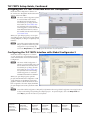
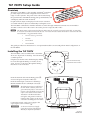
TLP 700TV Setup Guide, Continued Configuring the TLP 700TV (Initial Setup) Before using the TLP 700TV, it is essential to configure it, using the on screen menus. There are five different screens (Main, Volume, Time, Network, and Video) that can be selected by pressing the appropriate button at the left side of the screen. There is also an Exit button at the bottom left corner of the screen for leaving the menus. Enter the Setup Menu 1.. Use a paper clip to press the recessed Menu button to activate the top-level menu screen. The menu opens at the Main Setup Page (see figure on the next page). 2. Touch an area of the screen to bring it into focus and use the up and down buttons or the volume control knob to adjust the value. Some options have a single button and toggle between Off and On when pressed. Use the different menu pages to adjust the following options. For more details, see the Reference Manual. Main (shown at right) — This page is used to adjust the Sleep timer, Backlight, Auto Backlight, LED Backlight, and Wake on Motion functions. Volume — This page is used to adjust the Master, Click, Setup Screen Sound, and Line In volume settings. Time — This page is used to set up the correct time and date. Network — This page is used to set the IP address, the subnet mask, and to enable or disable Dynamic Host Configuration Protocol (DHCP). Video — provides a small video preview window and the controls to set up the video contrast, color, brightness, and tint. Enter Calibration Menu 1. Press the Menu button a second time to calibrate the screen. For more details, see the Reference Manual. Once all four points have been calibrated, the screen reopens to the Setup Menu. 2. Press Exit to close the on screen menus. Calibration Screen Reset Modes The TLP 700 TV has four reset modes that can be initiated by pressing the Reset button: Factory Firmware Mode: Hold the Reset button while applying power to reset the unit back to the base firmware shipped with the unit. Run/Stop Events Mode: Hold the Reset button until the reset LED blinks once (3 sec.), then release and press Reset momentarily (<1 sec.) within 1 second. This mode turns events either On or Off. Reset All IP Settings Mode: Hold the Reset button until the reset LED blinks twice (6 sec.), then release and press Reset momentarily (<1 sec) within 1 second. This mode resets the IP address, subnet, gateway, port mapping, and DHCP settings back to factory defaults. The reset LED blinks 4 times in quick succession, confirming the reset and turning events off. If necessary, reset the IP address, using ARP and the MAC address. Reset Factory Defaults Mode: Hold the Reset button until the reset LED blinks 3 times (9 sec.), then release and press Reset momentarily (<1 sec) within 1 second. This mode causes an complete reset to factory defaults (except firmware). N See the Reference Manual for additional details. 2 TLP 700TV • Setup Guide