1
CONTENTS
Notation Conventions ................................................................... xvi
FEATURES AND TOOLS
VisualDSP++ Features .................................................................. 1-1
Code Development Tools .............................................................. 1-4
Connecting to a Debug Session ..................................................... 1-6
BASIC TUTORIAL
Overview ...................................................................................... 2-1
Exercise One: Building and Running a C Program ......................... 2-3
Step 1: Start VisualDSP++ and Open a Project ......................... 2-3
Step 2: Build the dotprodc Project ........................................... 2-7
Step 3: Run the Program ......................................................... 2-9
Step 4: Run dotprodc ............................................................ 2-14
Exercise Two: Modifying a C Program to Call an Assembly Language
Routine ................................................................................... 2-15
Step 1: Create a New Project ................................................. 2-15
Step 2: Add Source Files to dot_product_asm ........................ 2-21
Step 3: Modify the Project Source Files .................................. 2-22
Step 4: Use the Expert Linker to Modify dot_prod_asm.ldf .... 2-25
Step 5: Rebuild and Run dot_product_asm ............................ 2-29
Exercise Three: Plotting Data ...................................................... 2-31
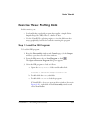
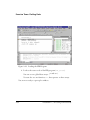
Step 1: Load the FIR Program ............................................... 2-31
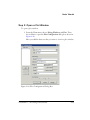
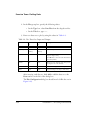
Step 2: Open a Plot Window ................................................. 2-33
Step 3: Run the FIR Program and View the Data ................... 2-37
Exercise Four: Linear Profiling .................................................... 2-45
iv
VisualDSP++ 5.0 Getting Started Guide