1
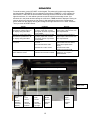
DP8 & DP9 SUPPORT DESK GUIDE This document has been compiled from Craden’s database of technical support calls and printer repairs. It is intended to assist the Support Desk and light technical support in getting a printer back on line quickly. Most of this information describes issues that can be remedied on site to reduce downtime, taxing of technical resources, and cost of factory service. Other items identify the problem source and get to the ‘repair here or return for service’ decision swiftly. Please contact Craden by any method on the cover to request clarification or suggest improvements. Up to the minute service bulletins can viewed online: http://www.craden.com/bulletin.htm Table of Contents Printer Diagram 2 Communications Communication with System 3 Configuration 4 Printing Ribbon Replacement 5 Remove or Replace Ribbon Shield 6 Test Printing 8 Print Quality Issues 9 Document Feed, Eject, or Jamming 10 Clear a Document Jam 11 Printer Specifics Sensors 12 Keypad or Display 14 Error Conditions & Messages 15 Printer Tests and Demos 16 Diagnostic Flowchart 18 1999-2011 - Craden Peripherals Corporation All rights reserved. This document, or any part thereof may not be reproduced in any form without written consent from Craden Peripherals Corporation. 1