1
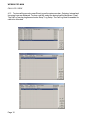
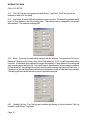
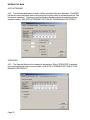
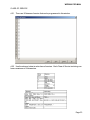
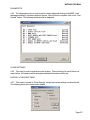
WPBX00 PRO MAN SYSTEM SECURITY CODE The default System Security Code is 828828. ply to the Authentication code. The entire password must be reset. Refer to section 4.48. To change the System Security Code: GENERAL RULE (a) Enter Programming and select Setup-Settings-MBS-Change SSC. 2.05 When viewing any programming screens, the shaded items are informative items and cannot be changed. The white items are changeable items. In all screens, OK will accept the change and CANCEL will exit the window. (b) After selecting Change SSC, enter the new password (min of 1 number, max of 6 numbers) and confirm new password. Enter OK to accept or CANCEL to exit the window and cancel the new password. The password may be changed again before exiting the programming software without entering the new password. (c) Once this password is changed, the programming can only be accessed by the new password or universal password which is 288288. (d) The MBS will allow 3 attempts to enter the correct SSC password before closing the programming. DISTRIBUTOR PASSWORD The default Distributor Password is 288288. The Distributor Password cannot be changed. AUTHENTICATION PASSWORD The default Authentication Password is 12345678. To change the Authentication Password: (a) Enter Programming and select Setup-Settings-MBS-Change AC. (b) After selecting Change AC, enter the new password (min 1 number, max 8 numbers) and confirm new password. Enter OK to accept the change or press CANCEL to exit the window and cancel the new password. (c) The universal password does not apPage 2 3. SOFTWARE INSTALLATION 3.01 Programming of the Compass can be done through the PC using a RS232 interface. The software is shipped with each system and should be copied to the PC local directory. 3.02 Before initializing the software programming, connect the RS232 cable to the Master Base Station PC setup port and also to the COM port of the PC. 3.03 Run the setup program by executing the file PABXCFG.EXE. 3.04 Check to see what COM port is being used on the PC. If the correct COM port is not selected in the programming, then select the correct port and press OK to start the connection process again. When the COM port is correct, the MBS version is then displayed. 3.05 Compass PC setup software port settings default to COM 1 at a baud rate of 19200 bps. Compass software port settings must match PC COM port settings. To change settings, find the file named pbx-set.ini and modify the port settings to 9600 bps (needed for MBS).