1
LPOD-R Outdoor Amplifier / Block Up Converter
Ethernet-based Remote Product Management
4.4.7.5
MN-LPODR
Revision 1
Status | Statistics
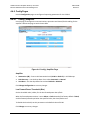
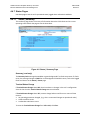
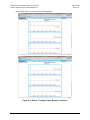
This page shows all unread, stored statistics. Use it to configure how the LPOD-R handles and
shows statistics. Refresh the page to see the latest data.
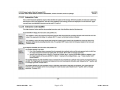
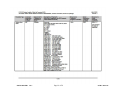
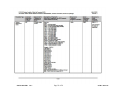
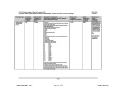
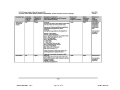
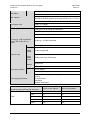
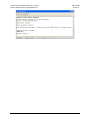
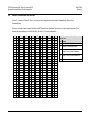
Figure 4-10. Status | Statistics Page
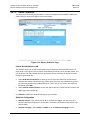
Unread Stored Statistics: ###
This window shows the unread stored statistics log in sequential, date-stamped format. This
page shows a running tally of the number of unread stored statistics in the window header. The
unit shows the five oldest stored statistics. All events that are read from the log are removed
from the log automatically.
•
•
Select Read Next Five Statistics to cause the unit to return the oldest five unread stored
statistics that remain unread in the log. If fewer than five events are available for retrieval,
the remaining positions are padded with zeros. If there are no new events, the counter in
the header reads 000.
Select Initialize Statistics Pointer to reset the internal pointer to allow queries to start at the
beginning of the statistics log.
Click Submit to update the window according to your selection.
Statistics Configuration
•
•
Statistics Interval – Enter the interval at which statistics are logged. The interval is set in
minutes. Minimum resolution is 1 minute (001); maximum is 99 minutes (099). Default is 90
minutes (090).
Statistics Averaging – Select Enable or Disable to set the Statistics Averaging function:
4–21