1
Intercom Calls (continued)
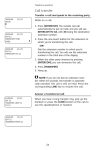
To tone call manually,
l
Lift handset.
l
Press
l
Dial extensionnumber.
l
Press
0
0
lTCM
lTCM
.
again.Called telephonewill ring.
NOTE: Some systems muy be set up to tone signal as the first option.
Pressing Ii”CM a second time is not necessary in this case.
To tone call automatically(DSS),
Lift handset.
l
PressDSS button.
Press
lTCM
. When intercom party answers,two-way
0
conversationcantake place.
l
l
Off-Hook VoiceAnnounce (OHVA)
To make avoice announcementto anotherstationthat is off-hook
or busy on a call,
0‘ Make intercom call.
l
l
l
Heareithersingletoneburstfor anOHVA or severalquick
tone burstsfor a SOHVA.
Make announcement.When you hear a busy tone, this
meansthe stationis on the speakerphoneand you cannot
make an announcement.The personyou arecalling will,
however,hear a ring from his telephone.
Wait on line for reply. If announcingfrom an LCD
speakerphone,called station may sendnon-verbal reply
for display, As responseis displayed, the announcing
station is disconnected.
NOTE: The caller cannot control how the announcement is received.
This depends upon the equipment used and class of service
programming.
15
::;