1
PROGRAMMING
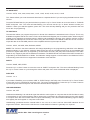
SHARP 750 ER-01PU
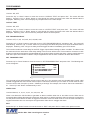
SPEDI CCTV
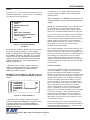
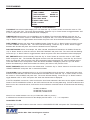
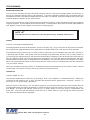
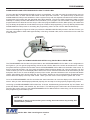
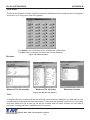
Press the “Up” or “Down” button to move the cursor to
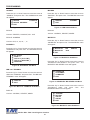
“SHARP 750 ER-01PU” and press “Set”. The SHARP
750 ER-01PU menu will appear:
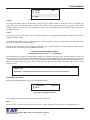
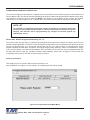
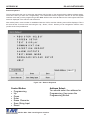
Press the “Up” or “Down” button to move the cursor to
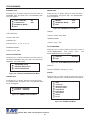
“SPEDI CCTV ” and press “Set”. The SPEDI CCTV menu
will appear:
DISPLAY
EXIT
RECEIPT
SET ADDRESS
EXIT
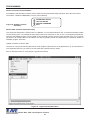
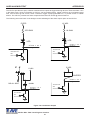
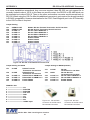
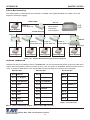
Figure 45: SHARP 750 ER-01PU Sub-Menu
DISPLAY
ANY
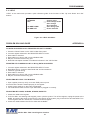
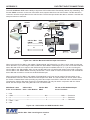
Figure 49 : SPEDI CCTV Sub-Menu
SET ADDRESS
Choices: RECEIPT, JOURNAL
Choices: ANY, 1, 2, 3,..., 255
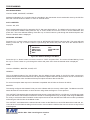
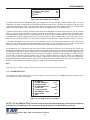
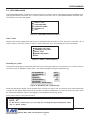
SHARP ER-A410/420
SUNTRONIC
Press the “Up” or “Down” button to move the cursor to
“SHARP ER-A410/420” and press “Set”. The SHARP ERA410/420 menu will appear:
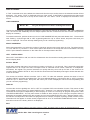
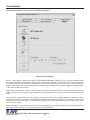
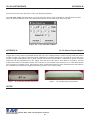
Press the “Up” or “Down” button to move the cursor to
“SUNTRONIC” and press “Set”. The SUNTRONIC menu
will appear.
TAP
EMULATE
TAP US
EMULATE US
890,891,960
2000
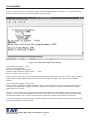
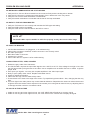
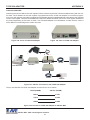
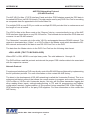
Figure 50: SUNTRONIC Sub-Menu
Figure 46: SHARP ER-A410/420 Sub-Menu
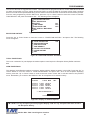
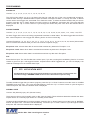
TCI
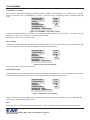
SHARP UP600/700
Press the “Up” or “Down” button to move the cursor to
“SHARP UP600/700” and press “Set”. The SHARP
UP600/700 menu will appear:
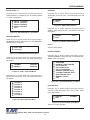
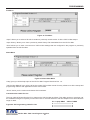
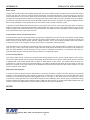
Press the “Up” or “Down” button to move the cursor to
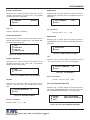
“TCI” and press “Set”. The TCI menu will appear:
DEVICE ADDRESS
EXIT
TAP
EMULATE
000
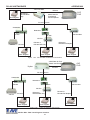
Figure 51: TCI Sub-Menu
Figure 47: SHARP UP600/700 Sub-Menu
DEVICE ADDRESS
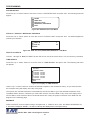
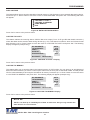
SICOM
Choices : 000, 001, 002,..., 999
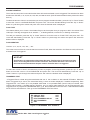
Press the “Up” or “Down” button to move the cursor to
“SICOM ” and press “Set”. The SICOM menu will appear:
SECNET ADDRESS
EXIT
8
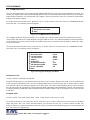
TEC SLIP PRINTER EMULATE
Press the “Up” or “Down” button to move the cursor to
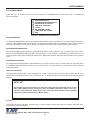
“TEC SLIP PRINTER EMULATE” and press “Set”. The
TEC SLIP PRINTER EMULATE” menu will appear:
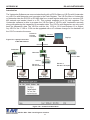
Figure 48: SICOM Sub-Menu
SECNET ADDRESS
MODEL:
MODE:
EXIT
TEC SLIP PRINTER
EMULATING /TAPPING
Choices: ANY, 1, 2, 3,..., 255
Figure 52: TEC SLIP PRINTER Sub-Menu
VSI-Pro Max POS / Cash Register Interface
23