1
PROGRAMMING
5.11 HELP
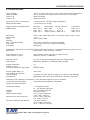
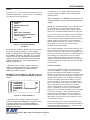
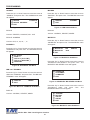
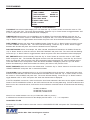
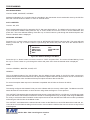
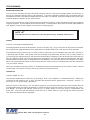
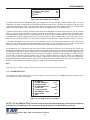
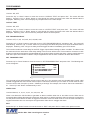
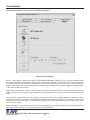
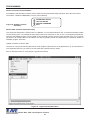
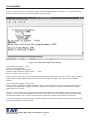
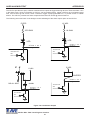
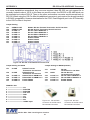
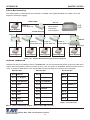
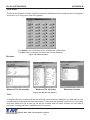
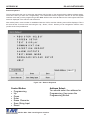
“HELP” on the main-menu provides a quick reference guide of the functions of the “Up” and “Down” and “Set”
buttons.
Key Definitions :
UP/DOWN
SET
UP AND DOWN
UP AND SET
_ _ Change value
_ _ Enter change mode
Save change
Go to position
_ _ Save string input
_ _ Erase character
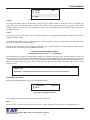
Figure 101: HELP Sub-Menu
PROBLEM SOLVING GUIDE
APPENDIX A
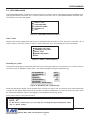
NO DATA ON-SCREEN and/or REGISTER LED NOT FLASHING
1.
2.
3.
4.
5.
6.
Press the “Reset” button on the VSI-Pro Max front panel.
Incorrect register selected in the REGISTER SELECT menu.
Data cable is miswired.
Data cable is too long or did not use shielded cable.
May be connected to the wrong port.
Need RS-232 Optical Isolation so enable this feature in the VSI-Pro Max
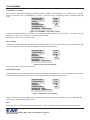
REGISTER LED FLASHING but NO or Wrong DATA ON-SCREEN
1.
2.
3.
3.
4.
5.
Incorrect register selected in the REGISTER SELECT menu.
Baud Rate wrong, change to Auto Baud rate and do transaction
Interface Type set wrong
Data cable is miswired.
Data cable is too long or did not use shielded cable.
May be connected to the wrong port.
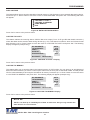
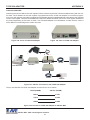
PROBLEMS WITH ECR / TPIF BOARDS
1. Upon regsiter power up verify on-screen ECR power up test.
2.Check that the board is seated properly in the register.
3. Check jumper settings on the board if applicable.
4. For ECR boards make sure the 2 pin data cable is plugged in correctly.
PROBLEMS WITH N2RS, NCR2RS, DTS2RS, B2RS ETC.
1. Check the cable to the register.
2. If VSI-Pro Max was working and stopped, power cycle the system. Turn off the register, unplug the power to the
N2RS, and unplug the power to the VSI-Pro. Now power up the system, plug in the VSI-Pro and the N2RS. Turn
on the register and do a transaction. The data should re-appear.
3. Check the cable between the VSI-Pro Max and the N2RS.
VSI-Pro Max POS / Cash Register Interface
59