Download PARTNER Advanced Communications System Quick
Transcript
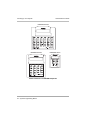
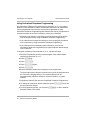
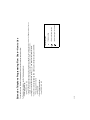
Quick Reference Guide 3 Setting Up Your System Using Centralized Telephone Programming Use Centralized Telephone Programming from extension 10 or 11 to program features or store telephone numbers for individual extensions. All features that can be programmed at an extension can also be programmed by using Centralized Telephone Programming. Most features also can be programmed on a system telephone at the user’s extension, except for the following: • Automatic Line Selection, Line Ringing, and Call Screening (F25) always must be programmed by using Centralized Telephone Programming. • If an extension has a single-line telephone, you must program all features for the extension by using Centralized Telephone Programming. • If an extension has a non-display system telephone, you must use Centralized Telephone Programming to program Extension Name Display for the extension. To program a telephone from extension 10 or 11, follow these steps: 1 Place the Programming Overlay over the dialpad of the system display telephone at extension 10 or 11. 2 Press 3 4 5 f00. Press s. Press s again. Press c. 6 Dial the extension number of the telephone to be programmed. The green lights next to buttons on which lines or pools are assigned show the current Line Ringing settings. The remaining buttons can be programmed with telephone numbers, extension numbers, or system features. 7 Program the features that must use Centralized Telephone Programming. 8 To change the settings for another extension, press c then dial the new extension number. 9 To exit programming mode, you can press and place it back in the cradle. 36 System Programming Basics f00, or lift the handset