1
CHAPTER 5
SMARTSTACK ETHERNET ELS10-27 DIAGNOSTICS
AND TROUBLESHOOTING
The SmartSTACK Ethernet ELS10-27 incorporates built-in diagnostic and
testing capabilities which are convenient to use and cause minimal or no
disruption to the rest of the operational network. These capabilities are
effective for isolating problems within the SmartSTACK Ethernet
ELS10-27 unit. Built-in diagnostic capabilities include:
¥ System-wide power-up diagnostics, which are run every time the
system is powered up or reset.
5.1 POWER-UP DIAGNOSTICS
The SmartSTACK Ethernet ELS10-27 performs an extensive set of
diagnostic self-tests whenever any of the following events occur:
¥ Power-up
¥ Resetting using the front panel Reset Button (a hard reset)
¥ Reset via the NMS (a soft reset)
¥ Reboot Command through LCM
The power-up diagnostics test processors, memory, and other critical
hardware components of the SmartSTACK Ethernet ELS10-27. All
diagnostic software is stored in non-volatile memory.
5.1.1 Power-up LED Sequence
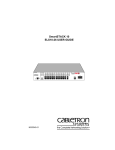
When you power-up the SmartSTACK Ethernet ELS10-27, the following
occurs:
1. Power LED is ON.
2. CPU LED comes on.
3. Segment Status LEDÕs Sequence as Initialize Progresses.
4. All Segment Status LEDs remain on.
5. All remaining LEDs turn on for several seconds.
6. All LEDs turn OFF, leaving the PWR and CPU LEDs ON.
5-1