1
Working with the printer
6
Working with the printer
6.1
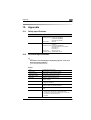
Please note the following points:
6
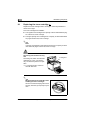
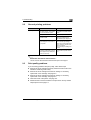
What should I watch out for when loading paper?
To avoid paper misfeeds, observe the following points:
G
Do not use any paper with the following features:
❍
❍
❍
❍
❍
❍
❍
❍
G
Paper that has already been used in a thermal or ink-jet printer.
Creased or wavy paper.
Paper with a surface that is too smooth, too rough or irregular.
Specially coated paper such as carbon paper or paper with an
adhesive surface.
Paper that is not cut at right-angles.
Paper that is held together by glue, adhesive or clips.
Paper with labels that detach easily.
Warped or curled postcards.
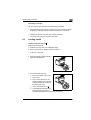
Do not allow the stack of paper in the paper tray to exceed the media
limit mark.
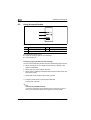
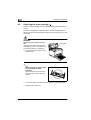
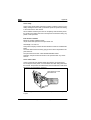
What should I watch out for when loading envelopes?
To avoid envelope misfeeds in the laser printer, please observe the
following points:
G
Do not use self-adhesive envelopes or those with a tear-off strip, closures, or a window.
G
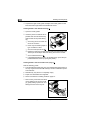
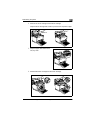
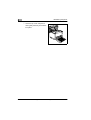
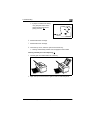
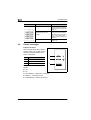
Place the envelopes in the tray with the flap down and facing to the left.
G
Make sure that the flaps are neatly folded back.
✎
Test envelopes before buying large quantities!
Some types of envelopes crease easily when they are run through a
printer. Test a type of envelope before purchasing large quantities.
EDNord - Istedgade 37A - 9000 Aalborg - telefon 96333500
6-1