1
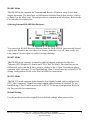
Protocol
The TCP or UDP mode is shown.
COM Name
The mapped COM number is shown.
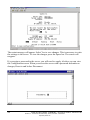
Status
The Status indicates the Mapped (Virtual) COM port condition.
“Not Connected” is shown when a program does not have the port Open.
“Connected” is shown when that mapped port is Open for use.
Server Properties Screen
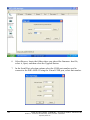
Highlight the DSE-410D Server in the Manager Server window; double-click to
open.
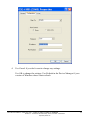
The Server Properties screen is used to Configure and store the Server settings.
Details for setting Properties are shown in the next chapter.
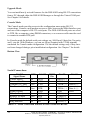
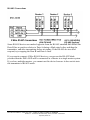
The DSE-410D Server Serial Port 1 is the Multi-Interface port; Server Serial Port 2 is
the RS-232 port.
Document Number: 940-0186-100
– DSE-410D Owner’s Manual
Quatech, Inc. - 5675 Hudson Industrial Parkway, Hudson, OH 44236 – 330.655.9000
http://www.quatech.com
21