1
Model 3231 CLI Reference Guide
12 • PPPoA Commands
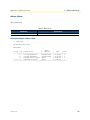
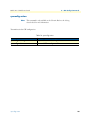
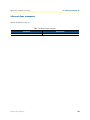
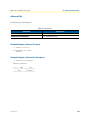
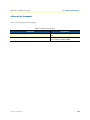
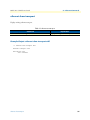
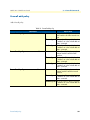
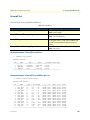
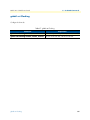
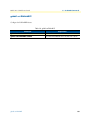
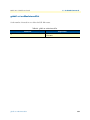
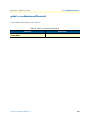
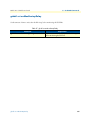
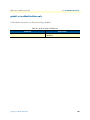
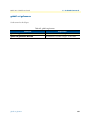
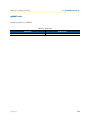
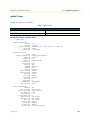
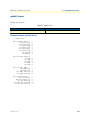
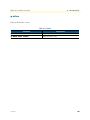
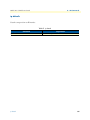
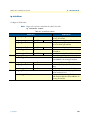
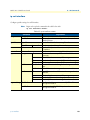
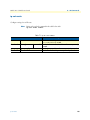
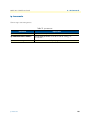
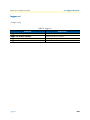
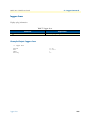
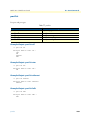
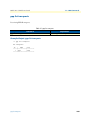
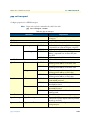
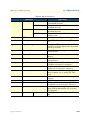
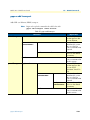
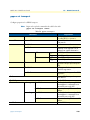
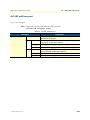
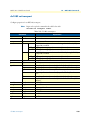
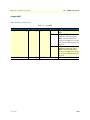
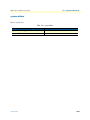
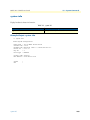
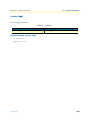
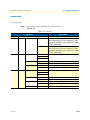
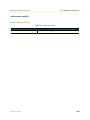
Table 88. pppoa set transport
Command
headers
hdlc
Explanation
disabled
enabled
llc
disabled
enabled
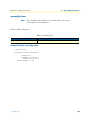
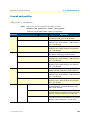
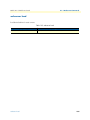
idletimeout
interface
<idletimeout>
<iface>
lcpechoevery <lcpechoevery>
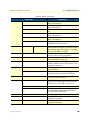
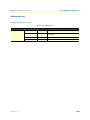
lcpmaxconf
<lcpmaxconf>
lcpmaxfail
<lcpmaxfail>
lcpmaxterm
<lcpmaxterm>
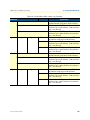
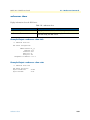
localip
<ipaddress>
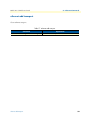
mbs
<mbs>
mcr
<mcr>
mru
<mru>
password
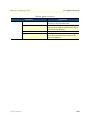
pcr
<password>
<pcr>
port
<port>
pvc
<port>
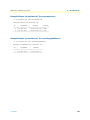
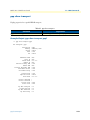
pppoa set transport
<vpi><vci>
Do not allow packets that have HDLC headers to
be transmitted/received.
Allow packets that have HDLC headers to be
transmitted/received.
Do not allow packets that have LLC headers to be
transmitted/received.
Allow packets that have LLC headers to be transmitted/received.
Set an idle time out for your LAN connection.
Set the PPP interface for an existing PPPoA transport.
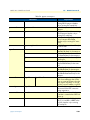
Tell a specified PPP transport to send an LCP (Link
Control Protocol) echo request frame at specified
intervals (in seconds).
Set the LCP maximum configure number for an
existing transport.
Set the LCP maximum fail number for an existing
transport.
Set the LCP maximum terminate number for an
existing transport.
Only applies to dialin SVC or PVC transports that
provide the server-end of a connection.
Set the maximum burst size for PPPoA transport
(Applies only to existing PVC transports).
Set the minimum cell rate for an existing PPPoA
transport (Applies only to existing PVC transports).
Set the interface’s maximum receive unit (MRU)
(in bytes).
Set a dial-out password on a named transport.
Set the peak cell rate for an existing PPPoA transport (Applies only to existing PVC transports).
Set the port that an existing transport uses to
transport PPPoA data (Applies only to existing
PVC transports).
Set PVC (Permanent Virtual Circuit) for PPPoA
data.
119