1
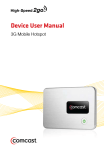
3G Mobile Hotspot
Contents
Important safety instructions ....................................................... 3
Introduction ........................................................................................ 5
Features................................................................................................. 5
Package contents ..................................................................... 5
Best Buy Connect...................................................................... 5
Components............................................................................... 6
Power button LED .................................................................... 7
Service status LED indicator ................................................. 7
System requirements .............................................................. 8
Using your hotspot for the first time.......................................... 8
Removing the tab and charging the battery.................. 8
Turning your mobile hotspot on and off ......................... 9
Disconnecting from the Internet ......................................10
Customizing settings .....................................................................11
Changing the password .......................................................11
Setting up a temporary hotspot .......................................13
Maintaining .......................................................................................14
Troubleshooting ..............................................................................15
Resetting your hotspot.........................................................17
Specifications....................................................................................18
Legal notices .....................................................................................19
One-year limited warranty...........................................................21
2
RF-MFH2 3G Mobile Hotspot