1
RF-[model#] RF-MFH2
• Do not short circuit a battery or allow metallic or conductive
object to contact the battery terminals.
• Battery usage by children should be supervised.
• Avoid dropping your hotspot or the battery. If hotspot or the
battery is dropped, especially on a hard surface, and you
suspect damage, take it to a service center for inspection.
Introduction
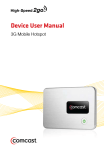
Congratulations on your purchase of the 3G mobile hotspot (MiFi®
RF-MFH2). This hotspot represents the state of the art in Wi-Fi
hotspot design and is designed for reliable and trouble-free
performance.
Features
• 3G mobile hotspot (MiFi® RF-MFH2)
• 3G Internet On-the-Go
• Compatible with Wi-Fi enabled devices (PCs, smartphones, MP3
players, and eReaders)
• Connect with up to five Wi-Fi devices simultaneously
Package contents
•
•
•
•
•
3G mobile hotspot
Rechargeable lithium-ion battery
A/C charger
User Guide
Quick Start Guide
Best Buy Connect
Welcome to Best Buy Connect. We offer flexible mobile broadband
options that let you connect to the Internet from practically
anywhere in the US. Using Best Buy Connect’s mobile broadband
service, you can browse the Internet, access files, and send e-mail
when you are on the go. We’ll activate your service and keep you
connected with personal help and specialized support.
To access your online account, log on to:
https://www.bestbuyconnect.com
Or click Manage My Account in the Connection Manager application.
RF-MFH2 3G Mobile Hotspot
5