1
Zaxcom IFB-100
Extended Menu
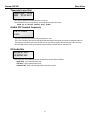
Format Recording Card
PRESS UP KEY 5X
TO ERASE CARD
This menu will allow you to erase and format the mini SD card.
NOTE: This menu will only appear if a card was inserted prior to booting up. Also if the mini SD card is
removed this page will not appear.
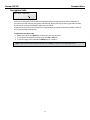
To Format a Card:
1. With the power ‘OFF’, insert the memory card into the media slot with the label to the back of the
unit. Press it all the way in till it “clicks”.
2. Power up the transmitter while holding the Menu key to enter the Extended Menu.
3. Advance to this menu.
4. Press the INC key 5 times.
5. You will see “FORMATTING FAT 32”
6. The TRX will displays “SUCCESS” or “FORMAT FAILED ERROR”
7. If “SUCCESS” appears power cycle the TRX and make sure the unit will record.
NOTE: If you see a “FORMAT FAILED ERROR” try to re-format the card and if it fails again DO NOT use
that card in the transmitter.
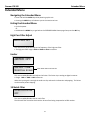
Time Code Jam Mode
TC JAM MODE:
AUTO-JAM NORMAL
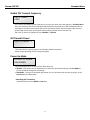
If record run timecode is being used this menu will control weather the IFB-100 will send record commands
so that the receiving transmitter will automatically go into record when it receives the running timecode.
• AUTO-JAM NORMAL– TheIFB-100 will continuously jam timecode.
• AUTO-LOAD REC RUN – The IFB-100 will continuously jam timecode and will send start and stop record
commands to the corresponding transmitter when it receives record run timecode.
In this mode the transmitter will go into record mode when it detects rolling timecode. And the will stop
when the timecode stops. If timecode is lost because the IFB signal is too weak the unit will continue in
whatever state it was in until the timecode signal is restored.
12