1
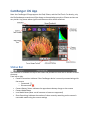
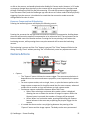
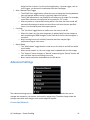
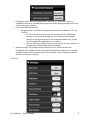
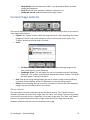
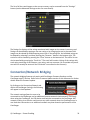
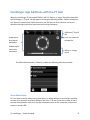
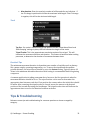
or dial on the camera, and would otherwise be disabled in Camera mode. However, in PC mode no property changes done physically to the camera will be recognized and any changes made through CamRanger will be lost after disconnecting. PC mode also prevents triggering images from the camera itself, and the CamRanger app must be set to Camera mode to allow physically triggering from the camera. It should also be noted that the connection mode cannot be changed while live view is active. Exposure Compensation & Bracketing Pressing the bracketing button will display the following control: Pressing the arrows at the top right and left moves the exposure compensation. Holding down the arrow will move the exposure compensation to its respective limit. The two buttons at the bottom middle control the bracket amount. Pressing the arrows pointing in will reduce the bracketing amount, while pressing the arrows point outward will increase the bracketing amount. The bracketing is not set until the “Set” button is pressed. The “Close” button will dismiss the dialog. Pressing “Close” without pressing “Set” will effectively cancel any adjustments made. Camera Actions • Capture o The “Capture” button initiates the camera trigger. The exact camera behavior is dependent on the camera and camera properties, most importantly the capture mode. o For most capture modes, such as single, timer, or quiet the button performs the image capture as expected. It should be noted that for some cameras, advanced modes such as remote or timer will behave as single capture mode. o Continuous capture mode differs between Nikon and Canon. § Nikon: After selecting a continuous drive mode a picker is displayed allowing the user to select the number of images to capture. When the Capture button is pressed, that number of images will be captured. § Canon: When in a continuous mode, pressing and holding the Capture button behaves in the same way as pushing the physical trigger on the camera. o It is noted that there can be a very slight lag between the pressing of the “Capture” button and the image capture. The delay can be more pronounced © CamRanger – Patent Pending 15