1
•
•
•
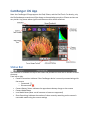
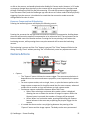
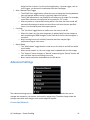
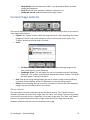
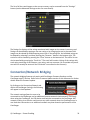
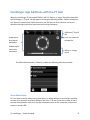
while live view is active. For time critical applications, a remote trigger, such as an RF trigger, can be used in combination with the CamRanger. Auto / Manual Focus Toggle o The AF/MF Focus toggle button allows the user to change the focusing between auto and manual without having to physically adjust the camera. o This AF/MF adjustment is not possible for all cameras in all modes. For example, some Nikon cameras are required to be connected in “PC” mode. o After any touch or incremental focusing while in live view, the focus mode will automatically attempt to switch to manual focus such that the user specified focus is not override by auto focus upon capture. Live View o The “Live View” toggle button is used to turn live view on and off. o When live view is on, the main image view is updated with live view images as well as updating the RGB histogram in the Data tab if the live view histogram is turned on. o Note: running live view is relatively intensive and there may be slight performance lags in other areas. Movie Mode o The “Movie Mode” toggle button is used to turn live view on and off, but within movie mode. o When movie mode is on, the main image view is updated with the live images. o The “Capture” button changes to “Record” and pressing the “Record” button will start and then stop the recording of a movie. o Note: movies cannot be downloaded to the iOS device. Advanced Settings The advanced settings menu is accessed from the settings button and allows the user to manage the connection, set options and controls, and get help. The above image shows the settings menu with each category that can be tapped to expand. Connection/Network © CamRanger – Patent Pending 16