1
Administration Methods
2.4
Administration via Email (only myUTN-80 and
later)
You can administer the UTN server via email and thus via any
computer with Internet access.
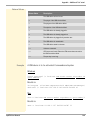
Functionalities
An email allows you to
• send UTN server status information
• define UTN server parameters or
• perform an update on the UTN server
Requirements
; A DNS server has been configured on the UTN server, see:
Ö40.
; In order to receive emails, the UTN server must be set up as user
with its own email address on a POP3 server.
; POP3 and SMTP parameters have been configured on the UTN
server; see: Ö44.
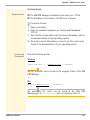
Sending Instructions
via Email
If you want to administer the UTN server, you must enter the
relevant instructions into the subject line of your email.
1.
2.
3.
4.
5.
ª
myUTN User Manual
Proceed as follows:
Open an email program.
Write a new email.
Enter the UTN server address as recipient.
Enter an instruction into the subject line; see: ’Syntax and
Format of an Instruction’ Ö32.
Send the email.
The UTN server receives the email and carries out the instruction.
31