1
MR9600-100 User Guide
Setting the Duplex Mode (JP1-JP5)
Each 10M bps port can be set for half-duplex or full-duplex operation. At half-duplex operation, packet
transmission and reception do not occur simultaneously, thus communication speed is limited to 10Mbps
in 10BASE-T mode. At full-duplex operation, packet transmission and reception occur simultaneously,
thus communication speed is doubled to 20Mbps using 10BASE-T mode. Full-duplex operation can be
used on links between the MR9600-100 and any device (or station) that supports full-duplex operation.
Set the 10M bps duplex mode using jumpers JP1-JP5 on the top PCB located behind the front panel.
To set a port (e.g., “P1” in the figure below) to full-duplex operation, jumper the top two pins together for
that port.
To set a port (e.g., “P5” in the figure below) for half-duplex operation, jumper the bottom two pins
together for that port.
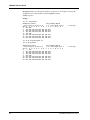
Refer to the figures below for 10M bps Half-duplex/Full-duplex mode jumper locations and settings. Note
that it is not necessary to turn off power to the MR9600-100 when changing the duplex mode setting.
P5 P4
P3
P2
P1
JP1 JP2 JP3 JP4 JP5
CC9600HB-100
Rev. xx
Figure 4. 10M bps Half-duplex/Full-duplex mode jumper locations.
Note:
Full-duplex mode can only be used for connections to other switches, network
servers, or network stations. Connections to hubs must use half-duplex mode
only. Jumpers are not necessary for 10/100M bps ports (which can auto-negotiate for
10/20/100/200M bps operation).
P5
JP1
P4
JP2
P3
JP3
P2
JP4
Figure 5. 10M bps Half-duplex/Full-duplex mode jumper settings.
14
CommPlete Communications Server