1
Getting Started with VCM for Virtualization
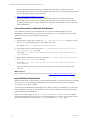
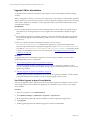
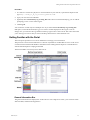
vCenter Server Collections
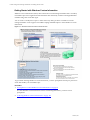
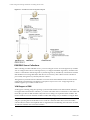
When collecting data from vCenter Server, you must license the Windows machine running the vCenter
Server and install a VCM Agent (version 5.4 or later), PowerShell, and vSphere PowerCLI. The Agent runs
the vCenter Server collection by using vSphere PowerCLI to access the vSphere API on vCenter server.
The data is relayed to the Collector and added to the database.
vCloud Director vApp Virtual Machines Collections
To accommodate how vCloud Director manages vApps, which can include duplicate names, IP addresses,
and MAC addresses, VCM collects and displays internal and external IP address information, internal
machine name information, and vCenter machine name information collected directly from vCloud
Director. Based on the collected data, you determine how VCM constructs a unique virtual machine name
and specify which IP address to use based on the network address translation (NAT) mapping level.
To identify the vCloud Director virtual machines, you configure discovery rules that analyze data collected
from the vCloud Director REST API and use the vApp virtual machine information to add new virtual
machines to VCM. After installing the Agent and licensing the virtual machines, you manage the new
machines based on their operating systems. The machines appear in VCM based on your configured
naming convention.
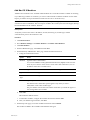
Configure vCenter Server Data Collections
Collecting vCenter server data is based on a process that extends beyond the standard Windows
collection. The configuration of the process has several prerequisites. When the prerequisites are met, data
is collected from vCenter Server by using default collection filters.
Procedure
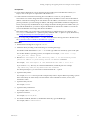
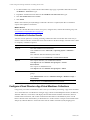
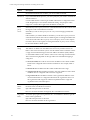
1. "Configure vCenter Server Collection Prerequisites" on page 143
The vCenter Server collection prerequisites prepare your environment for collecting data from
vCenter Servers.
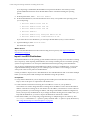
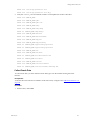
2. "Collect vCenter Server Data" on page 145
The vCenter Server collection is based on default collection filters for vCenter Host Profiles, vCenter
Host Status, and vCenter Inventory.
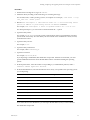
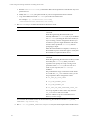
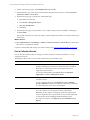
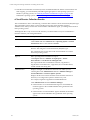
The collected vCenter Server data appears in the Console in the Virtual Environments node. The collected
vCenter Server data helps you identify and manage VM Host machines. See " vCenter Server Collection
Results" on page 146.
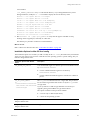
Configure vCenter Server Collection Prerequisites
The vCenter Server collection prerequisites prepare your environment for collecting data from vCenter
Servers.
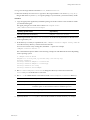
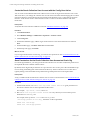
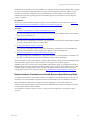
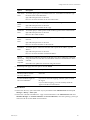
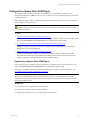
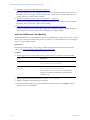
1. "Configure the VCM Agent with HTTP Communication" on page 144
Configure the VCM Agent (5.4 or later) on the vCenter server with HTTP communication. You cannot
collect vCenter Server data if the Agent is not configured to use HTTP.
2. "Add vCenter Server User with Administrator Role" on page 144
The VCM Agent Network Authority Account must be added as a vCenter Server user with an
Administrator Role.
VMware, Inc.
143