1
Getting Started with VCM
Windows Collection Results
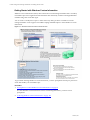
Continuous Windows machine management is based on the latest data you collect from target machines.
You can view data and run actions, such as reports or compliance, based on the collected data.
Windows data appears in VCM and is available for several management actions, including Console
dashboards and reports, Compliance views, and VCM Patching. The displayed data is only as current as
the last time you collected the data.
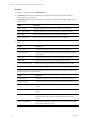
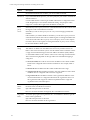
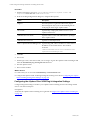
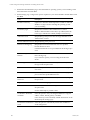
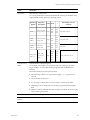
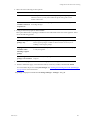
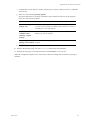
Option
Description
Console
Displays dashboards and reports based on collected data. Use the Console to view
data that is relevant to day-to-day operations, troubleshooting, and analysis.
Compliance
Reports
n
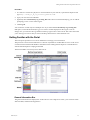
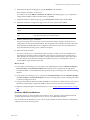
To view the dashboards, click Console and select Dashboards > Windows >
Operating Systems.
n
To view the summary reports, click Console and select Windows > Operating
System > Machines. You can view the data in a summary report or data grid
format.
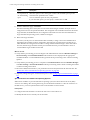
Determines if the data collected from VCM managed Windows machines meets
specified compliance values, and allows you to run compliance remediation
actions.
n
To run a compliance check, click Compliance and select Machine Group
Compliance.
n
To create rule groups, rules, filters, and templates, see the online help.
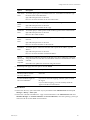
Runs pre-configured reports or you can create custom reports. VCM runs reports
against the latest collected data. Depending on the data volume or complexity of
the requested report, it might take time to generate the report. For information to
schedule and disseminate reports, see the online help.
n
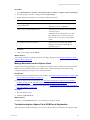
Patching
To use the reporting options, click Reports and select Machine Group Reports
> Windows.
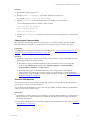
Assesses target machines to determine if the patching status of the Windows
machines is up-to-date. You can install the latest patches on target machines.
n
To assess and patch Windows machines, click Patching and select Windows.
n
To run assessments and patch your Windows machines, see the online help.
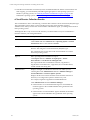
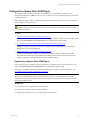
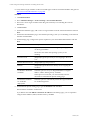
After the initial discovery is finished, perform a weekly discovery to update the list of available Windows
machines. To schedule a VCM discovery job, click Administration, select Job Manager > Scheduled, and
follow the wizard.
VMware, Inc.
91